i there,
I am having some difficulty implementing the authentication method described in the documentation.
https://apidocs.dlubal.com/access_control.html
I was previously using the direct approach (working well) :
rfemApp = new ApplicationRfem(apiKeyValue: "ak-abb1f9xxxxxx
but I wanted to put the api key value in a config.ini file.
However, when I create an config.ini file at the following location:
C:\Program Files\Dlubal\RFEM 6.14\bin\Lib\site-packages\dlubal\api
and run :
rfemApp = new ApplicationRfem(apiKeyName: "testAPI");
I get the following error:

The config file is as follow:
[api_keys]
testAPI = ak-abb1f9b3xxxxx
Is there a specific requirement regarding the location of the config.ini file or additional configuration needed for it to be detected?
Thank you in advance for your help.
Hi GuillaumeCaussarieu,
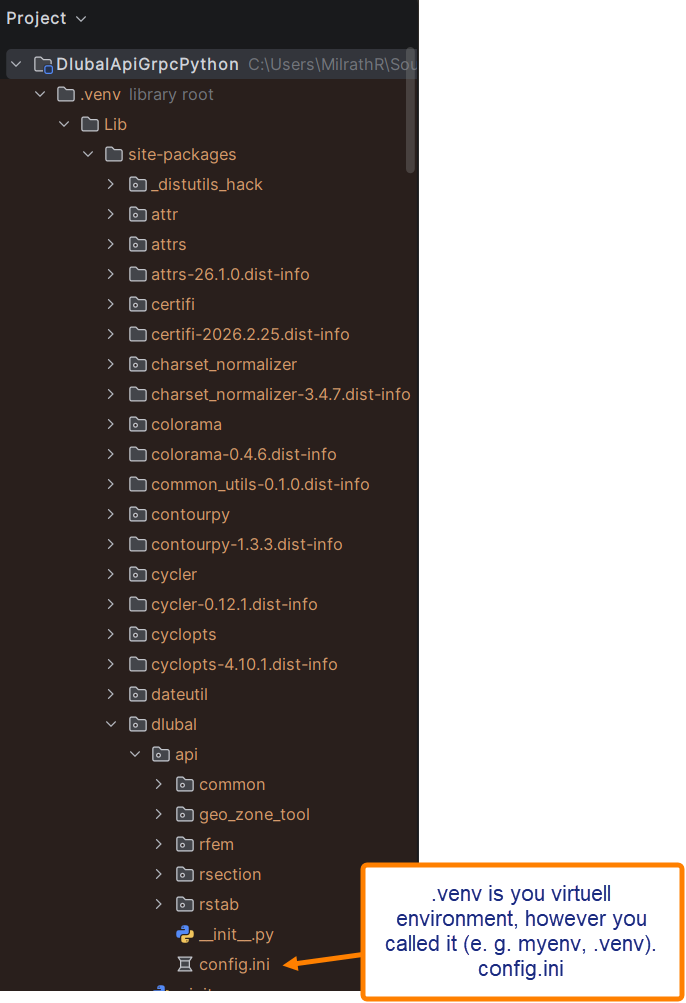
if you're working in a virtuell environment as described under Python Client — Dlubal API documentation, the config.ini should be saved here:
Please read also Authentication — Dlubal API documentation
Please make sure that you have defined a default value in the config.ini:
[api_keys]
project_1 = ak-e72f5da141ba4cce8b736c05ae444f5791aa8b17a372f24c
project_2 = ak-e72f5da141ba4cce198913bb39924c4ca8d78f75623b014a
default = ak-e72f5da141ba4cce8b736c05ae444f5791aa8b17a372f24c
The shown keys are not valid anymore, so I can make them public here. Normally you should never show the key somewhere.
I hope this will help you to get it work.
Best regards
Robert Milrath
Hi @robert.milrath
Thank you for your answer,
I’m not working in a virtual env.
I’m developping a solution in C# using Visual Studio (I should have mentionned that!) and the documentation does seem to cover this case (at least in terms of file location)
Many thanks
Guillaume
1 Like
Hi Guillaume,
Regarding the C# client, we haven't implemented API key management like we have in the Python client. Currently, it's entirely up to you to implement a layer to handle that functionality. For the time being, we do not plan to add it, as our primary focus is on the Python client.
Best regards,
Many thanks @tomas.pail
No big deal, I’ll create a layer to do this then.
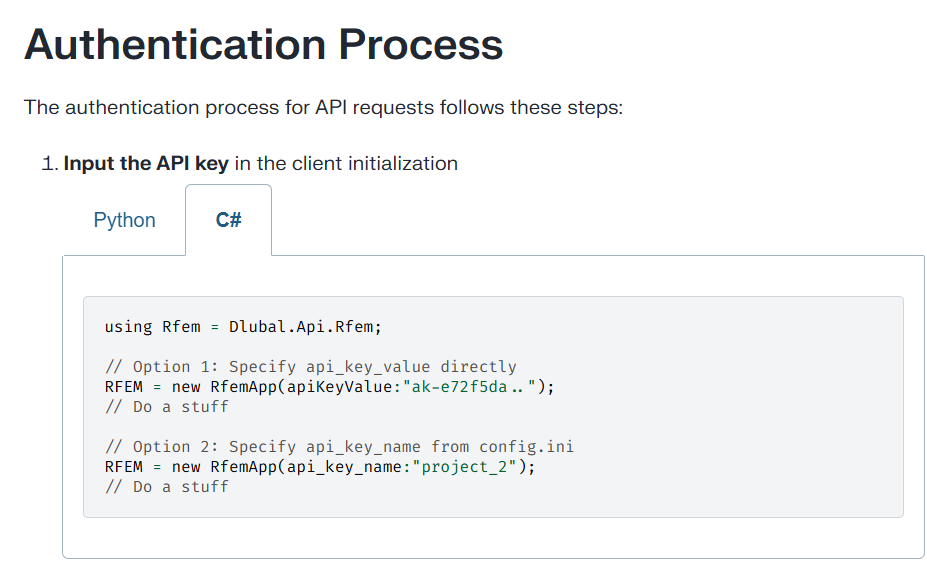
Maybe it would be helpful to update the documentation which led me (and maybe others) to think that this was also supported for the C# client:
Kind regard,
3 Likes