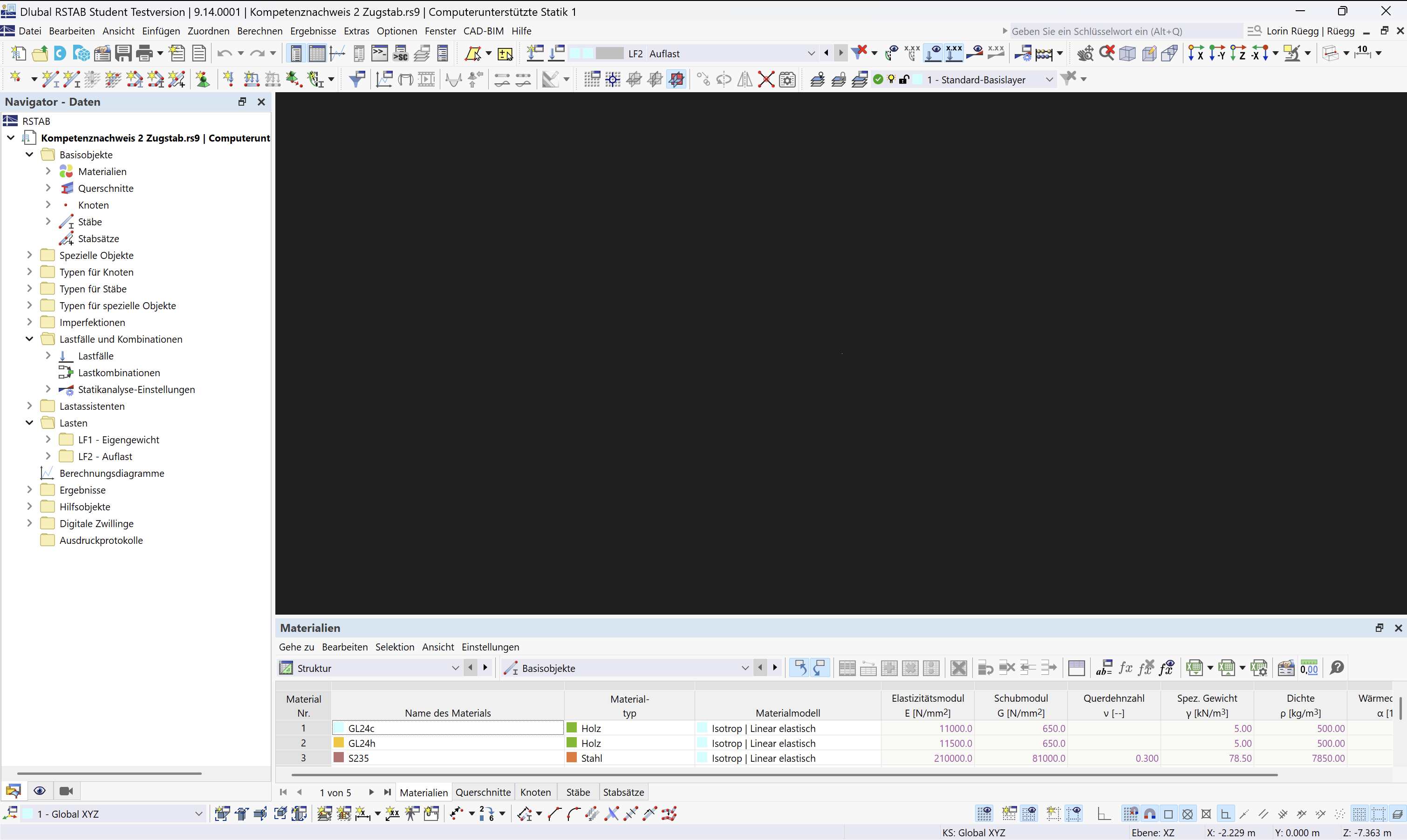
In RSTAB 9 nothing is displayed anymore, regardless of the RSTAB version.
Urgently need help.
Hello,
which exact version of Parallels Desktop are you using?
We have heard from several users about such problems, but I cannot reproduce them on my Mac with Parallels Desktop 26.2.2.
Best regards
Frank
It seems that this issue is related to the update from Parallels Desktop 26.2.2 to 26.3.0. Experiences of other users also indicate this.
It may be a bug in 26.3.0. I am investigating the problem further and will report back if I have new insights.
Best regards
Frank
Could you please try if the Mesa renderer works or if it causes a crash.
Here you can find instructions on how to activate the Mesa renderer.
https://www.dlubal.com/de/support-und-schulungen/support/faq/005292
If it causes a crash, please deactivate the Mesa renderer again immediately.
Best regards
Frank
Unfortunately, it does not work. RSTAB keeps crashing whenever I activate it.
Thank you
I had unfortunately feared that. My hope was that the problem with the crash caused by the Mesa renderer only occurs under certain circumstances.
The solution to the Mesa renderer crash under Parallels Desktop is in our hands. We will try to fix the problem as quickly as possible.
It is different with the original problem that the graphics window does not work. My current understanding is that this is a bug in Parallels Desktop 26.3.0. Feedback from other users also points to this. Therefore, I will contact Parallels and can only hope for a solution soon.
At the moment, I can only recommend not installing the update from 26.2.2 to 26.3.0. If the version is already installed, then I recommend downgrading to an older version.
Best regards
Frank
Here is a link to a version of Parallels Desktop that should work:
https://download.parallels.com/desktop/v26/26.2.2-57373/ParallelsDesktop-26.2.2-57373.dmg
Best regards
Frank
Here is my post in the Parallels support forum:
https://forum.parallels.com/threads/opengl-issues-in-parallels-desktop-26-3-0.369853/
Best regards
Frank
The problem has been fixed by Parallels in the current version 26.3.2.
Best regards
Frank