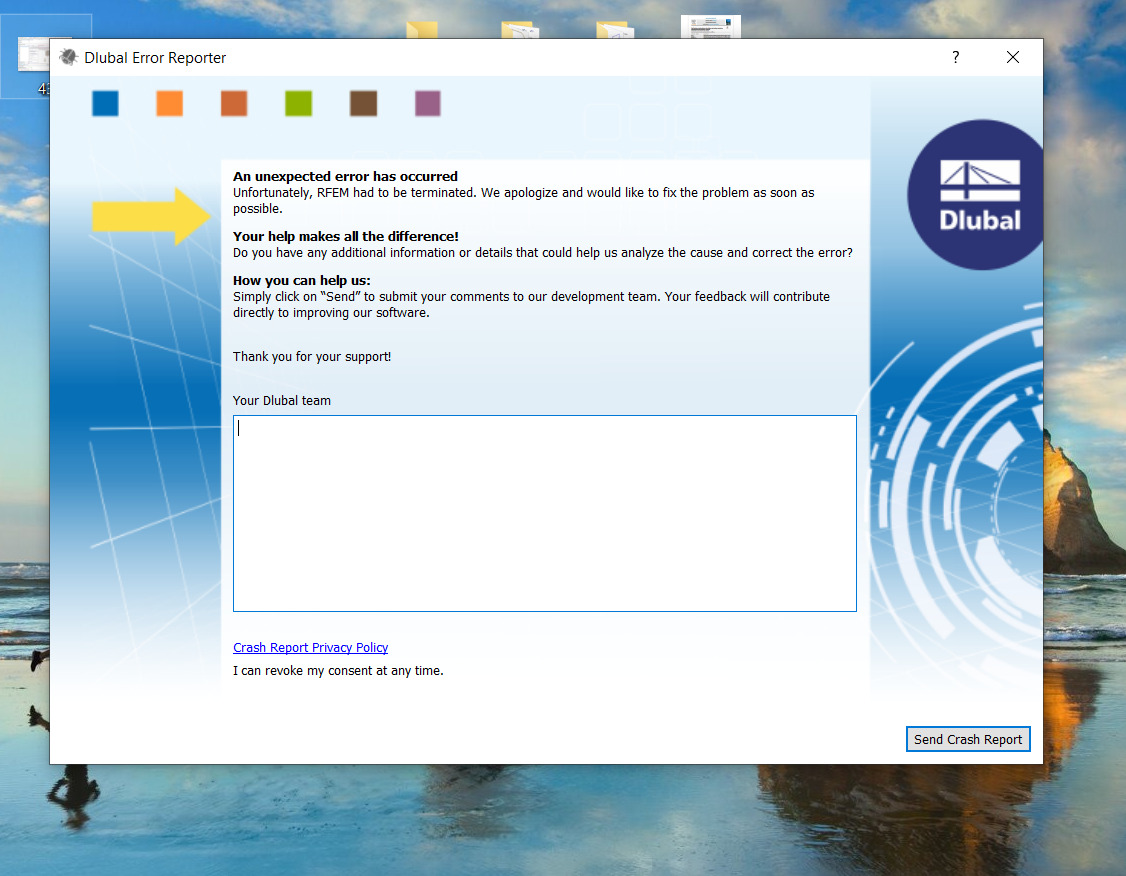
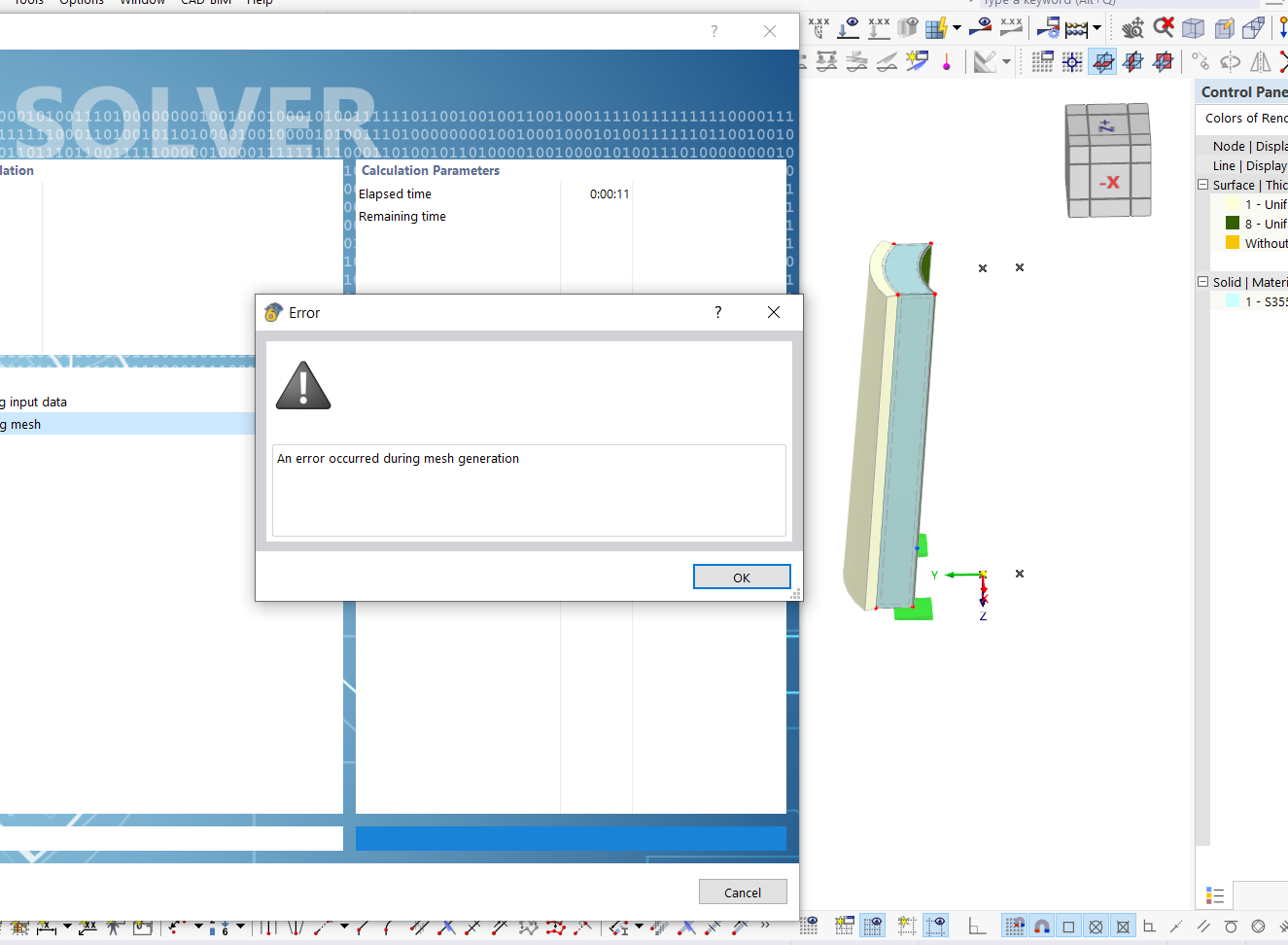
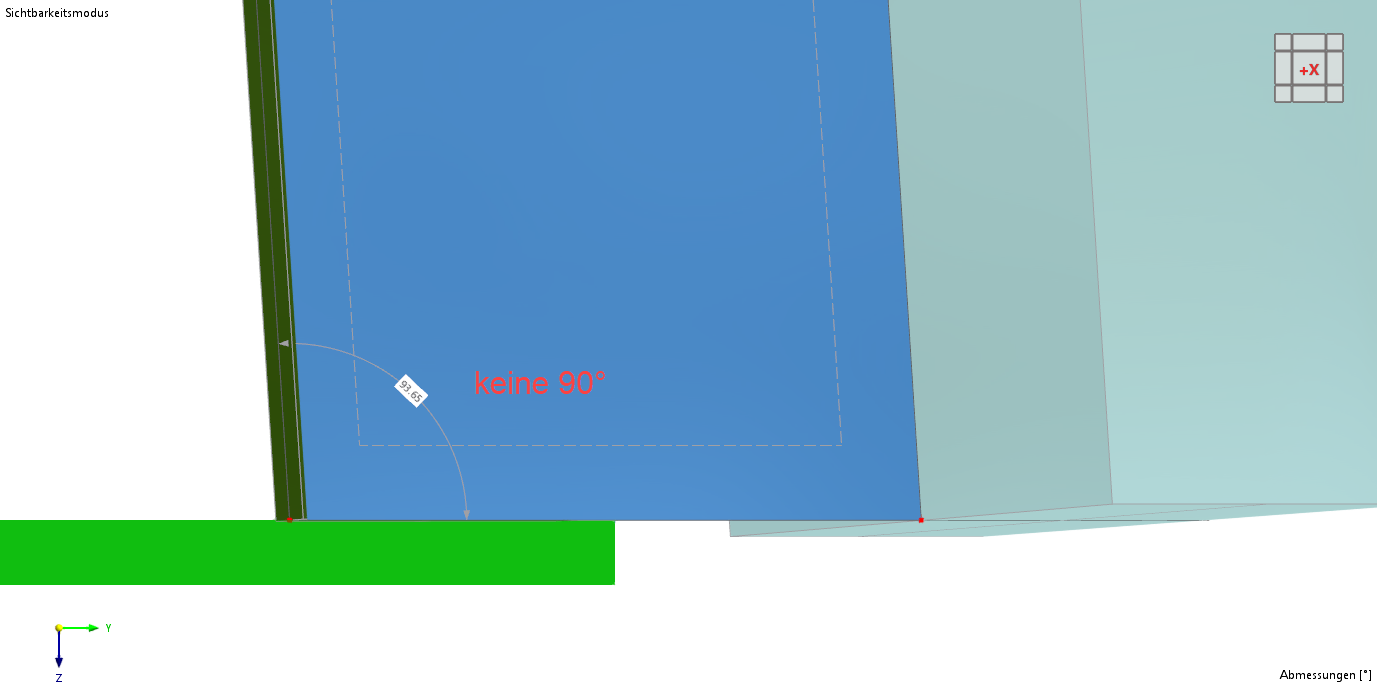
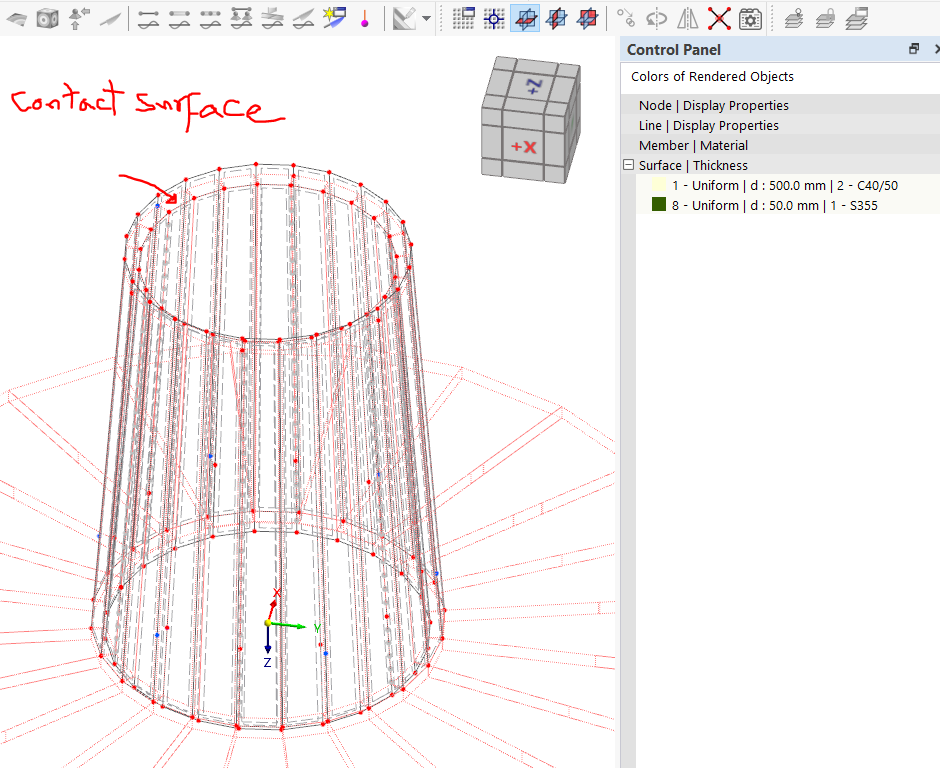
In RFEM 6 I have a steel pipe (cylindrical surface) and I want to add a concrete pipe next to it, with a contact between the two surfaces that transfers all loads (normal and shear) between steel and concrete.
The problem is that the contact surface feature only works for "plane" surfaces — not pipe, trimmed, or curved surfaces — so I cannot connect my two cylindrical surfaces.
How can I create a load-transferring contact between two curved (cylindrical) surfaces?
May I quickly ask: Do you mean that I should model the two cylinders as volume bodies (solids) instead of surfaces and then create a contact volume in between? As far as I understand, the contact volume only works between volume bodies.
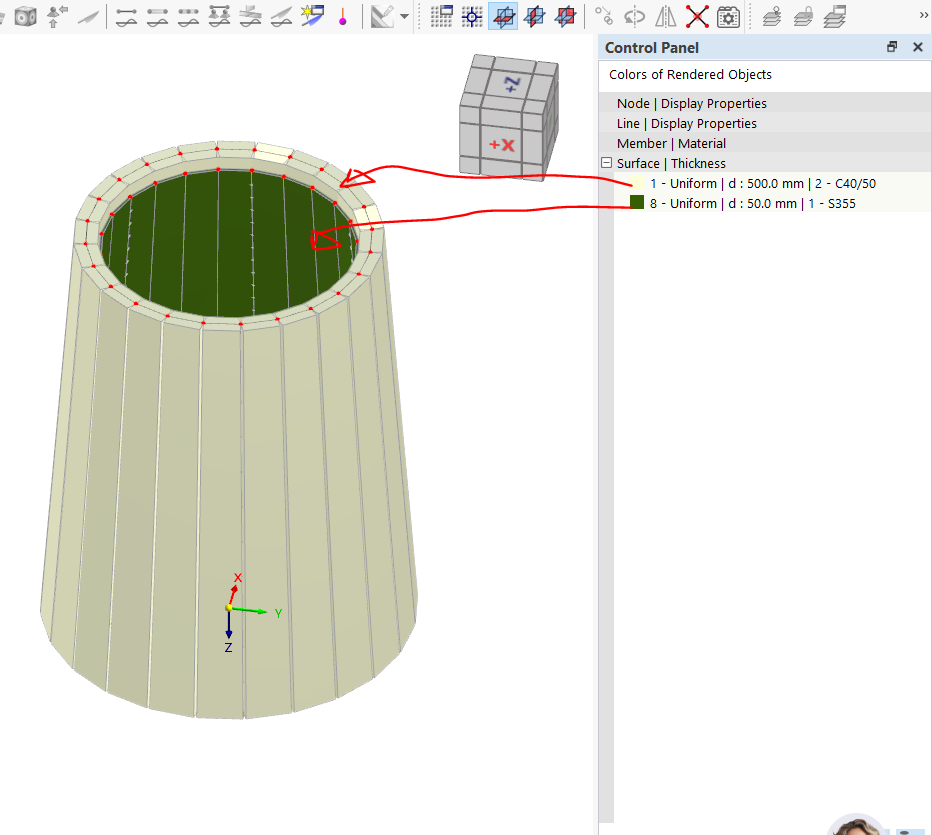
In the meantime, I have created the solution shown in the attachment: I divided the two cylinders into small sub-surfaces and then defined a surface contact between each sub-surface and the opposing sub-surface.
Is this a sensible approach, or do you instead recommend modeling with volume bodies and contact volumes?
A contact volume can easily connect 2 regular surfaces. You do not need to create additional volumes for the cylinders.
Your approach to approximate the round structure with flat surfaces is also possible.
However, if you quarter the cylinders and connect each with a contact volume, this should be more accurate in the modeling. I cannot assess whether the "error" caused by the approximation will be significant.
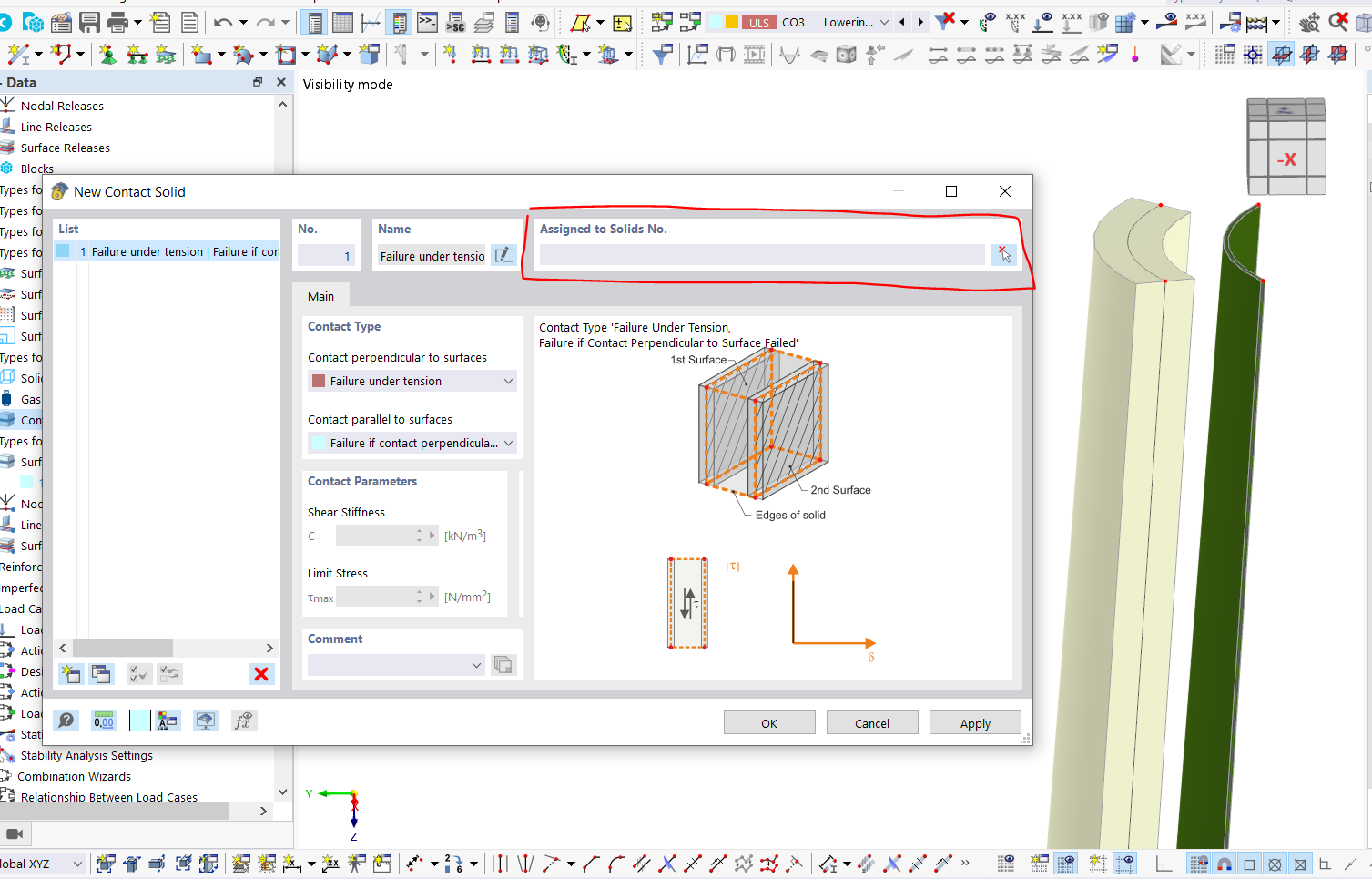
I tried to create the contact volume as described between the two cylinders, but it does not work for me—apparently because these are surfaces and not volumes (see screenshot attached).
Did I misunderstand something here? Could you please briefly explain to me exactly how the contact volume between two (curved) surfaces must be defined?
Attached you will find the model file, saved with the settings you specified. The model contains only the two cylinders (steel and concrete), between which I want to create a contact for full load transfer.
I don't know why the model suddenly closes. Is it a problem on my side? I tried twice and it closes. Could you show me what you did? Which feature did you use? Thank you and sorry for the trouble.
thank you very much for your help and for the corrected model.
Unfortunately, I cannot update to the latest version: I share the model with colleagues who also have to work with it, so I have to stay with my current version. Therefore, I am unable to open your file.
Could you please send me a few screenshots instead, showing what you did in the model? In particular, I would be interested in which 4 side surfaces you added and how you subsequently defined the contact volume.
Unfortunately, even this simple model cannot be calculated – the calculation does not complete. I have attached the model for your review. trial.rf6 (1.3 MB)
Then I would like to thank you. I think the method in the photo is currently the best and fastest solution until RFEM adds a function for connecting curved surfaces. Am I right, or do you see any issues with this method that I should be aware of?
 Click on File → Save As and choose the following settings to reduce the file size: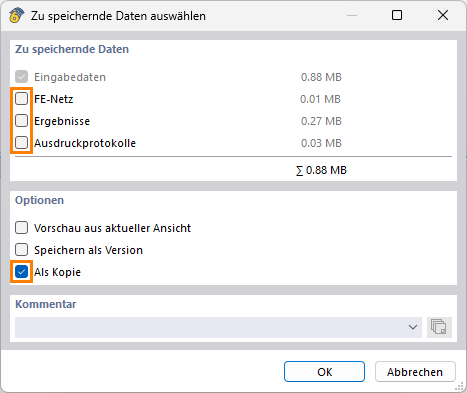
 Don't want to share the file publicly? No problem – send it to me via direct message: click on my profile picture or my username → Message.