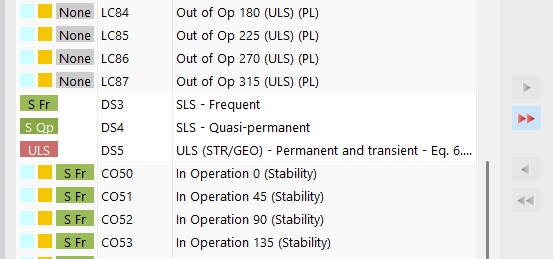
Controlling Flag "To Calculate" for Load Cases and Combinations

Hi all,

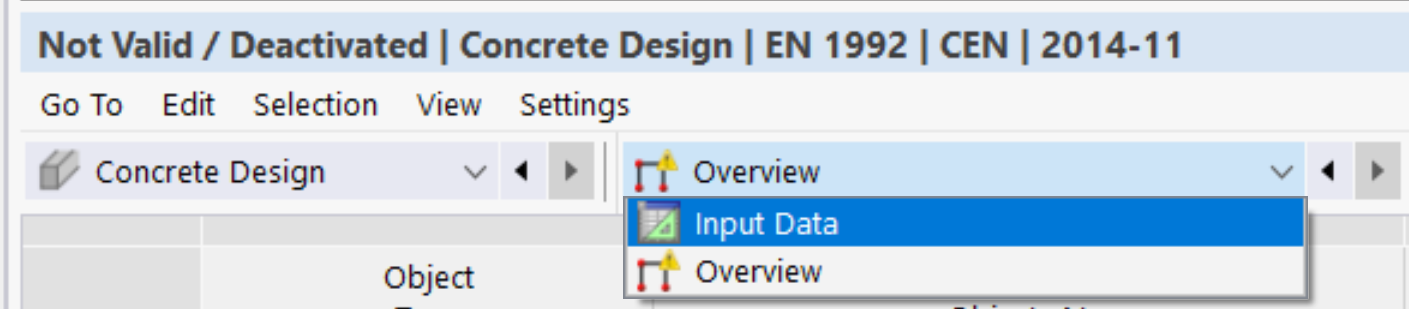
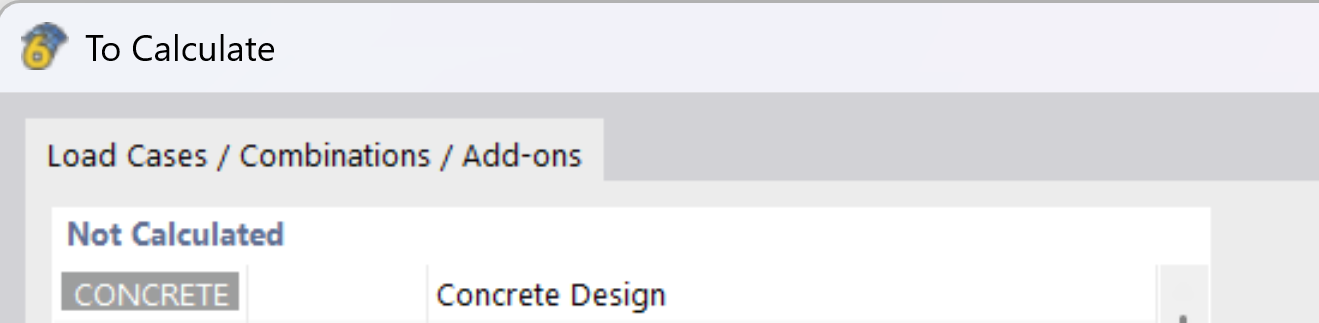
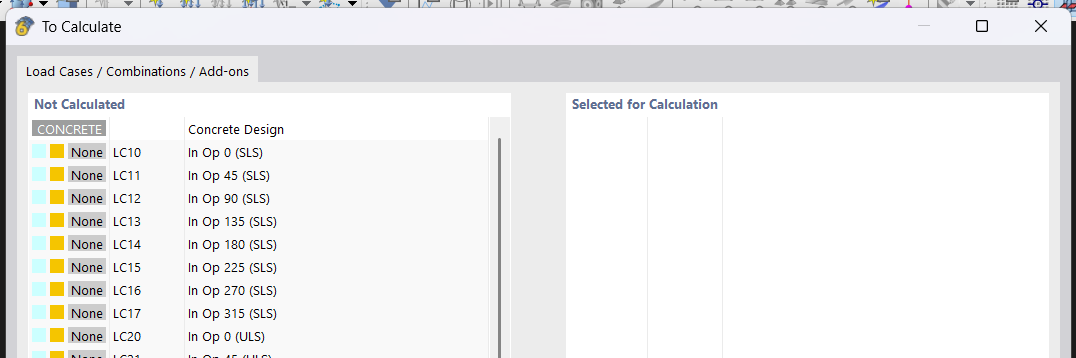
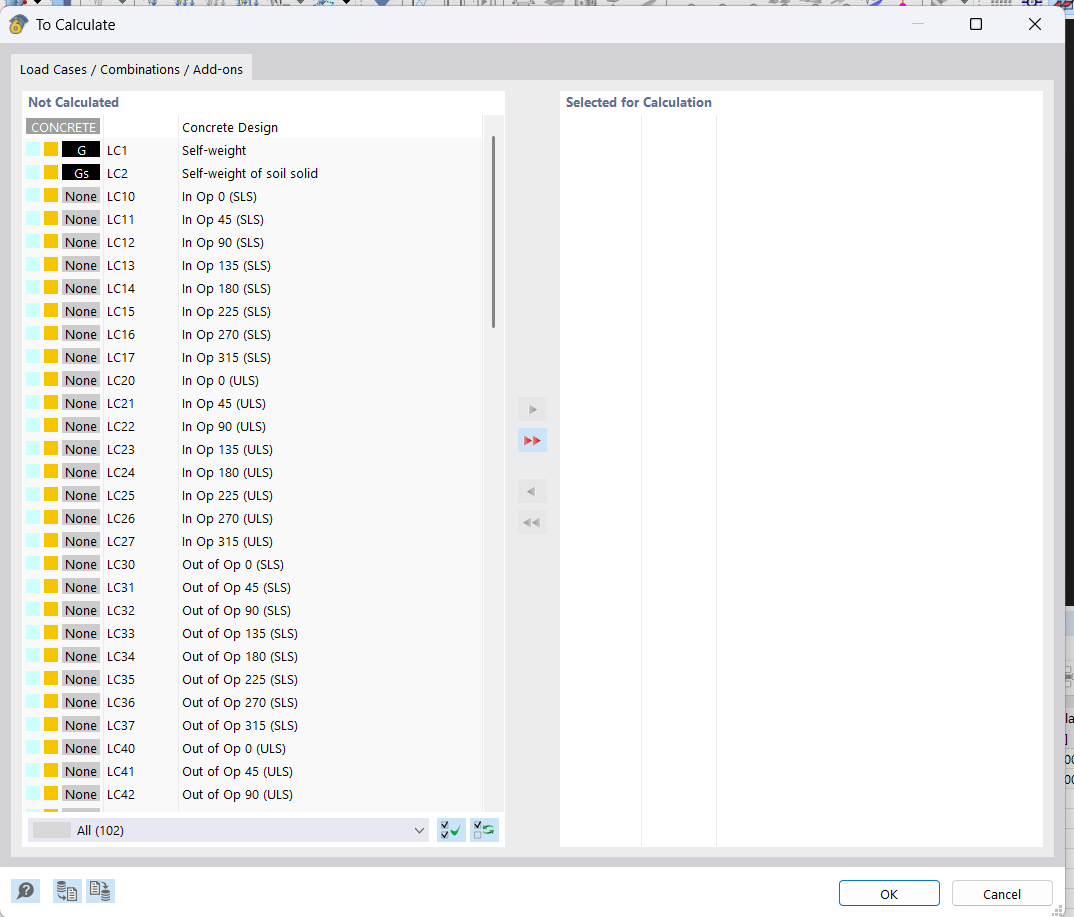
Does anyone know if it’s possible to control the "To Calculate" flag in the RFEM6 API II using Python? I’m trying to minimize computation time by calculating only specific load cases, similar to how it’s done in the UI with "To Calculate" rather than "Calculate All." However, I haven’t been able to find any reference to this functionality in the new API documentation.

For context: some of my primary load cases are intentionally unstable and fail during calculation unless combined with self-weight. Unfortunately, I can’t include the self-weight directly in these primary load cases, as the design code I’m working with requires different load factors.

If this feature isn’t yet exposed in the API, I believe it would be a valuable addition. One of the major benefits of API II over the web service is reduced computation time, and being able to exclude certain load cases from the calculation process would significantly improve performance (for me, it would save around 8 minutes per run (it really struggles on the unstable load cases)).

Thanks in advance for any insights!

Best regards,
Samuel

Hi Samuel,

I am delighted that you are part of our community. Welcome!

The function that allows only specific load cases, load combinations, etc. to be calculated was just completed last week. It is included for the first time in the version being released today.

Here's how it will work:

rfem_app.calculate_specific(
        loading=[
            rfem.ObjectId(no=2, object_type=rfem.OBJECT_TYPE_LOAD_COMBINATION)
        ]
)

Frank

2 Likes

Hi Frank,

Thanks for the reply, that's amazing news - I'm excited to try it out!

I'm very new to rfem6, only started using it last week and I'm determined to do my whole modelling, result analysis and iterations through Python so I'm sure I'll be posting a few more questions in the coming weeks.

I've been doing a lot of testing and am very impressed with what the API can accomplish so far :slight_smile:

Thanks!
Samuel

We look forward to your questions! Every question is a valuable contribution and helps our community to continuously develop into a comprehensive knowledge base for all users.

Frank

Our update report has now been updated:

https://apidocs.dlubal.com/release_notes.html#

The documentation for the new function can be found here:

Frank

2 Likes

Awesome thanks Frank, I was able to get it working no issues :slight_smile:

1 Like

Actually I had one issue.
This is my code

            # Build list of ObjectId for load case 1 and the required combinations
            from dlubal.api.rfem.object_id_pb2 import ObjectId
            from dlubal.api.rfem import OBJECT_TYPE_LOAD_CASE, OBJECT_TYPE_LOAD_COMBINATION

            loadings = [
                ObjectId(no=1, object_type=OBJECT_TYPE_LOAD_CASE)
            ]

            # Add load combinations: 10–17, 20–27, 30–37, 40–47
            for rng in [(10, 17), (20, 27), (30, 37), (40, 47)]:
                loadings.extend([
                    ObjectId(no=i, object_type=OBJECT_TYPE_LOAD_COMBINATION)
                    for i in range(rng[0], rng[1] + 1)
                ])

            # Add pilecap-specific combinations if needed
            if is_pilecap:
                for rng in [(50, 57), (60, 67)]:
                    loadings.extend([
                        ObjectId(no=i, object_type=OBJECT_TYPE_LOAD_COMBINATION)
                        for i in range(rng[0], rng[1] + 1)
                    ])

            rfem_app.calculate_specific(
                loadings=loadings,
                skip_warnings=True
            )
            logger.info("Selective calculation (LC1 + combinations) completed.")

It ran fine, but I can't figure out how to add calculate the concrete design to this?

In ObjectId — Dlubal API documentation
all the concrete design seems to relate to setup rather than calculating it.

Thanks,
Samuel

@frank.faulstich do you know if it is possible to add the concrete design to calculate_specific?

Thanks!
Samuel

Sorry for the long wait. I had to clarify the answer internally first.

There is no direct way to select add-ons in the calculate_specific() function.

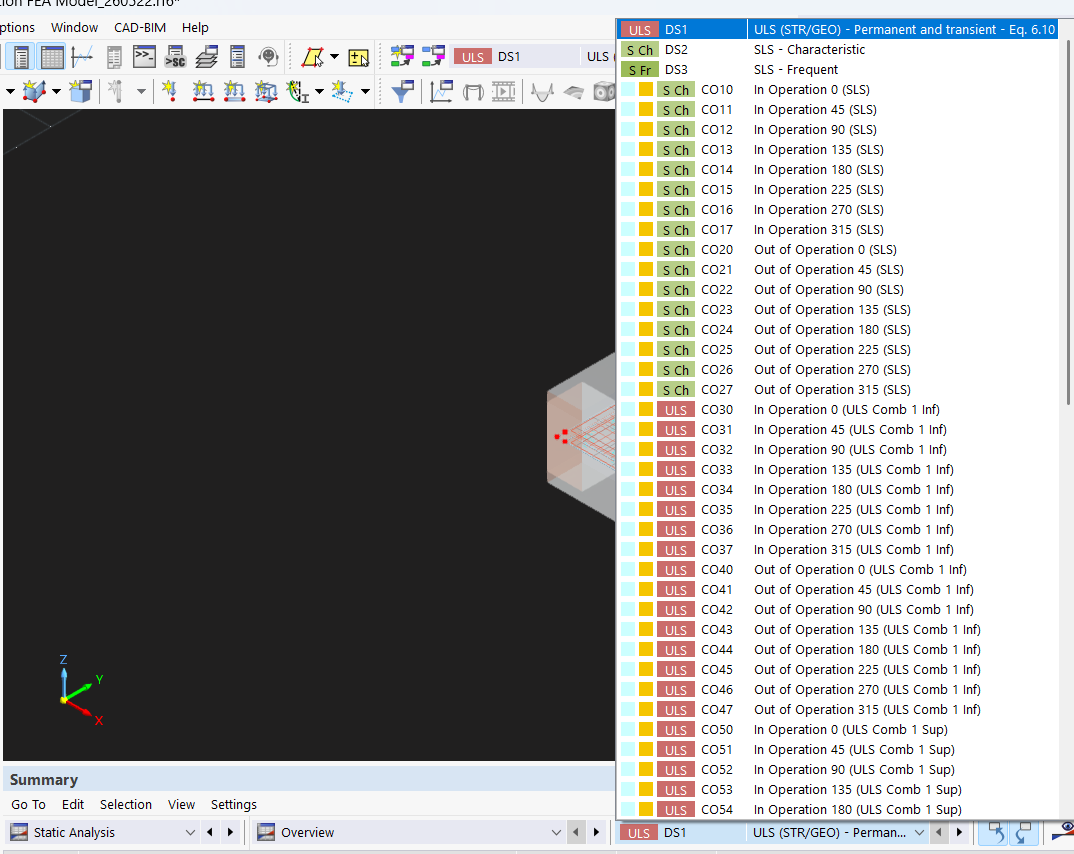
But there is a simple alternative. The design add-ons are linked to the design situations and these can be selected with the object type OBJECT_TYPE_DESIGN_SITUATION.

Frank

Hi Frank,

Thanks for the update! I really appreciate you looking into this.


FYI this isn't really a pressing matter for me as I can still use calculate_all and my code will work (just adds like 3 minutes computational time for the unstable primary load cases)...


I tried adding in the two design situations that I have concrete design for, so my code is now:

try:
                # Build list of ObjectId for load case 1 and the required combinations
                from dlubal.api.rfem.object_id_pb2 import ObjectId
                from dlubal.api.rfem import OBJECT_TYPE_LOAD_CASE, OBJECT_TYPE_LOAD_COMBINATION, OBJECT_TYPE_DESIGN_SITUATION

                loadings = [
                    ObjectId(no=1, object_type=OBJECT_TYPE_LOAD_CASE)
                ]

                # Add load combinations: 10–17, 20–27, 30–37, 40–47
                for rng in [(10, 17), (20, 27), (30, 37), (40, 47)]:
                    loadings.extend([
                        ObjectId(no=i, object_type=OBJECT_TYPE_LOAD_COMBINATION)
                        for i in range(rng[0], rng[1] + 1)
                    ])

                # Add pilecap-specific combinations if needed
                if is_pilecap:
                    for rng in [(50, 57), (60, 67)]:
                        loadings.extend([
                            ObjectId(no=i, object_type=OBJECT_TYPE_LOAD_COMBINATION)
                            for i in range(rng[0], rng[1] + 1)
                        ])

                # Add design situations to ensure concrete design calculations are performed
                # DS1 and DS2 are typically used for ULS and SLS concrete design
                for ds_no in [1, 2]:
                    loadings.append(
                        ObjectId(no=ds_no, object_type=OBJECT_TYPE_DESIGN_SITUATION)
                    )

                rfem_app.calculate_specific(
                    loadings=loadings,
                    skip_warnings=True
                )

                logger.info("Selective calculation (LC1 + combinations + design situations) completed.")
            except AttributeError:
                # Older server build – fall back to full calculation
                logger.warning("Selective-calculation API not available – running full model.")
                rfem_app.calculate_all(skip_warnings=True)

But my code failed to get the concrete design results. When I look in the UI of RFEM6
under Concrete Design there is no results

But all other static results for the two design situations I added to calculate_specific worked (ie contact stress for the surface for DS1).

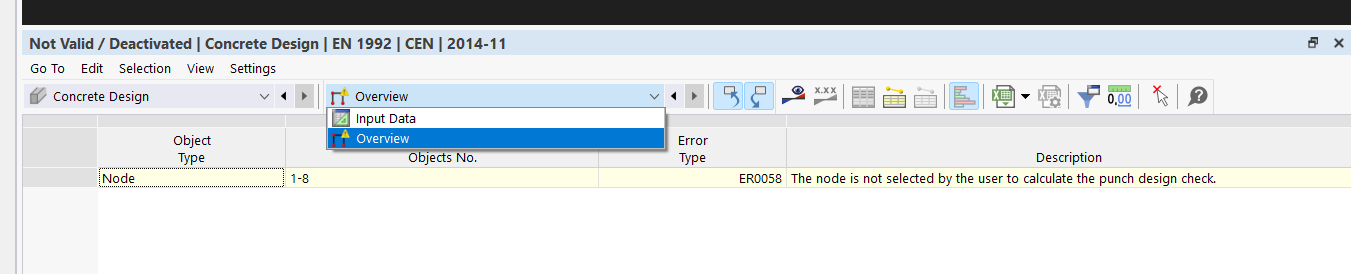
When I go to the To Calculate under Not Calculated it has Concrete Design.

When I calculate this manually the concrete results show up.

I though your workaround should work as in the Design Situations Concrete Design Add on Is Checked, but alas it didn't.

Thanks!
Samuel

Hi Samuel,

I wanted to share an exciting update with you! :tada:
Starting from version 6.12.0003 | 2.12.3, you can now control which design add-ons are active for calculation within a Design Situation. Below is a simple code snippet to demonstrate how you can achieve this:

# Define the Design Situation object
design_situation: rfem.loading.DesignSituation = rfem_app.get_object(
    rfem.loading.DesignSituation(no=1)
)

# Disable the calculation for steel joints in the Design Situation
design_situation.active_for_steel_joints = False

# Update the Design Situation object
rfem_app.update_object(design_situation)

Let me know if you need further clarification or help with implementation. :blush:

Regards

2 Likes

Hi Tomas,

I’m still having issues with this. My code is as follows:

            # ------------------------------------------------------------
            # Calculate all load cases and combinations
            # ------------------------------------------------------------
            # Toggle: Set to True to calculate all load cases/combinations,
            # False to calculate only selected load combinations and concrete design
            calculate_all = False
            
            if calculate_all:
                logger.info("Running full model calculation (calculate_all).")
                rfem_app.calculate_all(skip_warnings=True)
            else:
                # Build list of ObjectId for load case 1 and the required combinations
                loading = [
                    rfem.ObjectId(no=1, object_type=rfem.OBJECT_TYPE_LOAD_CASE)
                ]
                
                # Add load combinations: 10–17, 20–27, 30–37, 40–47
                for rng in [(10, 17), (20, 27), (30, 37), (40, 47)]:
                    loading.extend([
                        rfem.ObjectId(no=i, object_type=rfem.OBJECT_TYPE_LOAD_COMBINATION)
                        for i in range(rng[0], rng[1] + 1)
                    ])
                
                # Add pilecap-specific combinations if needed
                if base_type == "pilecap_base":
                    for rng in [(50, 57), (60, 67)]:
                        loading.extend([
                            rfem.ObjectId(no=i, object_type=rfem.OBJECT_TYPE_LOAD_COMBINATION)
                            for i in range(rng[0], rng[1] + 1)
                        ])
                
                # Add punching shear combinations: 70–77 (ULS in-op), 80–87 (ULS out-op)
                # These are used for punching shear design at base plate center nodes
                for rng in [(70, 77), (80, 87)]:
                    loading.extend([
                        rfem.ObjectId(no=i, object_type=rfem.OBJECT_TYPE_LOAD_COMBINATION)
                        for i in range(rng[0], rng[1] + 1)
                    ])
                
                # Add design situations to ensure concrete design calculations are performed
                # I just use DS1 and DS2 
                for ds_no in [1, 2]:
                    loading.append(
                        rfem.ObjectId(no=ds_no, object_type=rfem.OBJECT_TYPE_DESIGN_SITUATION)
                    )
                
                try:
                    rfem_app.calculate_specific(
                        loadings=loading,
                        skip_warnings=True
                    )
                    logger.info("Selective calculation (LC1 + combinations 10-17, 20-27, 30-37, 40-47, 70-77, 80-87 + design situations) completed.")
                except AttributeError:
                    # Older server build – fall back to full calculation
                    logger.warning("Selective-calculation API not available – running full model.")
                    rfem_app.calculate_all(skip_warnings=True)
                except Exception as e:
                    # If calculate_specific fails for any reason, fall back to calculate_all
                    logger.warning("Selective calculation failed (%s) – falling back to full calculation.", e)
                    rfem_app.calculate_all(skip_warnings=True)

When I have calculate_all = True, I have no errors.

When I set it to False (ie I want to exclude primary load cases because they are unstable and slow caclulation time) I get an error at this line:

            concrete_design_checks_df = rfem_app.get_results(
                results_type=rfem.results.CONCRETE_DESIGN_SURFACES_DESIGN_RATIOS
            ).data

When I go into the model and select To Calculate everything I wanted to calculate was calculated, except Concrete Design.

So the code you gave above I suppose checks the To Design but it still doesn’t calculate Concrete Design so you can’t access the results in the API?

Am I understanding this correctly or is there a way to get that Concrete Design to calculate via the design situations and I am just coding wrong?

Thanks!

Samuel

Hi Tomas,

I am still not getting this to work. Now I am working with a soil massif rather than having a surface support for my concrete slab, so for my unstable primary load cases (it relies on the self weight of the concrete surface for stability) the calculation for the primary load cases just won’t solve. So I really need to rely on the calculate specific to avoid running the primary load cases that are unstable. The calculate specific runs, but it doesn’t do the concrete design. When I click on to calculate in the RFEM6 ui afterwards, it shows the concrete design and the load cases I have excluded (even though my code specifies having concrete design as True for the design situations).

My code is


def _run_selective_calculation(
    rfem_app,
    design_situations: List[int]
) -> None:
    """Run selective calculation for specific load combinations.
    
    Calculates only:
    - Load combinations: 10–17, 20–27, 30–37, 40–47
    - Design situations for concrete design
    
    Falls back to calculate_all if selective calculation is not available.
    """
    # Build list of ObjectId for the required load combinations only
    loading = []
    
    # Add load combinations: 10–17, 20–27, 30–37, 40–47
    for rng in [(10, 17), (20, 27), (30, 37), (40, 47)]:
        loading.extend([
            rfem.ObjectId(no=i, object_type=rfem.OBJECT_TYPE_LOAD_COMBINATION)
            for i in range(rng[0], rng[1] + 1)
        ])
    
    # Enable concrete design for specified design situations
    for ds_no in design_situations:
        _enable_concrete_design_for_situation(rfem_app, ds_no)
    
    # Try selective calculation
    try:
        rfem_app.calculate_specific(
            loadings=loading,
            skip_warnings=True
        )
        logger.info("Selective calculation completed")
    except AttributeError:
        logger.warning("Selective-calculation API not available – running full model")
        rfem_app.calculate_all(skip_warnings=True)
    except Exception as e:
        logger.warning("Selective calculation failed (%s). Falling back to calculate_all.", e)
        rfem_app.calculate_all(skip_warnings=True)


def _enable_concrete_design_for_situation(rfem_app, ds_no: int) -> None:
    """Enable concrete design for a design situation.
    
    Args:
        rfem_app: RFEM application context
        ds_no: Design situation number
    """
    try:
        design_situation = rfem_app.get_object(
            rfem.loading.DesignSituation(no=ds_no)
        )
        design_situation.active_for_concrete_design = True
        rfem_app.update_object(design_situation)
        logger.info("Enabled concrete design for Design Situation %d", ds_no)
    except Exception:
        logger.exception("Failed to enable concrete design for Design Situation %d", ds_no)


And below it shows that there is no concrete design results.

DS1 and DS2 are not there showing they have been calculated, but concrete design is there showing it hasn’t been run.

Is there something I am doing wrong?

I updated to 6.13.0001 but still have the same issue. Are you able to clarify my question above as to whether it is possible to do the concrete design in the calculate_specific and I am just coding it wrong, or if it isn’t possible and I just have to wait for dlubal to add this as a feature?

As an update to this the API seems to really not like cases for calculations whereby if you run manually it shows
”The required accuracy of the iteration calculation was not reached | The results may be unusable | Increase the 'Maximum Number of Iterations.' Otherwise, the structure cannot support the applied loads or the iteration does not converge.”
or
”The calculation did not converge, but the results might be applicable | To achieve more precise results, increase the number of iterations or increments.”
ie unstable load cases.
(for me it just got stuck for 25 mins)

As a workaround in the meantime, I have a pause in my script once it generates the model, then manually I’ll put in all my relevant load combinations and concrete design, then I resume my python script and it attached and reads the result :slight_smile: