Hello everyone,
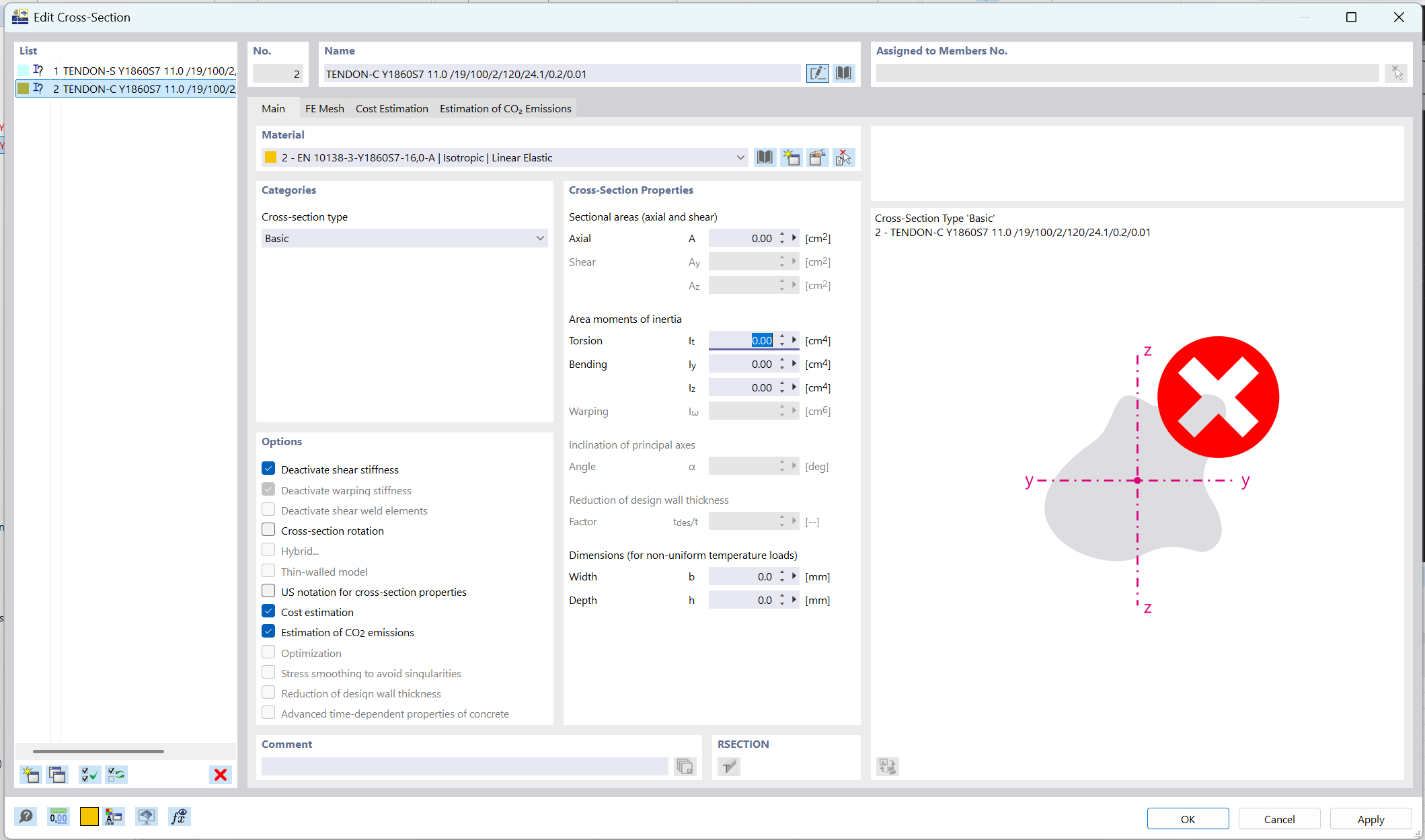
I'm trying to create tendons for post-tensioning in a beam using the API. When I try to create the cross-section of a tendon I use the Built-Up Steel cross-section type and provide the name of the specific tendon and material (the code can be seen below). This, however does not create the cross section and I'm not sure what the error is (I'm not getting an error message).
I tried extracting the specific name of the tendon cross-section from a manually created cross-section and using it to create another one with the API, but that didn't work as the name was the same as the one I had. I also tried creating other Built-Up steel cross-sections and using different materials, for most of my attempts I faced the same issue apart from one case in which I created a IUD IPE 200 & UPN 200 cross-section which worked.
This is the code I used:
    rfem_app.create_object(rfem.structure_core.Material(
        no = 1,
        name= "DYWIDAG Strand Y1860S7-15.7"
    ))

    rfem_app.create_object(rfem.structure_core.Material(
        no = 2,
        name= "EN 10138-3-Y1860S7-11,0-A"
    ))

    rfem_app.create_object(rfem.structure_core.Material(
        no = 3,
        name= "S235"
    ))


    # This did not work
    rfem_app.create_object(rfem.structure_core.CrossSection(
        no = 1,
        name = "TENDON-S Y1860S7 11.0 /19/100/2/0/0.2/0.01",
        material= 1,
    ))

    # This did not work
    rfem_app.create_object(rfem.structure_core.CrossSection(
        no = 2,
        type = rfem.structure_core.CrossSection.TYPE_BUILT_UP_STEEL,
        name = "TENDON-C Y1860S7 11.0 /19/100/2/120/24.1/0.2/0.01",
        material= 2,
    ))

    # This worked and created the given cross-seciton
    rfem_app.create_object(rfem.structure_core.CrossSection(
        no = 3,
        type = rfem.structure_core.CrossSection.TYPE_BUILT_UP_STEEL,
        name = "IUD IPE 200 & UPN 200",
        material= 3,
    ))
This is the result in RFEM:
I would appreciate any advice or help on what could be the issue. Thank you in advance!
Hi ibrahim_sinan,
first of all, welcome to the Community.
According to your question, please read Generating Example Files for Using Objects in API (gRPC).
Please let me know if this works for you. If not, please send me the created rf6-file.
Another point is the use of create_object, I would recommend to use create_object_list instead of create_object. This will save you lots of requests.
Best regards
Robert Milrath
Hello Robert,
Thank you very much for the suggestion. Exporting as a python file did indeed solve the issue I had as I was able to see what the exact name had to be which was the only thing that was not correct. Thank you also for the suggestion to use create_object_list it indeed seems like a better alternative.
Best Regards
1 Like
Hello Robert,
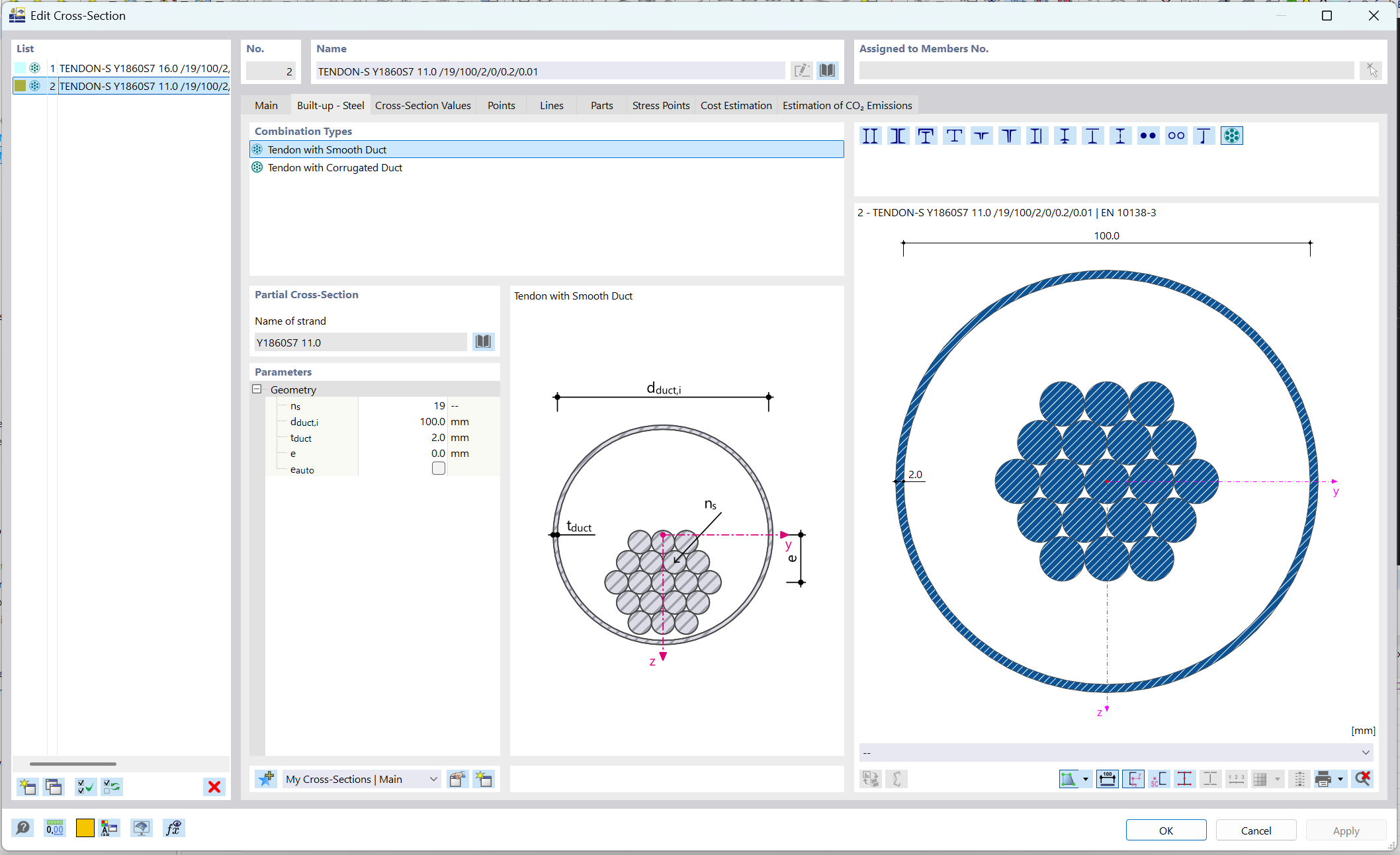
I'm not sure if I need to create a new topic for this but I will place it here under the older one since the issue is somewhat related. I tried to reproduce the tendon cross-section creation from the python file with the code I provide below. However, I cannot seem to set the e_auto parameter (the python file creates the cross-section with the name parameter). In the first way (Cross-section no=1), I can create the tendon cross-section using the name, and with that apply an eccentricity. Nevertheless, when I try to generate the eccentricity parameter automatically using e_auto it does not work.
This is the code:
    object_list = [
        rfem.structure_core.Material(
            no = 1,
            name= "DYWIDAG Strand Y1860S7-15.7"
        ),
        #From Python File
        rfem.structure_core.CrossSection(
            no=1,
            type=rfem.structure_core.CrossSection.TYPE_BUILT_UP_STEEL,
            parametrization_type=rfem.structure_core.CrossSection.PARAMETRIZATION_TYPE_BUILT_UP_STEEL__TENDONS__TENDON_BU,
            name="TENDON-S Y1860S7 11.0 | EN 10138-3 | -- /19/0.1/0.002/0.0111202",
            material=1
        ),

        rfem.structure_core.CrossSection(
            no=2,
            type=rfem.structure_core.CrossSection.TYPE_BUILT_UP_STEEL,
            parametrization_type=rfem.structure_core.CrossSection.PARAMETRIZATION_TYPE_BUILT_UP_STEEL__TENDONS__TENDON_BU,
            material=1,
            n_s = 19,
            d_duct_i = 0.1,
            t_duct = 0.002,
            e_auto= 1.0
        )
        ]

    rfem_app.create_object_list(object_list)
and this is a screenshot from RFEM
I have tried setting the e_auto to True which also did not work. Therefore, I'm not quite sure what the correct way of working with it would be as the API documentation states that a float is the required input.
Thanks in advance
Hi ibrahim_sinan,
Please create a new thread for this, and I’ll look into it straight away. Please don’t take this as me telling you what to do; it’s simply to help keep the community organised.
Thank you very much for your understanding.
Best regards
Robert Milrath
1 Like