Hello,
In an RFEM file, I recently created a print report in which I unfortunately proceeded somewhat unstructured.
Instead of consistently creating and using views for the output, I printed a "multiple print" several times based on the active view into the report.
The problem is that some boundary conditions and representations have now changed, and I would like to update the report. It would be especially practical if I could readjust the visibility window for all pages of the report that originate from this multiple print.
This works perfectly with multiple prints that originate from a view you created by updating that view.
Unfortunately, I don't know how to change the "formerly" current view, which is now, so to speak, no longer current. Is there a way to do this?
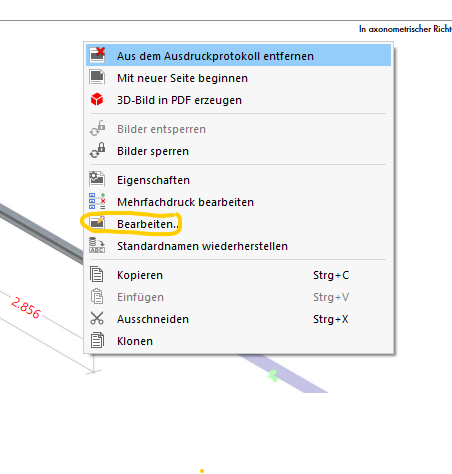
If I right-click on a graphic in my print report, I can edit the display window afterward, but unfortunately, this only applies explicitly to that one graphic:
If I click on Edit Multiple Print, it opens the multiple print dialog for me, but without an editable display window in the GUI:
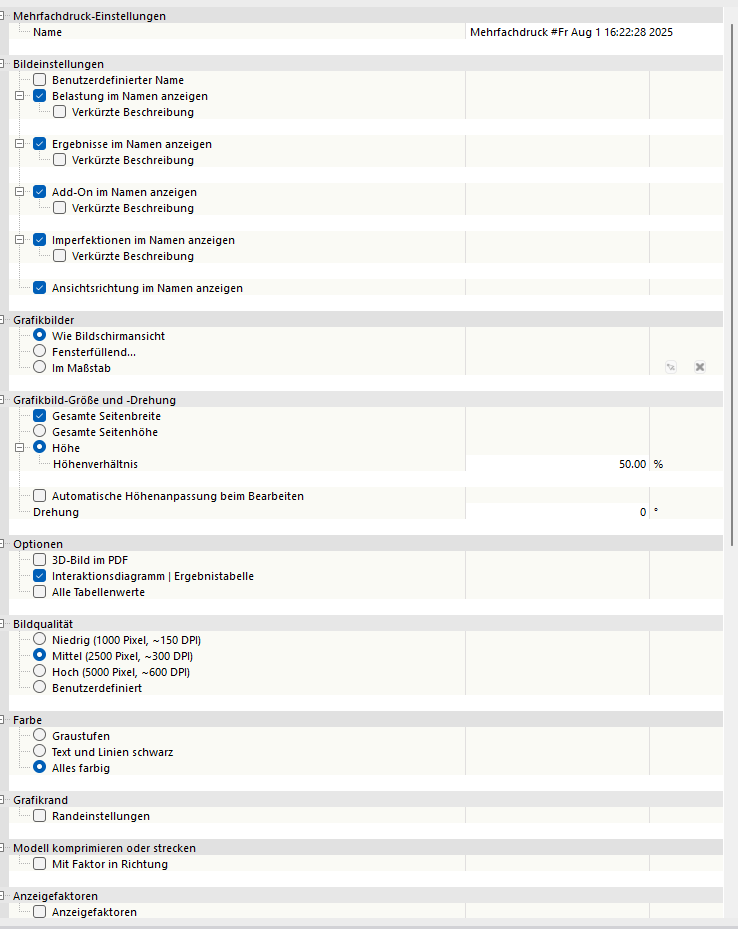
If one could subsequently set the view from the multiple print GUI here, that would be exactly what I am looking for.
I would be very pleased to receive feedback.
Best regards,
Nick