Hello, I wanted to ask how to select the line supports in RFEM. I can activate them all at once, but I need to select only individual ones.
Unfortunately, I can't find anything in the Navigator. I also haven't found anything online or on the Dlubal website.
I would be very grateful if someone could explain this to me.
Best regards
Sarah :)
Hi Student_Sarah,
I understand your question as you probably want to select individual supported lines rather than individual line supports 
To do this, you can proceed as follows:
-
Switch to the Views tab in the Navigator.
-
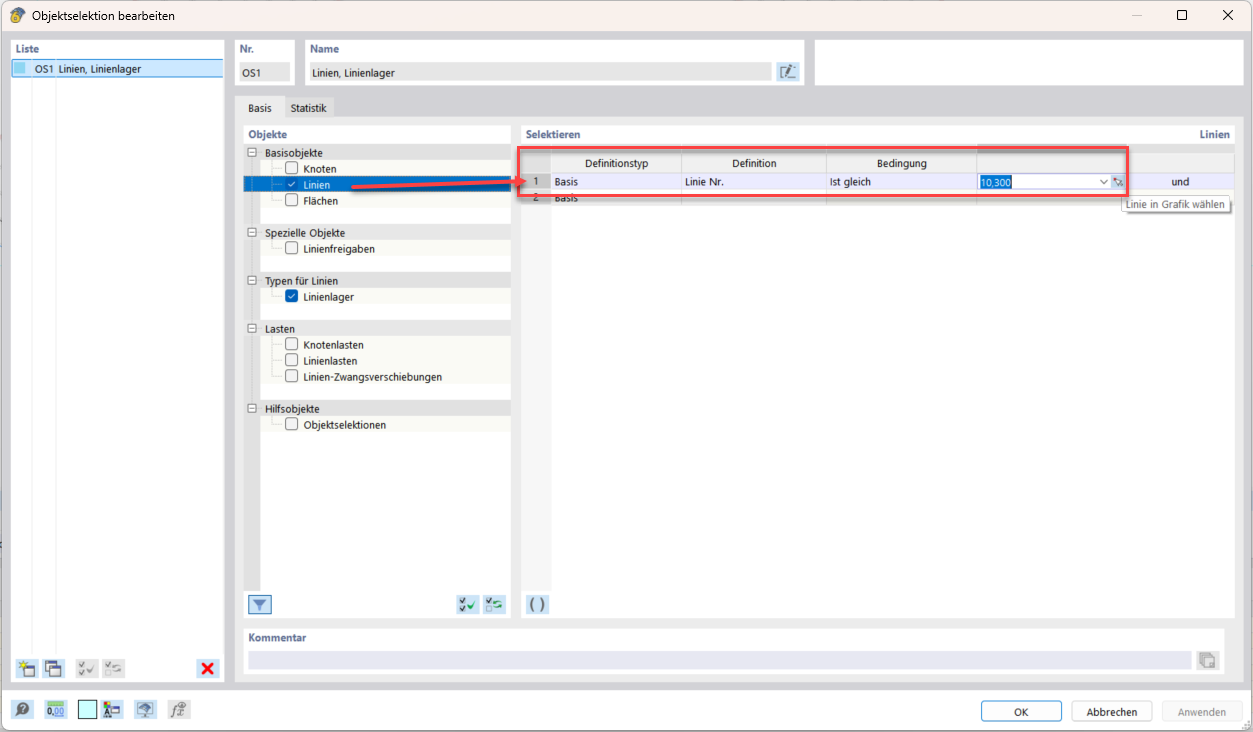
Create a new object selection (OS) there; details can be found here: Object selections in the RFEM 6 manual
-
Select the supported lines to be displayed. Example:
-
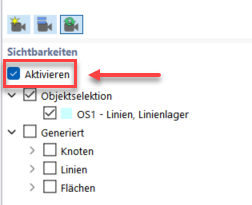
Activate the object selection in the visibilities. Afterwards, the display in the graphic window will be restricted only to the selected objects. Example:
Best regards
Marco Nikoleizig
Sorry, I just saw the email now. Thank you. I ended up finding out by chance in the end.
Thank you for your time.
Best regards
Sarah :)