Buenos dias, Como están?
Ahora estoy modelando un edificio de 3 niveles de concreto armado. Quiero considerar el efecto de las Imperfecciones Globales en el edificio con respecto a la dirección X y dirección Y. El modelo considera excentricidades para las vigas (Members) y elementos Superficie (Surface) para poder alinear los elementos estructurales. Adicionalmente, consideré el agrietamiento y los efectos de creep en la estructura, en la opción de "Considere Structure Modification".
Las losas fueron modeladas con "Hinges" para que no aporten rigidez al desplazamiento horizontal y solamente las columnas o pilares, muros y vigas soporten las fuerzas horizontales.
Consideré las Imperfecciones Globales con la opcion "Initial Swap Via Table". Sin embargo, cuando analizo el edificio, me sale los siguientes resultados:
- Cuando veo los resultados de desplazamiento de las imperfecciones, obtengo esto:
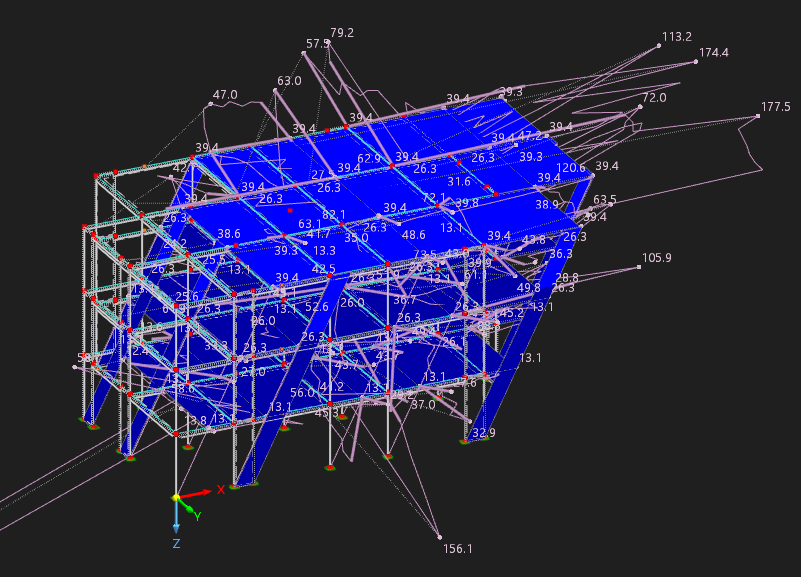
Se puede ver una distorsion de los resultados de algunos puntos que tiene desplazamiento mayores de los ingresados en "Initial Swap Via Table". Esto se oberva en los 4 casos de imperfecciones que están en el modelo.
- Obtengo un mensaje de "Error and Warning" que el mismo software indica:

Entiendo que la distorsion mencionada antes es la consecuencia directa de este mensaje de error.
Mis consultas son:
-
Es posible modelar el edificio con las consideraciones que introduje en el modelo? Es posible combinar la option con "Initial Swap Via Table" con exccentricidades de vigas o columnas (Members) y Superficies (Surfaces). O a que se debe el inconveniente que tengo con la visualizacion de los desplazamientos incongruentes?
-
En el Add-On Building Model, para cada piso indique lo siguiente:
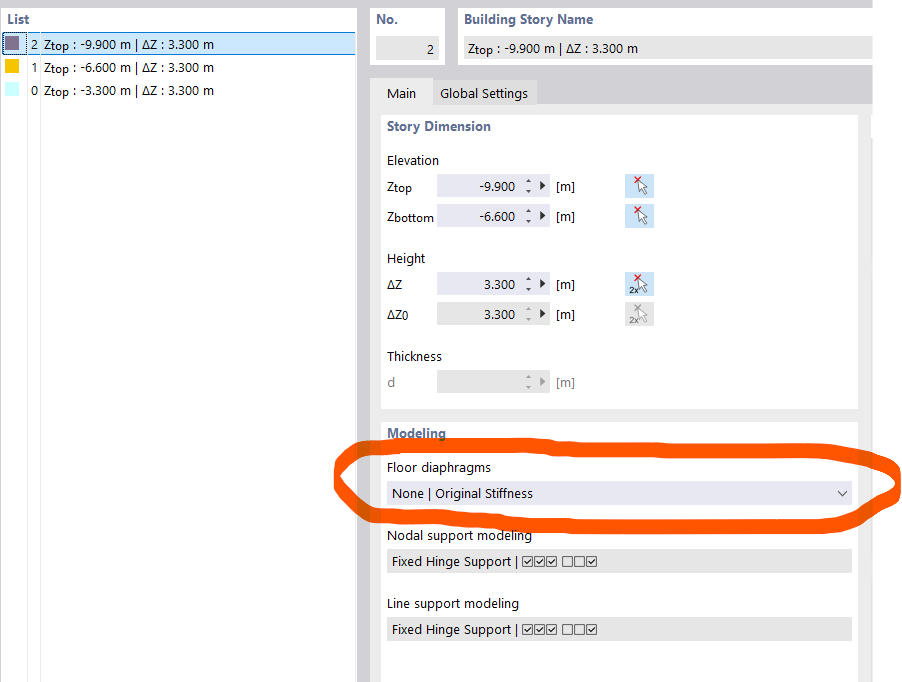
En caso de indicar en el opcion de "Floor Diaphragms", indico que es "Semi_Rigid" y "Rigid", cuando analizo el edificio, tengo mensajes de "Errors and Warnings", me gustaria saber a que se debe por qué sucede estos mensajes? Es posible combinar la option de "Semi-Rigid" o "Rigid" con las eccentricidades de los elementos de "Members" o "Surfaces" (principalmente en las losas de cada nivel)?
Adjunto el modelo que hice en RFEM6 para que lo puedan evaluar, si es posible. Quizas ingrese los parametros del modelo incorrectamente.
Project1_Earthquake.rf6 (1,3 MB)
Espero que puedan ayudarme con las consultas y dudas que tengo sobre el manejo del Software.
Saludos Cordiales