Hello everyone,
I am currently working on adding hinges to rods via a script and have encountered a problem.
The definition of rods that have a hinge at only one end is basically already implemented. My script creates the hinges on the desired rods and correctly takes into account when the hinge should only be present at one end. The corresponding degrees of freedom are set correctly.
However, the hinges apparently are not fully created. They are defined on the rod with the correct degrees of freedom, but do not appear under "Member Hinges" in the tree structure. Only when I manually edit a hinge in the program (a simple click into the edit window is enough) is the hinge finally created and correctly displayed in the tree structure.
My question is therefore:
How can I ensure that the hinges are fully created directly via the script without requiring manual post-processing?
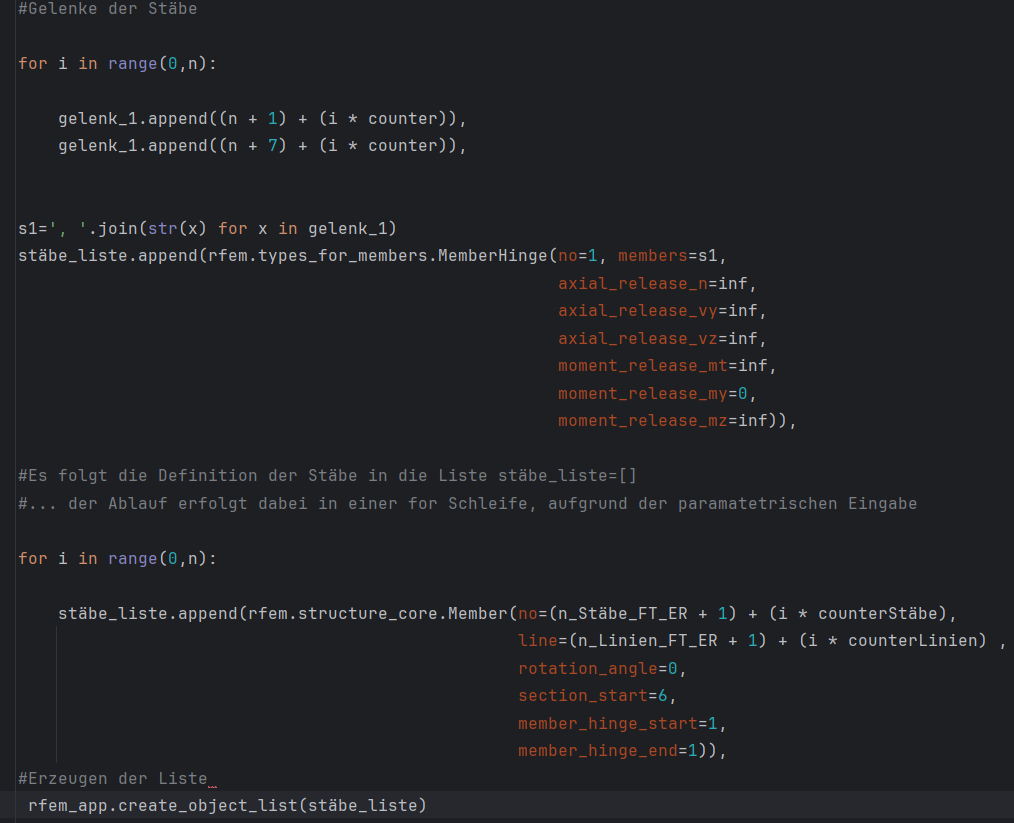
I have exemplarily shown the essential parts of my script below, maybe a cause can already be identified there.
Thank you very much in advance!
1 Like
Hello Syd_Barrett,
Great that you are using our API (gRPC)!
The problem seems to be that the object MemberHinge (MemberHinge) is not created in your source code.
Our API documentation not only provides hints for all accessible commands but also examples of their usage. Many helpful examples are also listed here. These show the recommended way to work with our API.
The example “Steel Station” contains the following code section (lines 159 to 181):
    member_hinge = rfem.types_for_members.MemberHinge(
        no=1,
        axial_release_n=inf,
        axial_release_vy=inf,
        axial_release_vz=inf,
        moment_release_mt=inf)
    rfem_app.create_object(member_hinge)

    mem_num = 1
    members_list = []
    lines_list = []
    nn = 2 * n + 3

    for j in range(n_u + 1):

        members_list.append(
            rfem.structure_core.Member(
                no=mem_num,
                node_start=1 + j * nn,
                node_end=j * nn + 2,
                type=rfem.structure_core.Member.TYPE_BEAM,
                cross_section_start=section_bottom_chord_center,
                rotation_angle=pi, member_hinge_start=1))
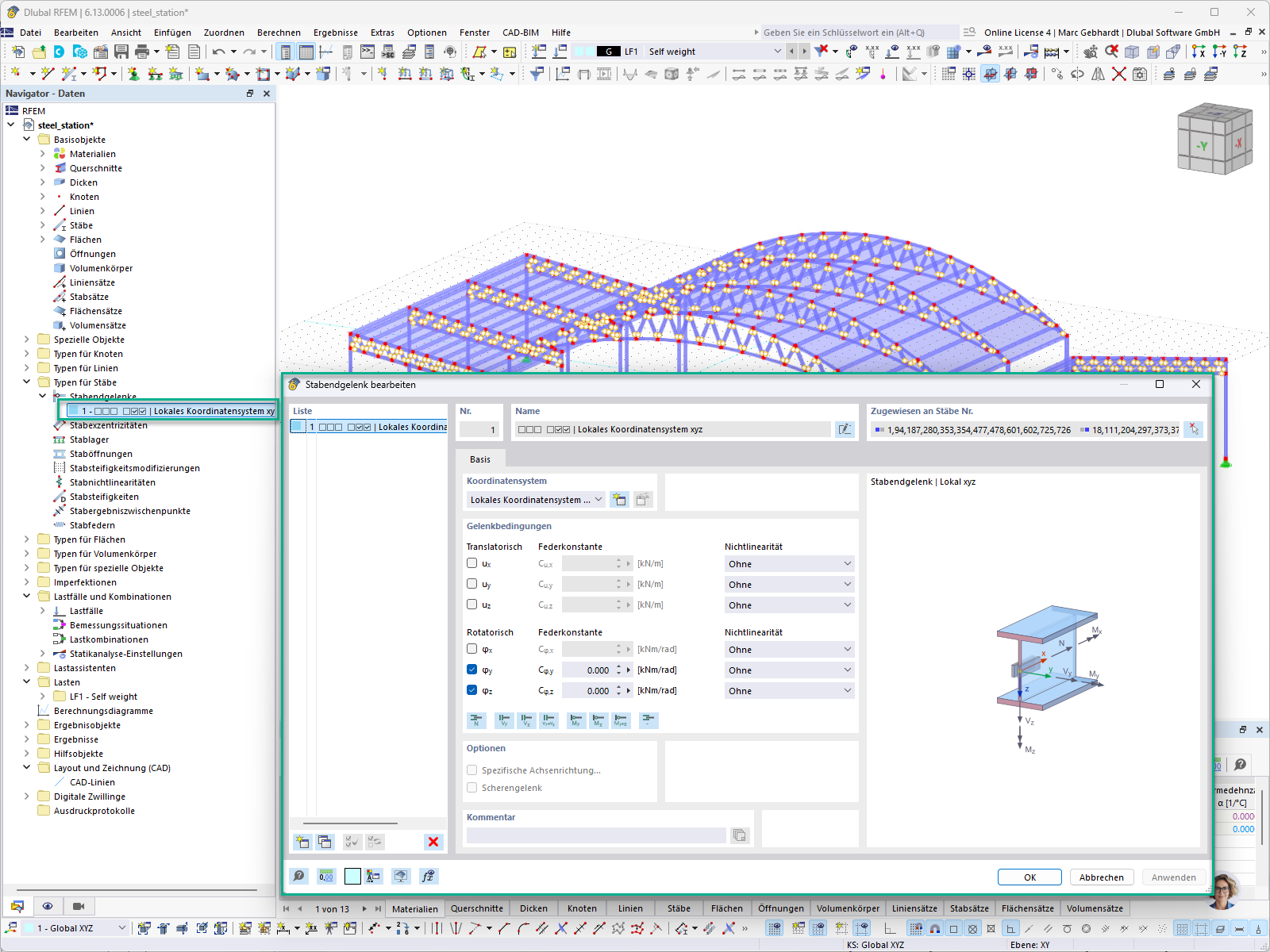
In this example, the model of a steel structure for a station is built. The described code snippet created the MemberHinge and its assigned members are shown in the following image:
Best regards,
Marc Gebhardt
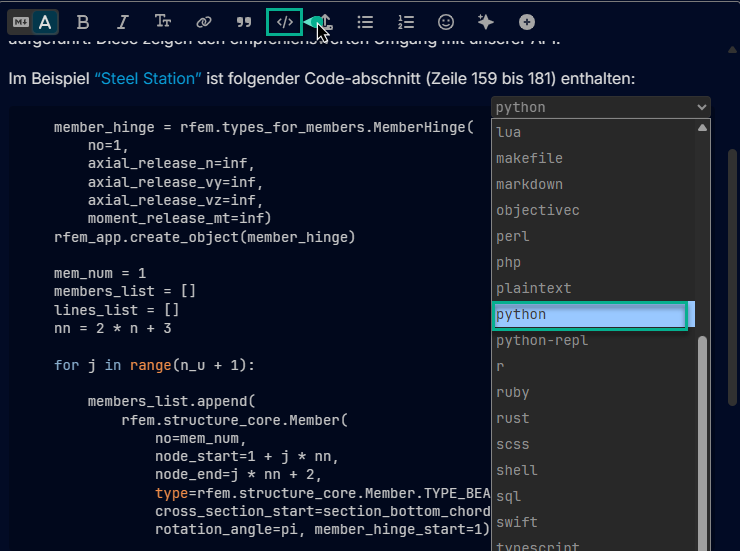
PS: Sharing snippets of source code (e.g., Python) is very easy directly in the Dlubal Community. For this, you can simply select the option “Preformatted text (Ctrl+E)” and then set the desired programming language: 
2 Likes