Hello.
I am using RFEM 6.13.0004 (the latest version). I created an API key and want to use the Python Dlubal API pRPC console. When trying to activate the API key, I get the error message "PermissionError(13, 'Permission denied')".
What could be the reason for this, or what do I need to do to gain access?
Regards.
Hello @c.hausmann,
welcome to the community! 
The API key must be saved in the config.ini file:
https://apidocs.dlubal.com/access_control.html
The config.ini must be placed in the following path:
C:\Program Files\Dlubal\RFEM 6.13\bin\Lib\site-packages\dlubal\api
In order to access it when using RFEM, it is necessary to start RFEM with administrator rights.
Best regards,
Rebecca Göbel
Hello Ms. Goebel,
thank you for the quick response. I am now logged in as an admin, but I still cannot activate the API key.
Here is how I proceeded:
- Create API key
- Open Python console
- Enter Name: My test key
- Enter Value: api-key
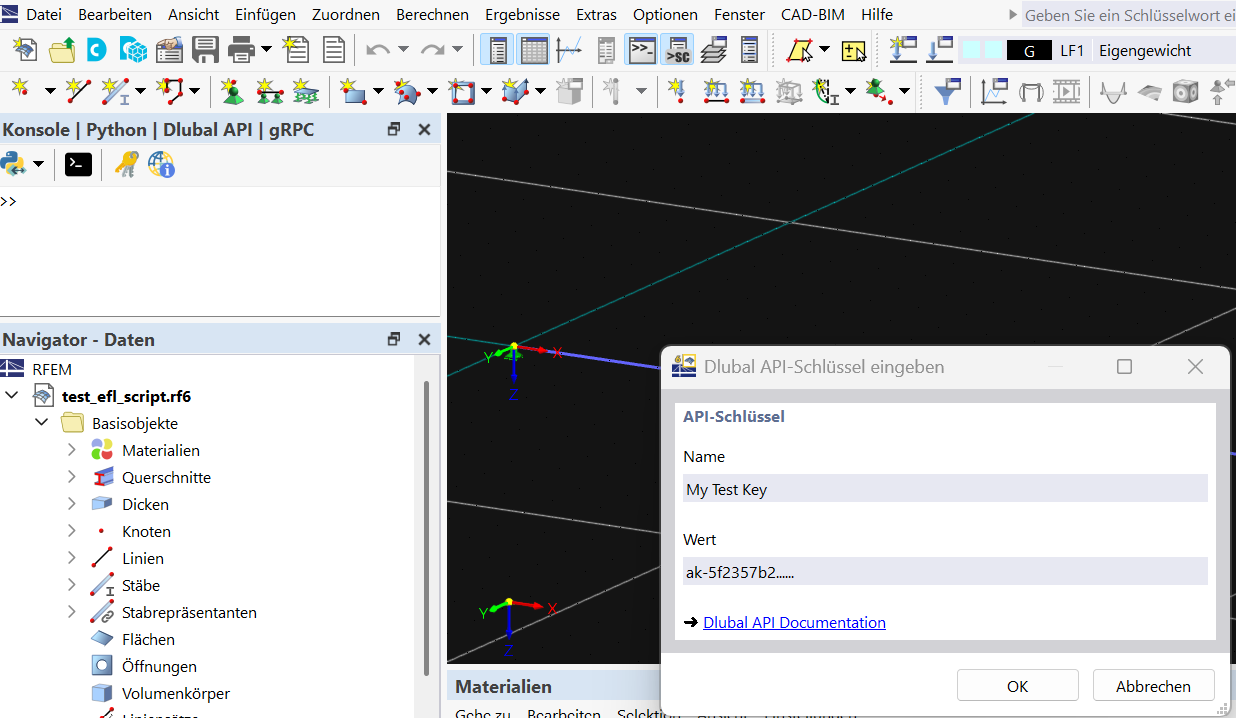
This is how the API key activation works for my colleague. I still receive the message "permission denied."
I cannot follow the instructions in the link you sent.
Is it possible for me to show you my problem via the shared screen?
Hello @c.hausmann,
the problems could also have been caused by temporary issues with the license server. Could you please try again to see if you can add the API key?
Please also check with your IT department whether anything is being blocked on your side.
Best regards,
Rebecca Göbel
Hello Ms. Goebel.
Thank you for the feedback.
I just tried again to activate the API key – unfortunately, again without success.
I also created the config.ini file you mentioned, copied the API key into it, and placed it as an admin in the corresponding folder:
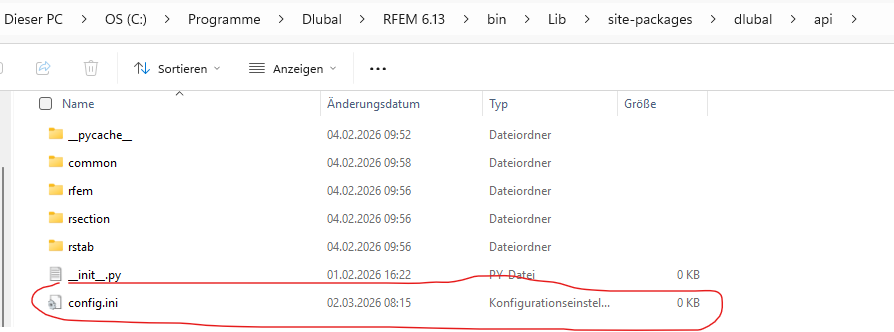
Result again: "permission denied."
Once again, my question from Friday: Is there a possibility that we can look at the issue together on a shared screen?
Hello @c.hausmann,
I see that you have a Pro service contract. Therefore, I can gladly take a look at the matter via Team Viewer. I will contact you by phone about this.
Best regards,
Rebecca Göbel
Hello @c.hausmann,
the message "Permission denied" always appears when RFEM/RSTAB is not started as an administrator, because then the config.ini cannot be accessed.
The message "...UNIMPLEMENTED" currently appears when no port is specified in the script and RFEM/RSTAB is not running on port 9000. In this case, the port must be specified in the script:
with rfem.Application(port = 9001) as rfem_app:
...
Best regards,
Rebecca Göbel