Hello everyone,
I tried to model a butt joint (bolt connection) in RFEM6. Unfortunately, I receive error message No. 56 (Incorrect topology of the surface contact) and do not know exactly where the error is. For modeling the bolt connection, I watched the corresponding videos on Dlubal's YouTube channel and followed the steps.
The RFEM file of the modeling is attached.
I look forward to your help.
Best regards
Kamaljit Singh Tatla
001_Flächenmodell_RFEM6_Schrauben&Schweiß.rf6 (2.0 MB)
Hi Ka.Si.Ta,
Some surface contacts seem to be topologically incorrect. 
Please therefore carefully check your assignment of surfaces.
For example:
-
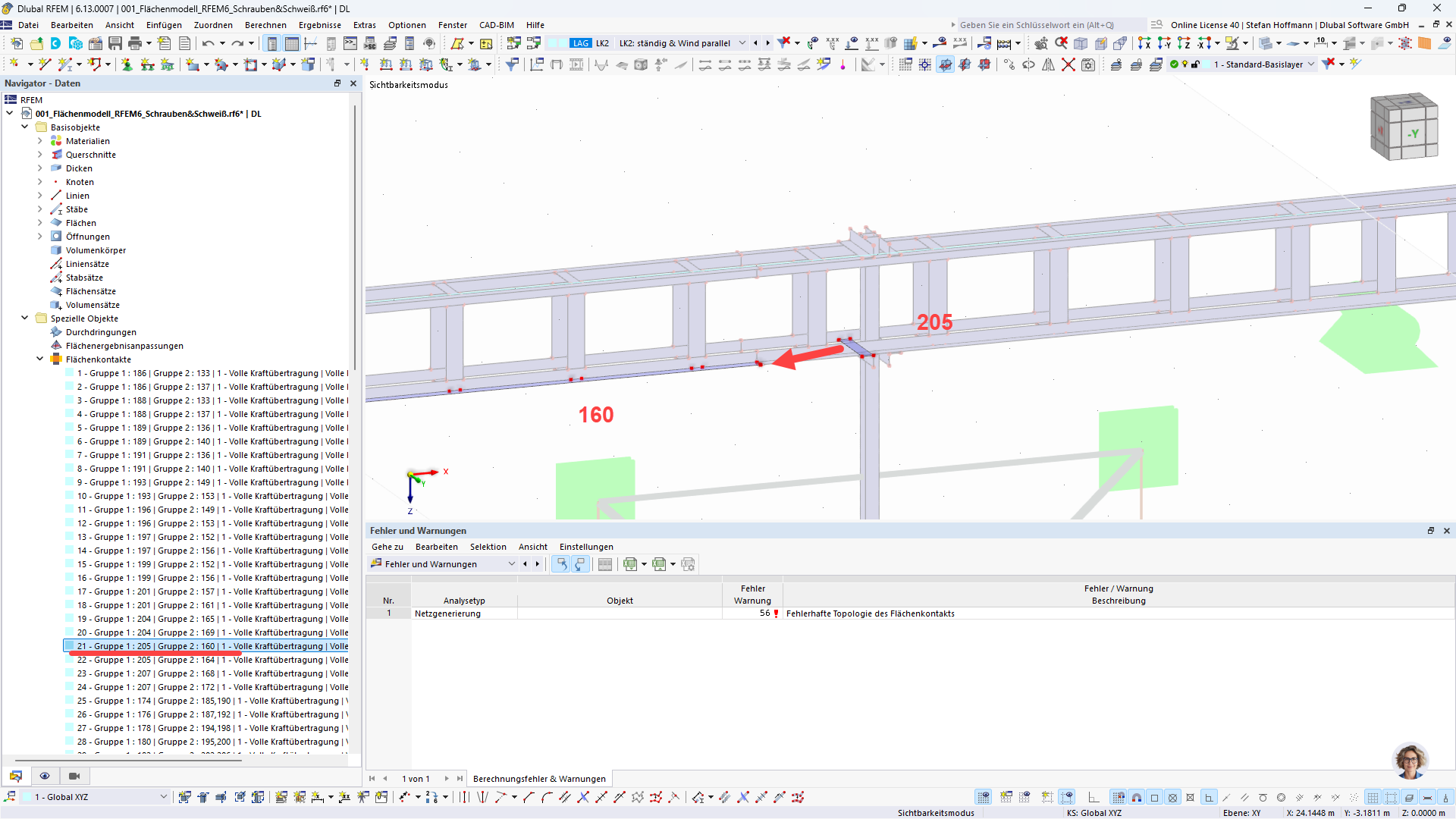
Surface contact 21 is supposed to connect surfaces 205 and 160
-
However, these two surfaces have no geometric connection
This suggests that there is probably an incorrect assignment here:
Best regards
Stefan Hoffmann
Thank you for your help, Stefan. The problem was that I had shifted a model area by 1 meter, which caused the surface contact to be lost. I have adjusted the surface contacts accordingly.
I ran the calculation and this time, for load case 3 at FE node no. 3939, I receive error message 10134 (The stiffness matrix is singular/Structure is unstable/FE mesh node no. 3939, in direction Z, increment 5). I performed a model check, which did not show any errors.
Can you help me further?
The modeling file is attached.
Thank you in advance.
Best regards
Kamaljit Singh Tatla
001_Flächenmodell_RFEM6_Schrauben&Schweiß.rf6 (5.1 MB)
Hi Ka.Si.Ta,
Hello
For this message, you can find general notes in our FAQ:
https://www.dlubal.com/de/support-und-schulungen/support/faq/005345
 Specifically for your case
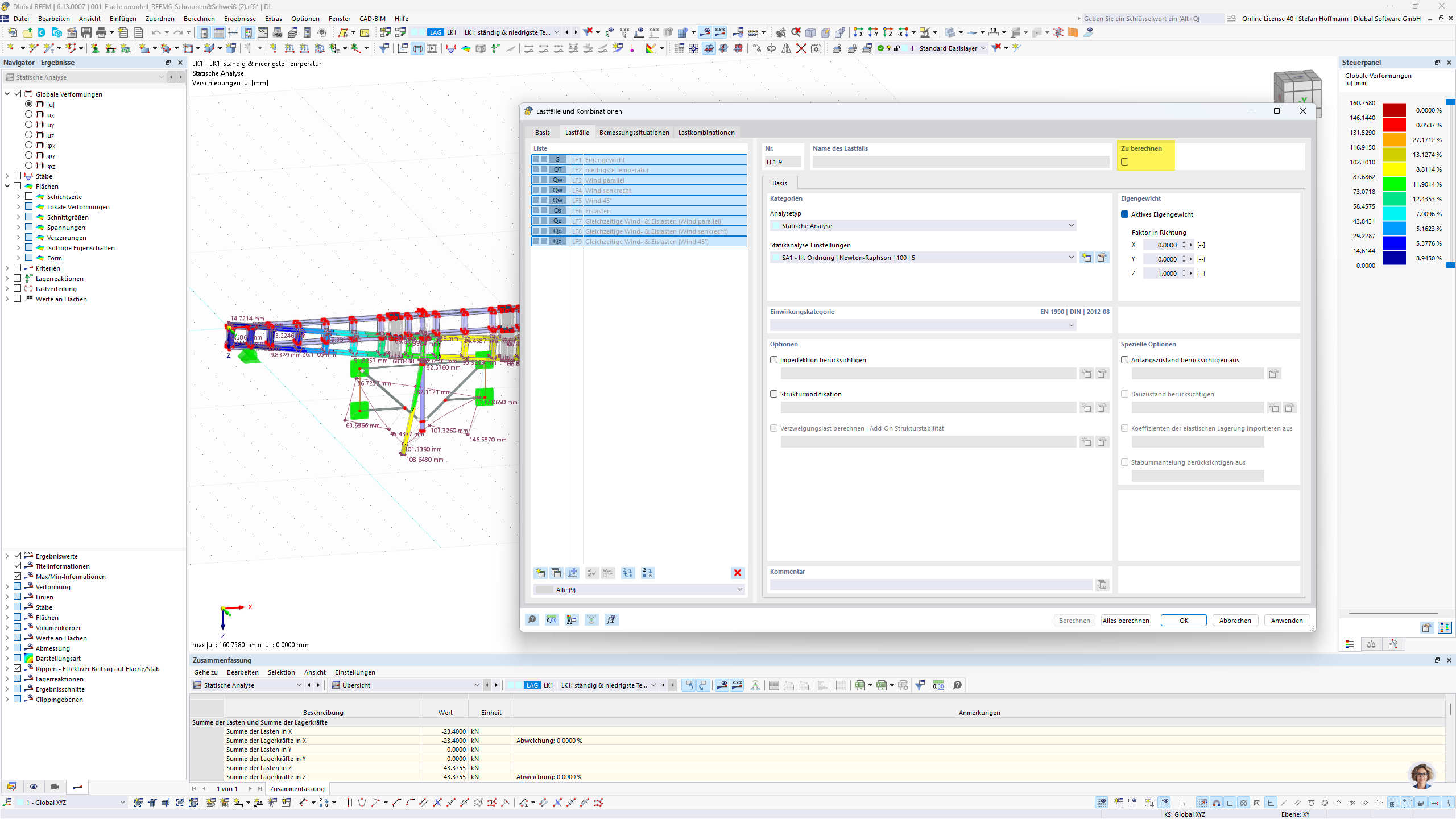
In your project, the load case cannot occur alone.
The simplest solution is therefore:
Best regards
Stefan Hoffmann