Hi All,
I’d like to know how to filter select objects in RFEM 6.
For example i select objects on my model. But i want to filter select the nodes only, or surfaces only etc.
Thank you and kind regards,
Hi All,
I’d like to know how to filter select objects in RFEM 6.
For example i select objects on my model. But i want to filter select the nodes only, or surfaces only etc.
Thank you and kind regards,
Hello tramyer 
There are several ways to select specific objects in RFEM 6.
Here are three useful methods you can try: 
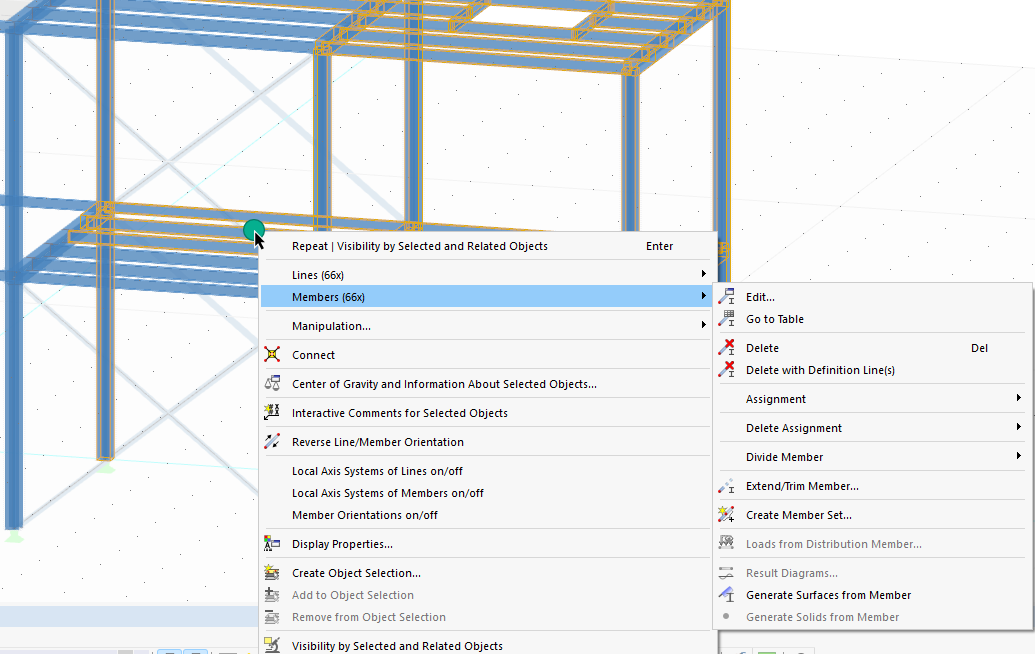
1. Filter objects via the context menu
Right-click on an active selection and choose from different basic object types.
This is particularly helpful if you want to edit, for example, all selected members.
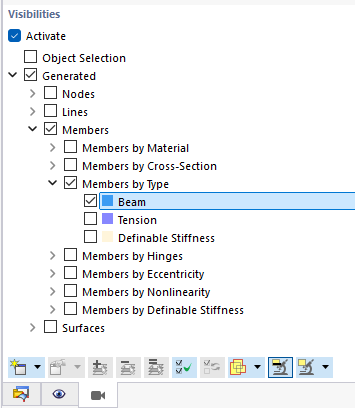
2. Use Visibilities
Visibilities allow you to display only objects with certain properties.
For example, you can show only members with the type Beam.
Once the visibility is set, you can easily select the displayed objects. You will find this option in the Views - Navigator
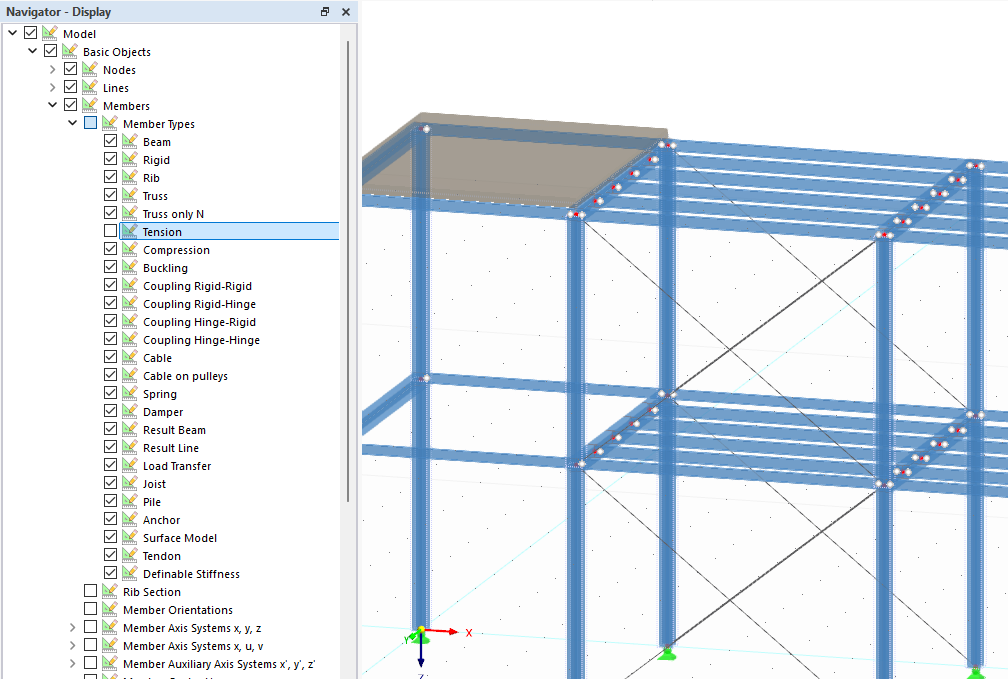
3. Work with the Display Navigator
The Display Navigator lets you show or hide everything visible in the workspace — including objects and types.
This makes it a powerful tool for managing your view and focusing on the objects you need. 
 These methods can be combined to speed up your workflow and keep your model organized.
 Let us know if one of these approaches worked for you, or if you’d like more tips on refining your selections. We’re happy to help!