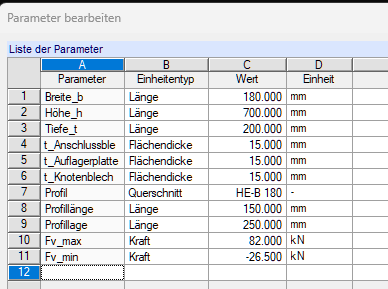
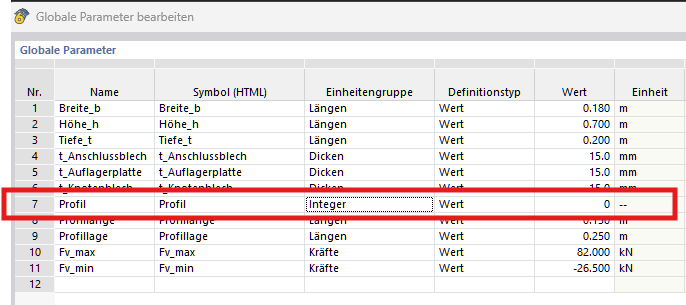
When the template was imported from RFEM5, this was converted to “Unit group: Integer.”
How can I fix this so that I can use, for example, 'GetCSPar(Profile;"b")' in my formulas again and get my parameterized templates running in RFEM6 as well?
The indexing of objects in RFEM 6, as in most databases, is done using integers. This also applies to cross-section numbers.
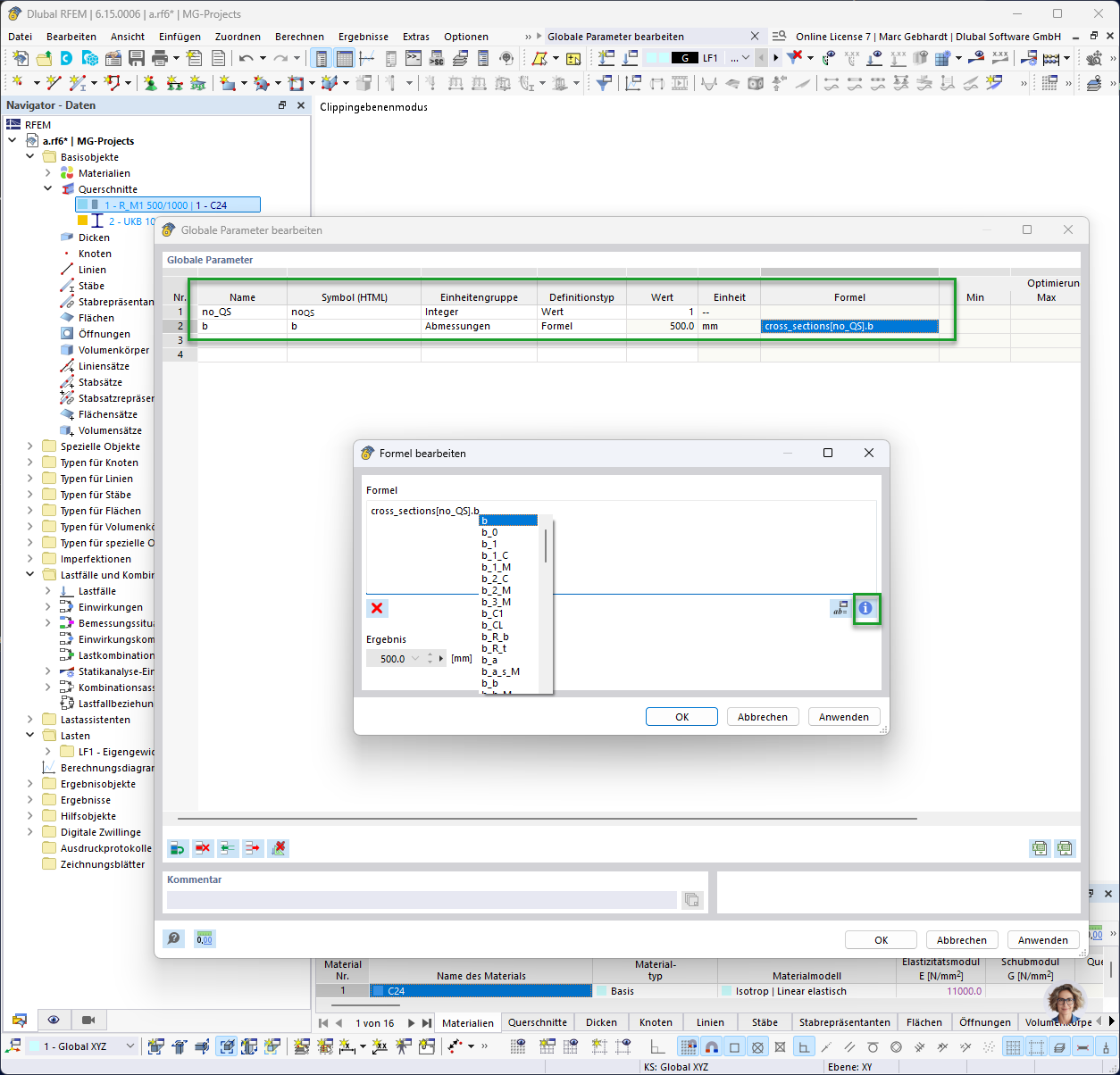
For global parameters, formulas and object properties can also be retrieved. Please see the image below for the width of cross-section 1. Additional commands can be viewed by clicking the button with the "i". For more information, I recommend this manual chapter.
I first had to “adapt” the answer for my situation. ;)
Here it is again in my own words, in case anyone runs into the same problem and doesn't get the desired result straight away with @marc.gebhardt's answer:
It seems that in RFEM 6, the option to select a cross-section from a cross-section library within the “global parameters” is no longer available.
You now have to create the cross-section as usual under Cross-Sections and reference it in the “global parameters” by using the index corresponding to the cross-section's running number in the cross-section table.
GetCSPar(Name_of_index_in_global_parameters;"Property") no longer exists either. Instead, you have to use cross_sections[Name_of_index_in_global_parameters].Property.
Some properties have also been renamed. t_g (probably for flange thickness) does not exist in this form in cross_sections. I had to use t_f (flange thickness) instead.
Note: Replace the italicized text with the corresponding variable in your global parameters and the property you want.
It's best to export it to an Excel spreadsheet and use find and replace. This is much quicker and safer than changing x rows manually, at least once you have a certain number of them.