How to find the deformation energy of a system from a load?
Hi dbldb,
welcome to the Dlubal Community, great to see you here.
I've moved your question to the Product Support category and added relevant tags.
Feel free to take a few minutes to look around and keep an eye on our tips: How to Get Quick & Helpful Answers.
Best regards
Sören
Hello dbldb,
Thank you for your interesting question. Are you asking how to calculate the deformation energy in principle, or whether it is possible to output the deformation energy of a load case in RFEM 6 / RSTAB 9?
Frank
There is a system in RFEM that has geometric and physical nonlinearity, I need to find the value of the energy that was spent on deformation from a given load.
Hello dbldb,
now I understand the question.
Unfortunately, it is currently not possible to output the energy required for the deformation. I will add this suggestion to our wish list.
Frank
I want to determine the deformation energy of a system using the work of external forces. I have only one force. I want to break the total load of 100 kN into five steps: 20, 40, 60, 80, and 100 kN, then sum the work of the force at each step, knowing the displacements at each step. How can I make this task easier? Specifically, how can I automate the breakdown and application of the load for loads significantly greater than five, find the displacements at each step, and export them to an Excel spreadsheet or text document?
Hello dbldb,
the Structure Stability add-on may help you with this task.
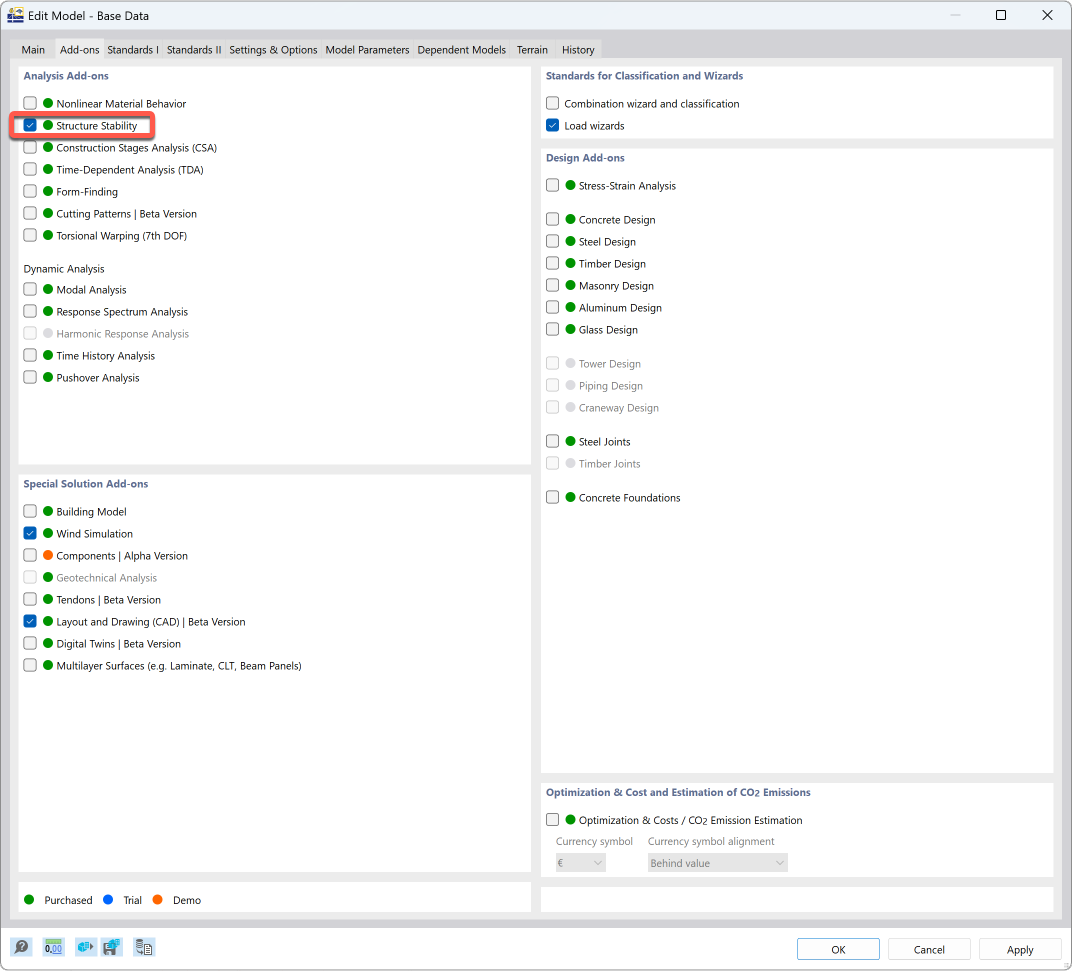
You can then activate the stability calculation in load cases or load combinations.
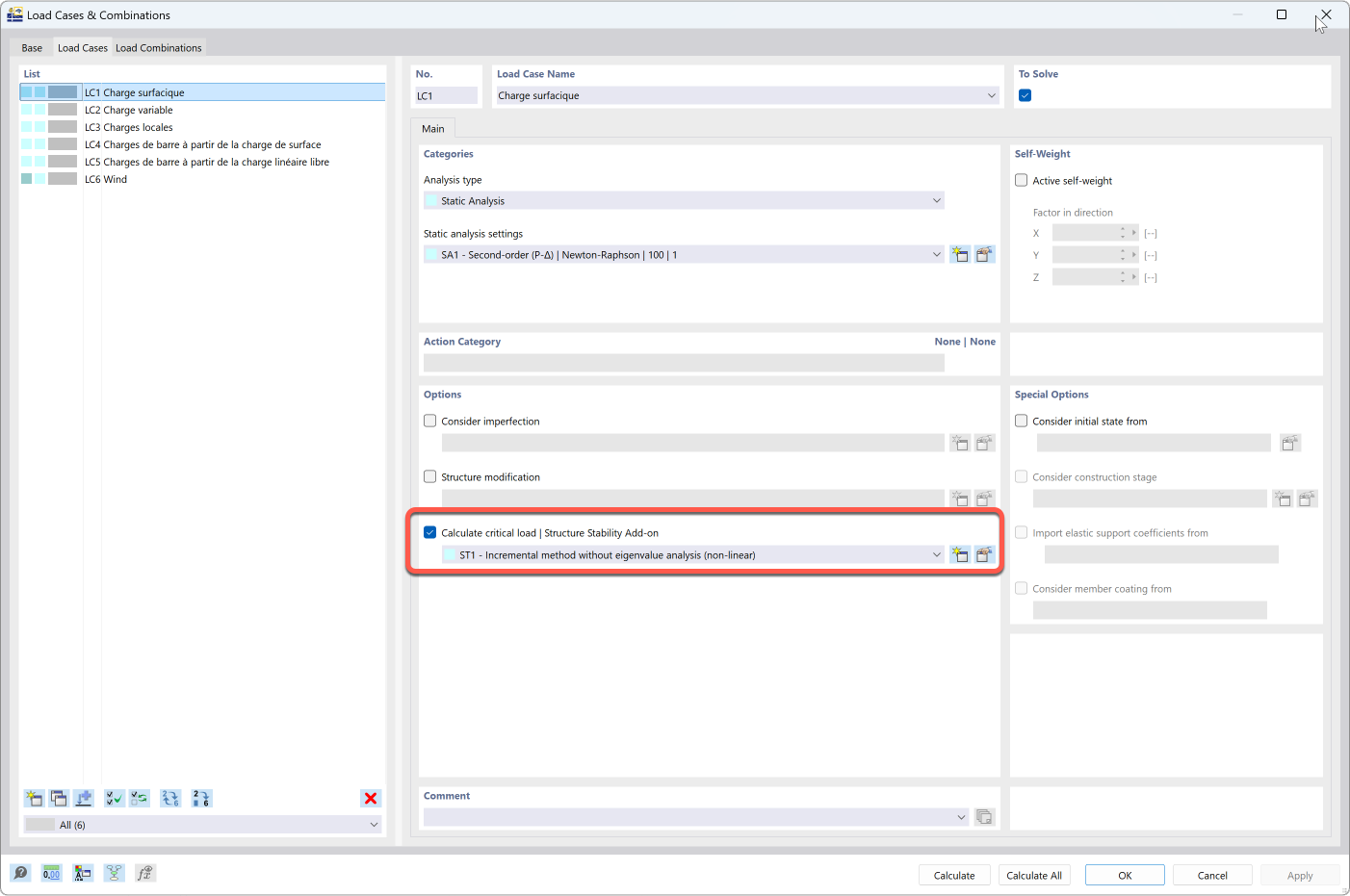
You can set the incremental method in the stability analysis properties.
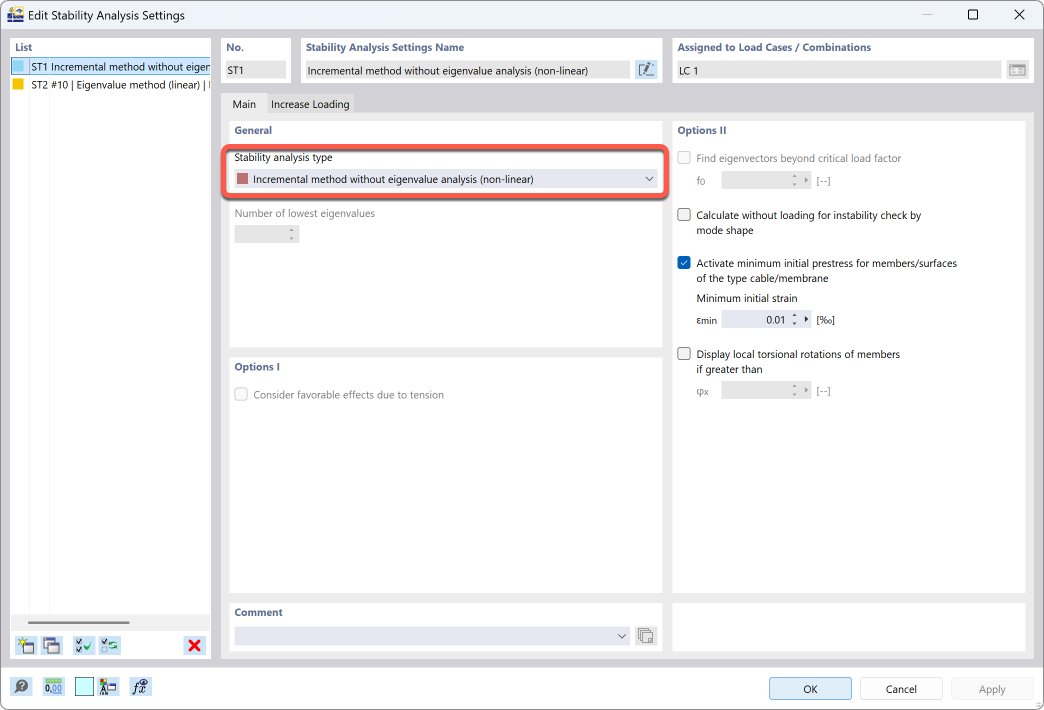
In the “Increase Load” tab, you can define when the load increase should end. Normally, the load increase stops when the model becomes unstable. It is also possible to stop the calculation when a certain deformation is reached.
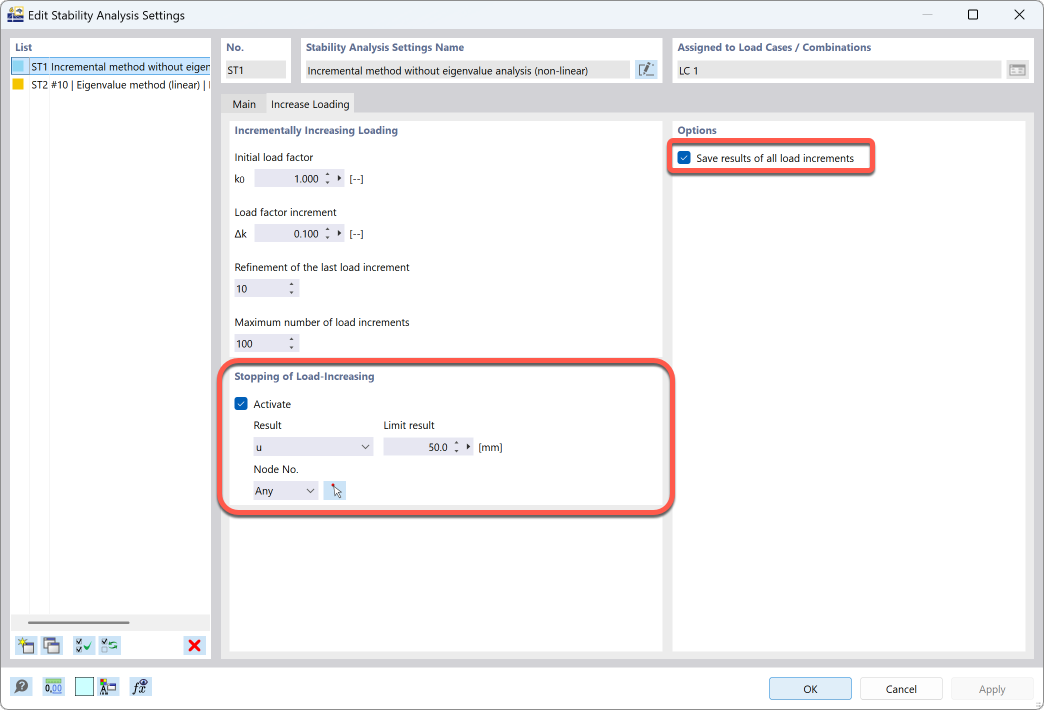
Unfortunately, it is not possible to set a load here.
On the right-hand side, you can specify that the results of all load stages are saved. Be careful, as this can result in a considerable amount of data depending on the size of the model.
In the results, you can then set the load stage from which you want to see the results. You can then export these manually to Excel.
I'm not sure if this is a solution to your problem, but maybe it will help you.
If you need to evaluate a large number of load steps in Excel, it might be better to work with API II. This allows you to easily create many load cases, start the calculation, and read the results of the load cases. It is possible to read these as a Pandas data frame. There is certainly a Python module that you can use to write a Pandas data frame to Excel.
Frank