These errors are thrown through the steel design addon. I believe it’s because of concrete columns. However I want the project to have those as well.
So how can we ask the steel addon to ignore the concrete columns and carry out rest of the steel checks?
Project File
[File size 43 MB, so apparently I’m not allowed to upload that size of a file, please increase the limit]
Hi BigBoss,
 Design Object Selection in the Add-On
By default, all objects are selected for design.
The add-on automatically informs you if certain objects or materials cannot be designed within it. 
 Want to decide for yourself?
You can also manually define which objects should be considered in the design process.
This gives you full control over the design scope. 
 Learn how to do it here:
RFEM 6 - Steel Design Manual
Viele Grüße
Stefan Hoffmann
1 Like
That is such a broad answer. Your guide basically shows enabling or disabling the members for checks in general. Not disabling concrete members and enabling steel members. Please provide a specific answer than just providing broad documentation links.
With your documentation, it would disable both steel and concrete members as well. So that means we’re not calculating for both steel and concrete. Which is useless tbh as why would we have a software if we want to disable all checks?.
I want ONLY to disable the concrete members in the steel addon.
If the software is incapable designing having both concrete and steel together, just say it than making me scratch my head with broad documentation links.
Hi BigBoss,
Thanks a lot for your feedback.
As mentioned earlier, it is possible to manually assign which members are included in the design. When all members are activated in the Steel Design module, concrete members will not be designed anyway in this add-on, so there’s no need for manual intervention.
 The warning simply serves as a reminder that not all members can be designed — this helps maintain clarity in your model. It’s meant to keep you informed, not alarmed.
If you'd prefer not to see this warning, you can as well filter the members by material, which will automatically exclude concrete members from the steel design check.
 Check out our online manual for more details:
 How to filter members by material in RFEM 6 – Steel Design
Let us know if you have any other questions!
Best regards,
Stefan Hoffmann
So, are you saying the steel addon did not stop working because I have some concrete members in it and those are just warnings only?
Then why it shows “Deactivated” etc? are you sure steel addon did the calculation anyways without any interruption?
Hi BigBoss,
Thanks for your message!
From the screenshot, it's not entirely clear whether only concrete members are not being designed. However, as mentioned earlier:
No Problem for the Steel Design Add-on
Even if concrete members are selected for design in the Steel Design Add-On, this doesn’t cause any issues:
So, you don’t need to worry if both material types are selected — only the relevant ones will be processed.
Best regards,
Stefan Hoffmann
1 Like
The project file size 43 MB, so apparently I’m not allowed to upload that size of a file, please increase the limit so I can upload it, so you can have a look.
But still I’ll take your word for this as you said “No Problem for the Steel Design Add-on”
Thank you for your support and patience.
Hi BigBoss, 
Thanks a lot for your feedback! 
In most cases, the file size will be under 10 MB if you save the model without results, reports, or glTF files.  This is usually sufficient for sharing or uploading.
If your file is still too large, no worries! You can simply use a service like WeTransfer to make it available for us. Just upload your file there and share the download link here.
Let us know if you need help with that!
Best regards,
Stefan Hoffmann
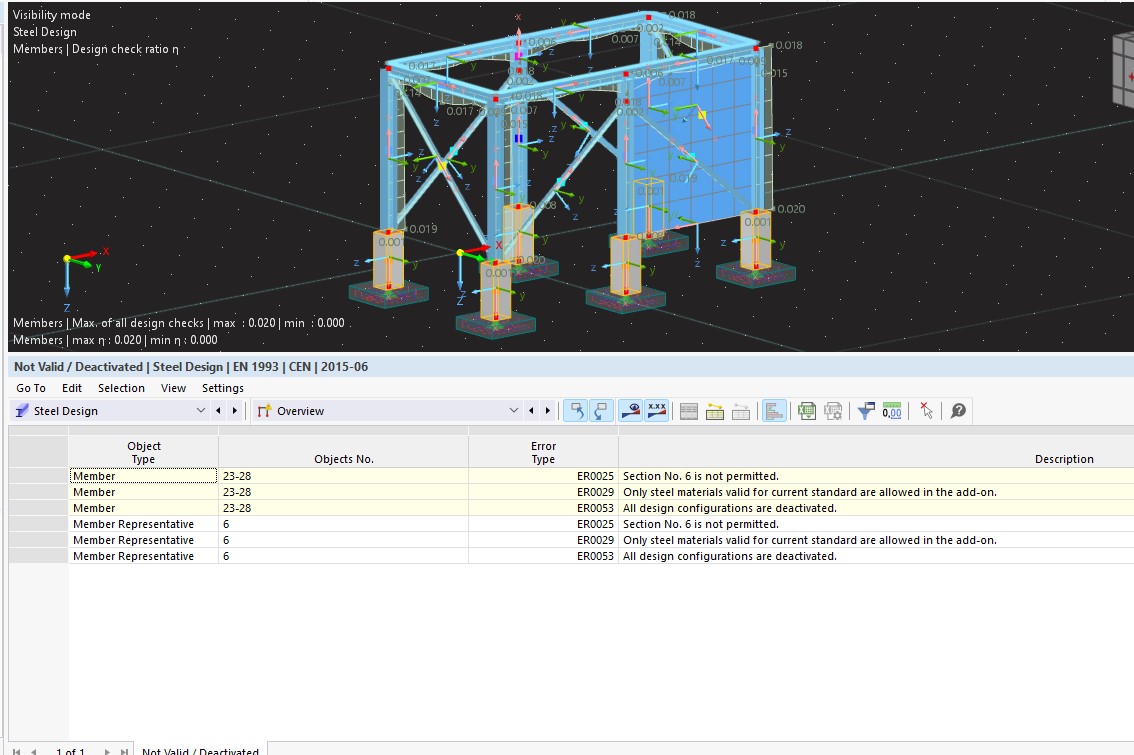
 Concrete members are simply ignored by the Steel Design add-on.
 They have no impact on the design results of the steel members.