DXF Import

Buenas tardes,
He visto que el software permite importar archivos en formato DXF, y me gustaría aclarar algunas dudas al respecto.
Como mencioné en mi presentación, soy estudiante de Ingeniería Civil en la Universidad de Santiago de Chile (USACH), con experiencia previa en topografía, que es mi especialidad. En este momento estoy aprendiendo sobre la importación de modelos CAD hacia Dlubal y su correcta interpretación estructural.

En SAP2000, el procedimiento que sigo es importar el archivo DXF con todas las líneas del modelo unidas en sus extremos, de modo que cada elemento comparta nodos en común.
Quisiera confirmar si en RFEM o RSTAB se aplica el mismo principio:

¿Es necesario que todas las líneas estén perfectamente conectadas entre sí mediante puntos comunes (nodos)?
¿O el programa puede reconocer y unir automáticamente los extremos de líneas cercanas al importar el DXF?

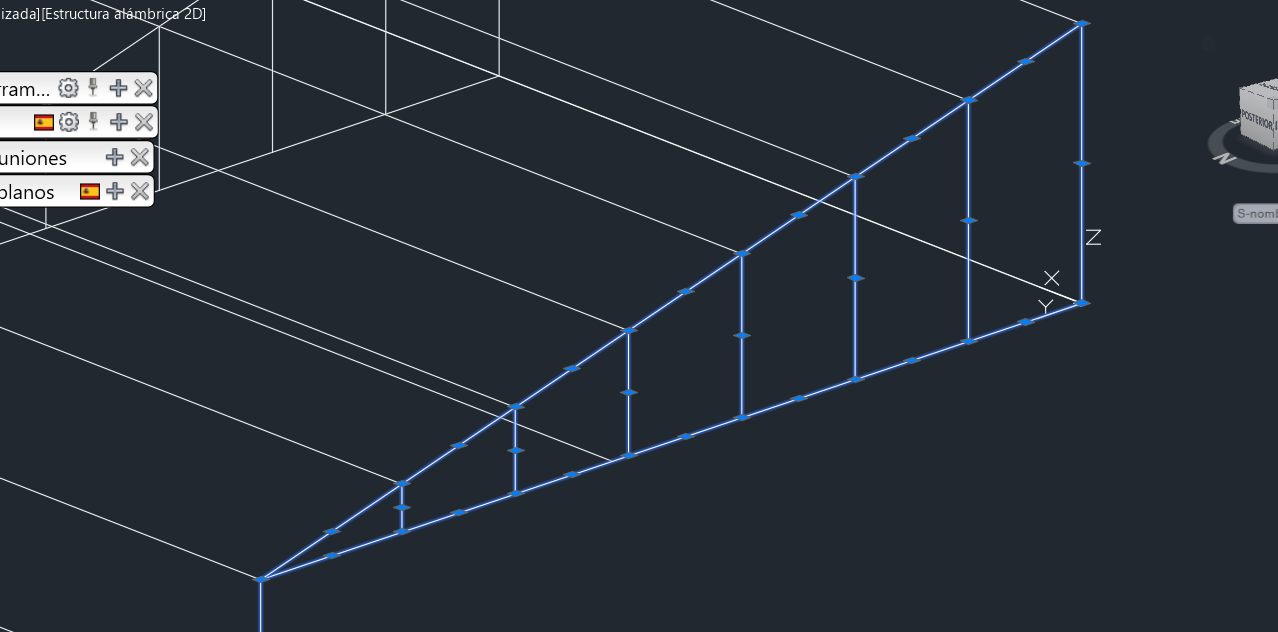
Adjunto imágenes de referencia para ilustrar el tipo de modelo que estoy utilizando. En esta práctica estoy analizando un pórtico, aunque originalmente podría haberse trabajado como una cercha tipo Warren o Pratt; mi intención es hacerlo como pórtico para efectos de comparación estructural.

Agradezco de antemano cualquier orientación o recomendación sobre las buenas prácticas al preparar modelos DXF para importarlos correctamente en Dlubal.

Saludos cordiales,
Juan Pablo Olivares Morales
Estudiante de Ingeniería Civil – USACH

Hi Juan Pablo,
Thanks for your great question! :blush:
When importing DXF files into RFEM 6 or RSTAB 9, nodes that are very close to each other can be automatically recognized and merged.
To do that, simply activate the option “Minimize Tolerance in Model” in the import dialog. Once this option is enabled, the program automatically sets all model tolerances to 0.00001 m. That means nodes within this distance are united during import. At the same time, RFEM / RSTAB also takes care of small geometric imperfections – for example:

  • Lines or members that are slightly outside of planes are incorporated into the related surfaces.

  • Very small inclinations are classified as vertical elements.

If you prefer a different precision, you can always adjust the model tolerance manually in the Settings and Options of your model. So even if your CAD lines don’t meet perfectly, RFEM will automatically clean up the geometry for you. Are your questions answered with this, or is there anything still unclear?

You can find additional informations in this article:
KB 1941 | Interface to AutoCAD and DXF File Integration - Part 2/3: Import Features

By the way, the main languages used here in the Dlubal Community are English and German. Since translations can sometimes slightly distort technical details, we kindly ask to post questions in English whenever possible.
Thanks a lot for your understanding! :raising_hands:

Best regards,
Ann-Kathrin Dannwerth