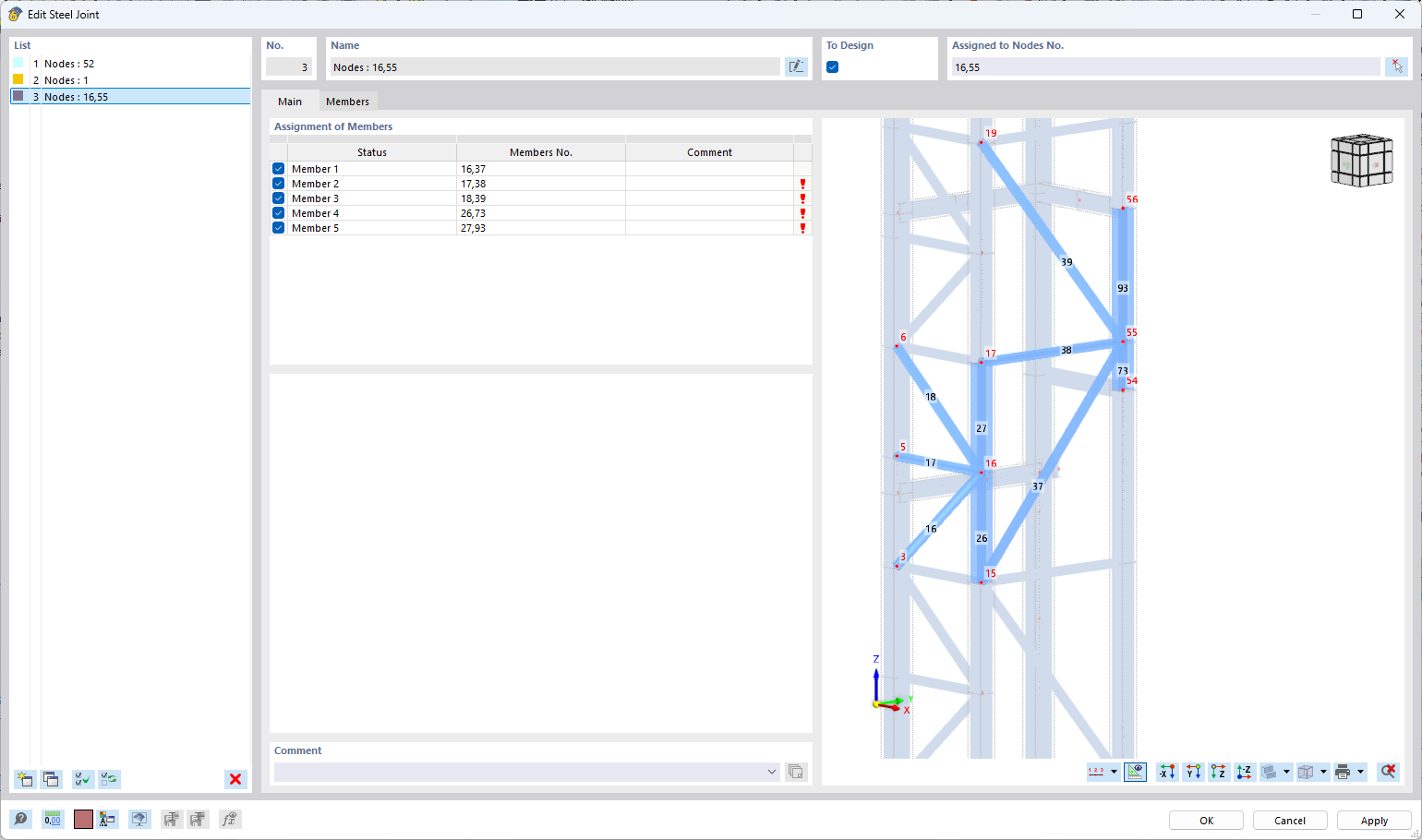
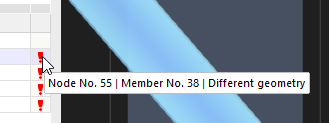
When I try to assign a steel connection to more than one node, aiming to group all connections with the same characteristics into a single steel joint, I get a red exclamation mark with no further explanation or error message.
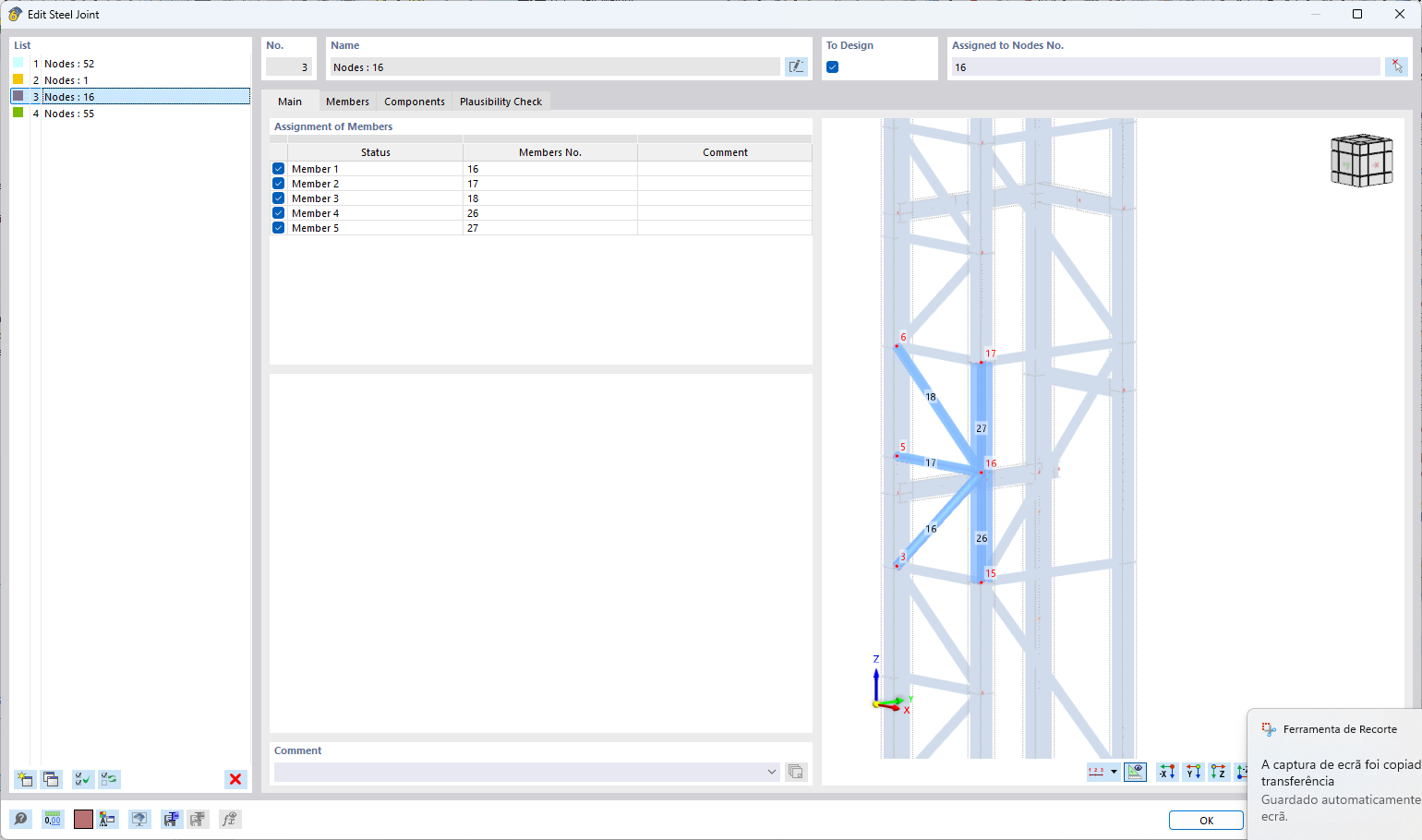
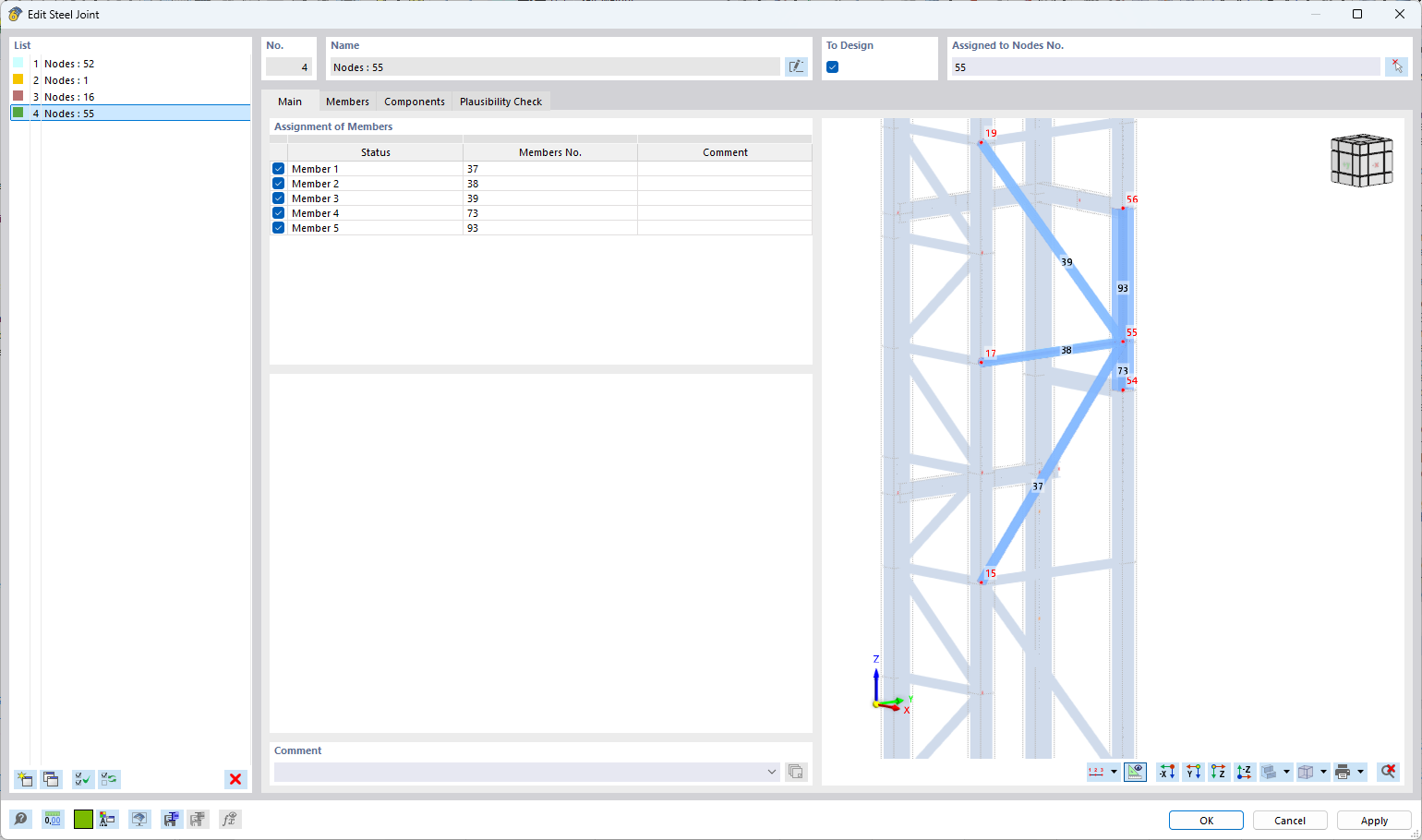
However, if I copy the same joint and simply change the assigned node, everything works fine — no error or warning appears. What am I doing wrong here?
Members connecting to Node No. 55 have a different angle to each other, and the joint is connected to the column's flange. The joint at node 16 is connected to the web of the column. For example, you can group the steel connections for nodes 16 and 18 as they have the same characteristics.
Copy the same Joint and change the assigned node works in the first case only for the assignment. However, you must check the 'Components' and 'Plausibility Check' tabs to ensure the connection is correctly defined.