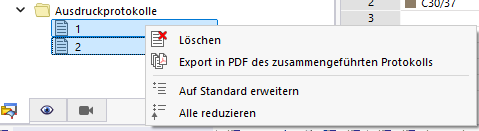
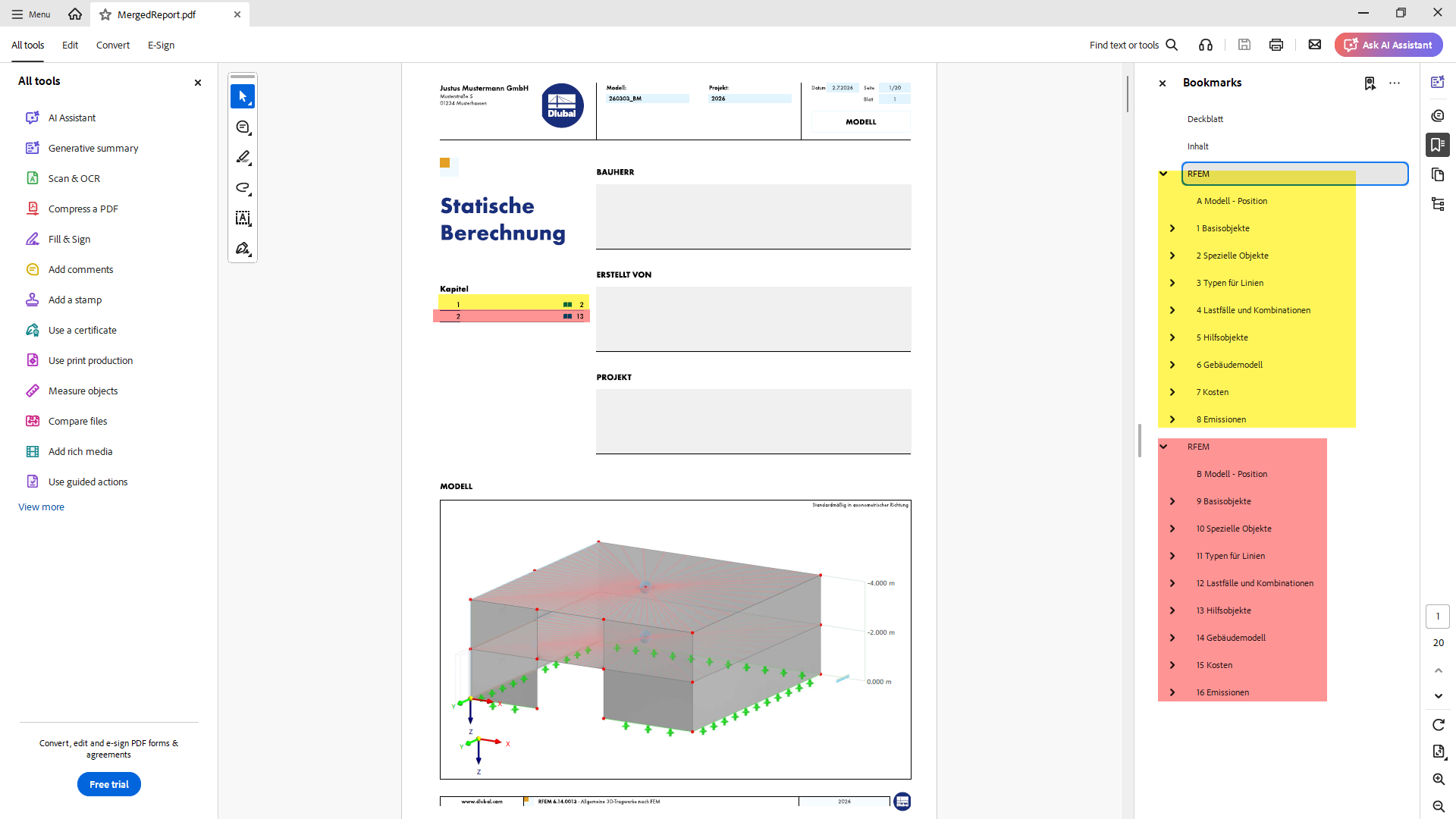
Good day,
In my office, and I believe in most others as well, although the vast majority of the structural analysis is done using Dlubal products, ultimately it is always several files/prints that come together and are compiled into a PDF => creating a table of contents and hyperlinks then either takes a lot of time or, especially if revisions are needed after feedback from the reviewer, becomes quite tedious, or they end up very sparse because effort and time are saved from the start by not including many subpoints in the structure.
Currently, I solve this by, after merging my PDFs, inserting texts in the PDF-XChange Editor on each page with a new chapter and then selecting these and adding them as bookmarks.
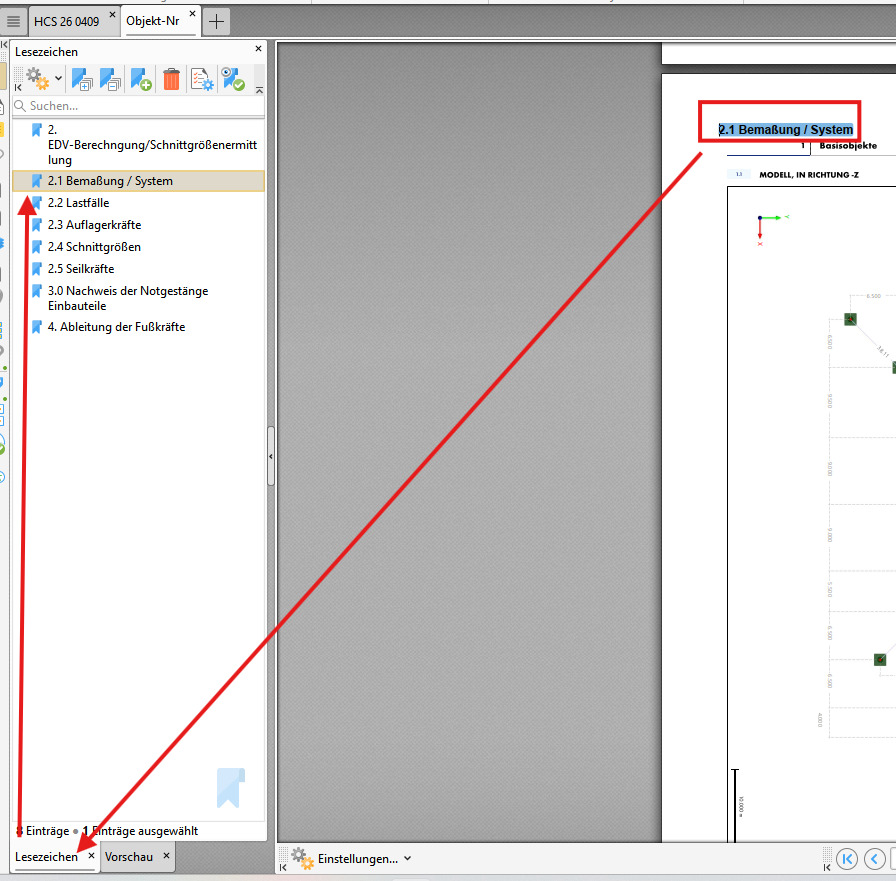
Thus, I do have some hyperlinks/table of contents in the document, but as mentioned either a lot of work to maintain this or, as here in the file, sometimes up to 100 pages between 2 chapters… As I just researched, the hyperlinks/bookmarks are not purely internal to PDF-XChange but a general PDF feature, so it would be wonderful if the printout protocol could be developed in such a way that during its export, according to the Dlubal chapter numbering, hyperlinks are also created/exported, so that even after completing my Dlubal printout I can still quickly and dynamically navigate through my document.
Best regards, Nick