Good day,
once again I wanted to ask if another CAD feature could be added to the RUS list.
For a smoother, more efficient “workflow” true to the Dlubal motto "Structural analysis that’s fun," it would be a nice option to be able to extend existing dimension chains by adding further nodes directly via shortcut.
Currently, I proceed as follows:
-
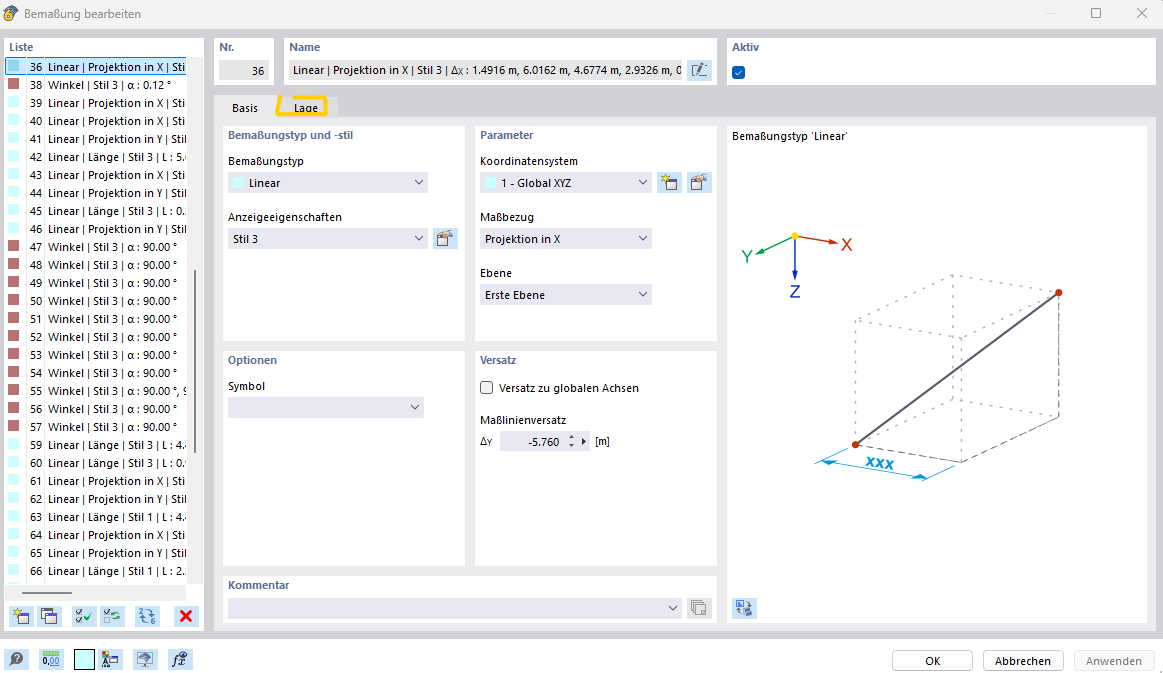
Double-click on the existing dimension chain
-
Click on the Position tab
-
Click on an empty field in the table and then select nodes from the list
-
Click on "Select at current row position"
-
Select the respective node in the graphic
-
Close the automatically reopening dialog “Edit Dimension” by clicking “OK”
What I would like to do instead:
- Select the dimension chain
- Press a self-defined shortcut (e.g., shift+e)
- Directly select another node without a dialog and be done
Why is this important to me?
Because especially in design phase 3 or after an IFC export of large models, I constantly have to check dimensions, control distances, adjust distances, maintain references, and also provide other project participants with transparency about the geometries of the calculation model.
The number of clicks and delays caused by repeatedly opening and closing the “Edit Dimension Chain” dialog window is relatively high here. For example, when you compare directly with REVIT, where dimension chains can be extended in seconds via preset keyboard shortcuts like EW, you realize that relatively much work/project time is spent on repetitive steps that could certainly be done faster.
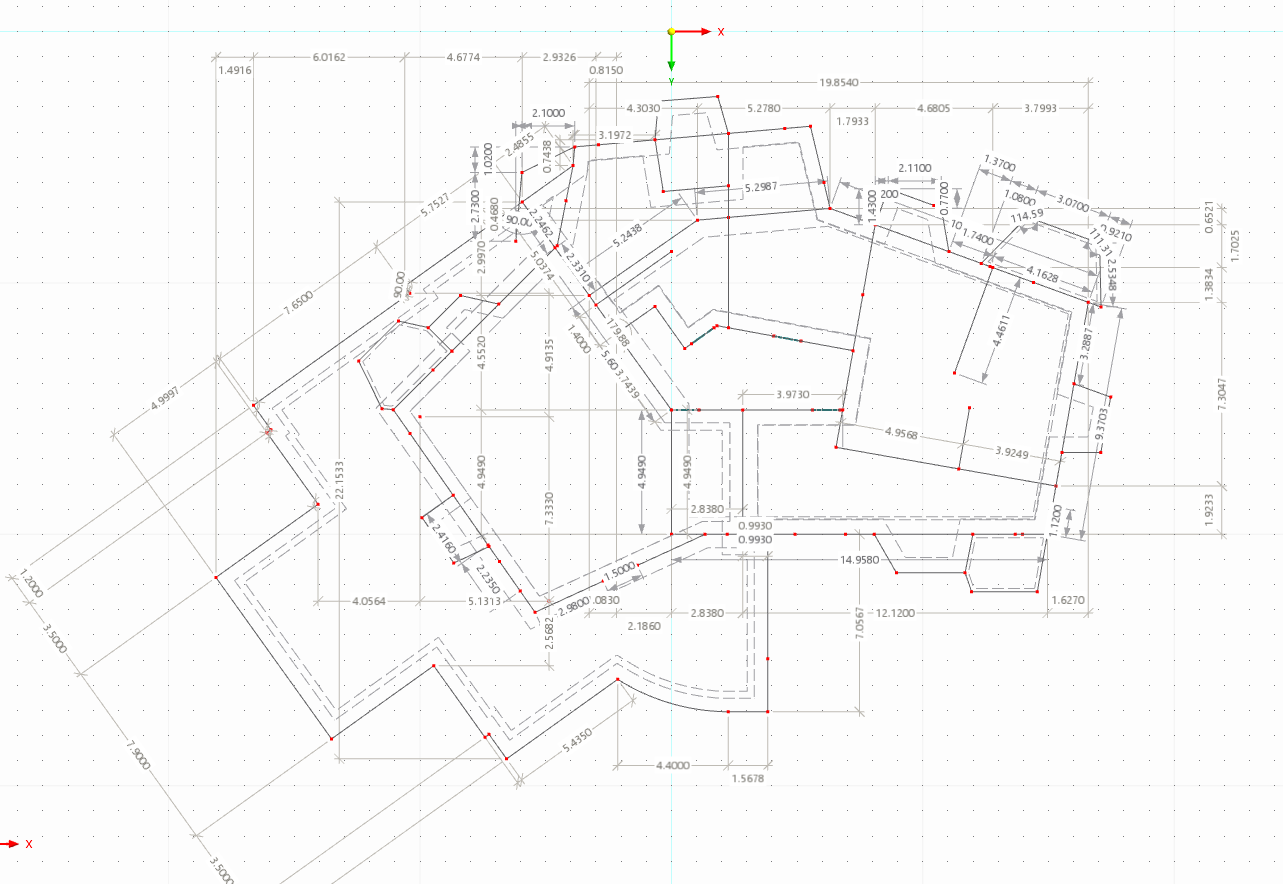
The image below shows an example that clearly illustrates the increasing lack of clarity that already exists and worsens with each newly created dimension chain. However, further distances should be displayed transparently, which is currently relatively time-consuming.
Best regards,
Nick