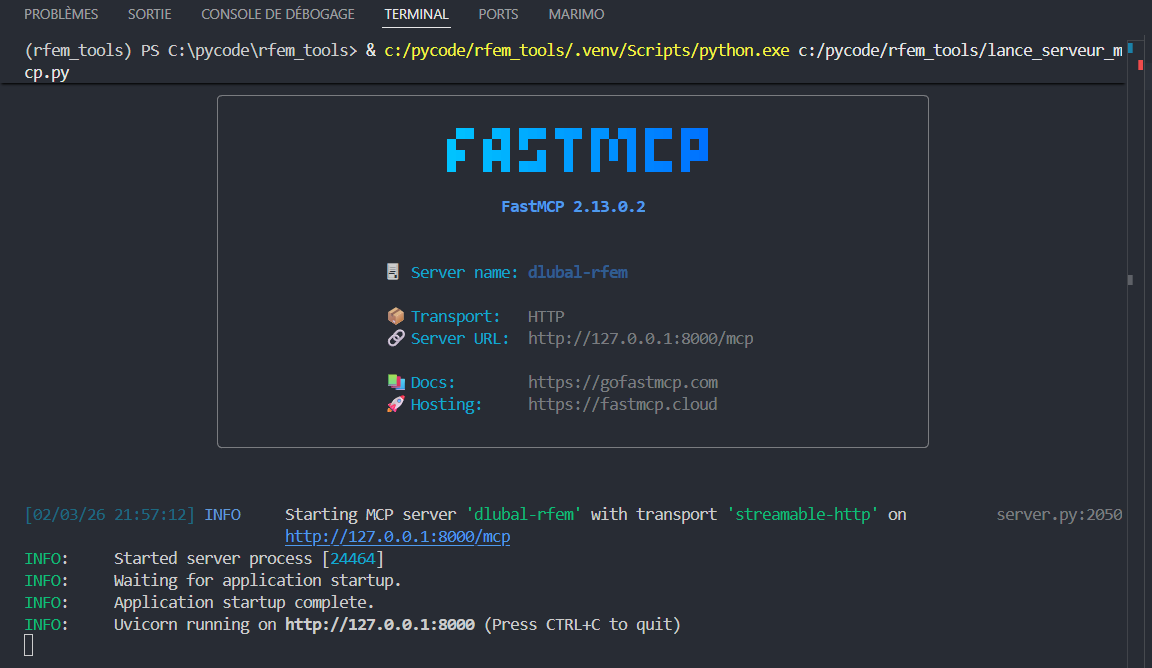
Hello,
Thanks you for the support.
After
.\python.exe -m pip uninstall -y mcp fastmcp pydantic pydantic-settings fastapi starlette
I’ve got a nice :
Found existing installation: mcp 1.22.0
Uninstalling mcp-1.22.0:
Successfully uninstalled mcp-1.22.0
Found existing installation: fastmcp 2.13.0.2
Uninstalling fastmcp-2.13.0.2:
Successfully uninstalled fastmcp-2.13.0.2
Found existing installation: pydantic 2.11.7
Uninstalling pydantic-2.11.7:
Successfully uninstalled pydantic-2.11.7
Found existing installation: pydantic-settings 2.10.1
Uninstalling pydantic-settings-2.10.1:
Successfully uninstalled pydantic-settings-2.10.1
Found existing installation: fastapi 0.128.0
Uninstalling fastapi-0.128.0:
Successfully uninstalled fastapi-0.128.0
Found existing installation: starlette 0.50.0
Uninstalling starlette-0.50.0:
Successfully uninstalled starlette-0.50.0
But after :
.\python.exe -m pip install "fastmcp==2.13.0.2" "mcp==1.22.0" "pydantic==2.11.7" "pydantic-settings==2.10.1"
Using cached fastmcp-2.13.0.2-py3-none-any.whl (367 kB)
Using cached mcp-1.22.0-py3-none-any.whl (175 kB)
Using cached pydantic-2.11.7-py3-none-any.whl (444 kB)
Using cached pydantic_settings-2.10.1-py3-none-any.whl (45 kB)
Using cached starlette-0.52.1-py3-none-any.whl (74 kB)
Installing collected packages: starlette, pydantic, pydantic-settings, mcp, fastmcp
━━━━━━━━━━━━━━━━━━━━━━━━╺━━━━━━━━━━━━━━━ 3/5 [mcp] WARNING: The script mcp.exe is installed in 'C:\Program Files\Dlubal\RFEM 6.13\bin\Scripts' which is not on PATH.
Consider adding this directory to PATH or, if you prefer to suppress this warning, use --no-warn-script-location.
━━━━━━━━━━━━━━━━━━━━━━━━━━━━━━━━╺━━━━━━━ 4/5 [fastmcp] WARNING: The script fastmcp.exe is installed in 'C:\Program Files\Dlubal\RFEM 6.13\bin\Scripts' which is not on PATH.
Consider adding this directory to PATH or, if you prefer to suppress this warning, use --no-warn-script-location.
ERROR: pip's dependency resolver does not currently take into account all the packages that are installed. This behaviour is the source of the following dependency conflicts.
protobuf-pydantic-gen 0.1.7 requires fastapi>=0.115.12, which is not installed.
RFEM-mcp 2.13.3.265 requires click==8.3.1, but you have click 8.1.7 which is incompatible.
RFEM-mcp 2.13.3.265 requires pandas==2.2.3, but you have pandas 2.2.2 which is incompatible.
RFEM-mcp 2.13.3.265 requires platformdirs==4.5.1, but you have platformdirs 4.2.0 which is incompatible
For debug (pip debug —verbose) :
PS C:\Program Files\Dlubal\RFEM 6.13\bin> .\python.exe -m pip debug --verbose
WARNING: This command is only meant for debugging. Do not use this with automation for parsing and getting these details, since the output and options of this command may change without notice.
pip version: pip 26.0 from C:\Program Files\Dlubal\RFEM 6.13\bin\Lib\site-packages\pip (python 3.12)
sys.version: 3.12.2 (main, Feb 14 2024, 20:32:34) [MSC v.1916 64 bit (AMD64)]
sys.executable: C:\Program Files\Dlubal\RFEM 6.13\bin\python.exe
sys.getdefaultencoding: utf-8
sys.getfilesystemencoding: utf-8
locale.getpreferredencoding: cp1252
sys.platform: win32
sys.implementation:
name: cpython
'cert' config value: global
REQUESTS_CA_BUNDLE: None
CURL_CA_BUNDLE: None
pip._vendor.certifi.where(): C:\Program Files\Dlubal\RFEM 6.13\bin\Lib\site-packages\pip_vendor\certifi\cacert.pem
pip._vendor.DEBUNDLED: False
vendored library versions:
CacheControl==0.14.4 (Unable to locate actual module version, using vendor.txt specified version)
distlib==0.4.0
distro==1.9.0
msgpack==1.1.2
packaging==26.0
platformdirs==4.5.1
pyproject-hooks==1.2.0
requests==2.32.5
certifi==2026.01.04
idna==3.11
urllib3==1.26.20
rich==14.2.0 (Unable to locate actual module version, using vendor.txt specified version)
pygments==2.19.2
resolvelib==1.2.1
setuptools==70.3.0 (Unable to locate actual module version, using vendor.txt specified version)
tomli==2.3.0
tomli-w==1.2.0
truststore==0.10.4
dependency-groups==1.3.1 (Unable to locate actual module version, using vendor.txt specified version)
Compatible tags: 42
cp312-cp312-win_amd64
cp312-abi3-win_amd64
cp312-none-win_amd64
cp311-abi3-win_amd64
cp310-abi3-win_amd64
cp39-abi3-win_amd64
cp38-abi3-win_amd64
cp37-abi3-win_amd64
cp36-abi3-win_amd64
cp35-abi3-win_amd64
cp34-abi3-win_amd64
cp33-abi3-win_amd64
cp32-abi3-win_amd64
py312-none-win_amd64
py3-none-win_amd64
py311-none-win_amd64
py310-none-win_amd64
py39-none-win_amd64
py38-none-win_amd64
py37-none-win_amd64
py36-none-win_amd64
py35-none-win_amd64
py34-none-win_amd64
py33-none-win_amd64
py32-none-win_amd64
py31-none-win_amd64
py30-none-win_amd64
cp312-none-any
py312-none-any
py3-none-any
py311-none-any
py310-none-any
py39-none-any
py38-none-any
py37-none-any
py36-none-any
py35-none-any
py34-none-any
py33-none-any
py32-none-any
py31-none-any
py30-none-any
When i execute .\python.exe -m RFEM_mcp_server :
Traceback (most recent call last):
  File "<frozen runpy>", line 198, in _run_module_as_main
  File "<frozen runpy>", line 88, in _run_code
  File "C:\Program Files\Dlubal\RFEM 6.13\bin\Lib\site-packages\rfem_mcp_server\__main__.py", line 5, in <module>
    asyncio.run(main())
  File "python312\asyncio\runners.pyc", line 194, in run
  File "python312\asyncio\runners.pyc", line 118, in run
  File "python312\asyncio\base_events.pyc", line 685, in run_until_complete
  File "C:\Program Files\Dlubal\RFEM 6.13\bin\Lib\site-packages\rfem_mcp_server\main.py", line 24, in main
    from rfem_mcp_server.dlubal_mcp_server import mcp
  File "C:\Program Files\Dlubal\RFEM 6.13\bin\Lib\site-packages\rfem_mcp_server\dlubal_mcp_server.py", line 8, in <module>
    from rfem_mcp_server.config import settings
  File "C:\Program Files\Dlubal\RFEM 6.13\bin\Lib\site-packages\rfem_mcp_server\config.py", line 82, in <module>
    settings = Settings()
               ^^^^^^^^^^
  File "C:\Program Files\Dlubal\RFEM 6.13\bin\Lib\site-packages\pydantic_settings\main.py", line 188, in __init__
    super().__init__(
  File "C:\Program Files\Dlubal\RFEM 6.13\bin\Lib\site-packages\pydantic\main.py", line 253, in __init__
    validated_self = self.__pydantic_validator__.validate_python(data, self_instance=self)
                     ^^^^^^^^^^^^^^^^^^^^^^^^^^^^^^^^^^^^^^^^^^^^^^^^^^^^^^^^^^^^^^^^^^^^^
pydantic_core._pydantic_core.ValidationError: 1 validation error for Settings
  Value error, config.ini not found. Searched in: ['dlubal\\api\\config.ini', 'C:\\Program Files\\Dlubal\\RFEM 6.13\\bin\\Lib\\site-packages\\rfem_mcp_server\\dlubal\\api\\config.ini', 'C:\\Program Files\\Dlubal\\RFEM 6.13\\bin\\dlubal\\api\\config.ini', 'C:\\Program Files\\Dlubal\\RFEM 6.13\\bin\\Lib\\site-packages\\dlubal\\api\\config.ini'] [type=value_error, input_value={}, input_type=dict]
    For further information visit https://errors.pydantic.dev/2.11/v/value_error
Is it only on my computer ? Because it’s with Python from the RFEM folder. It’s not a kind of local .venv ?
Thanks