Good day,
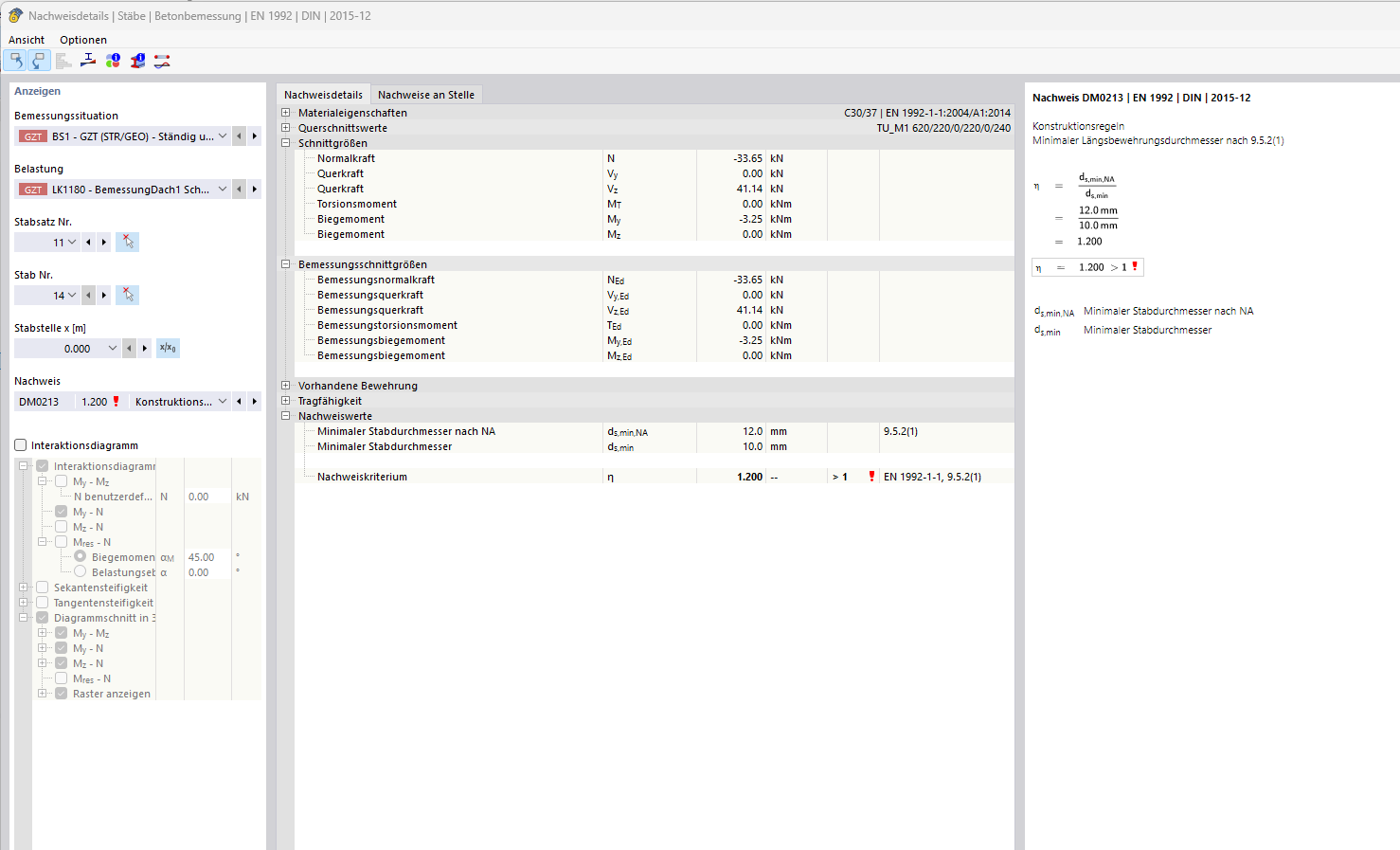
In a slab beam/beam girder in my model, which was modeled as a rib bar, it is designed as a column due to its normal forces, which means that the corresponding construction rules apply in these areas.
However, since I want to deliberately deactivate this and conservatively reinforce it as a beam, I want to disable this.
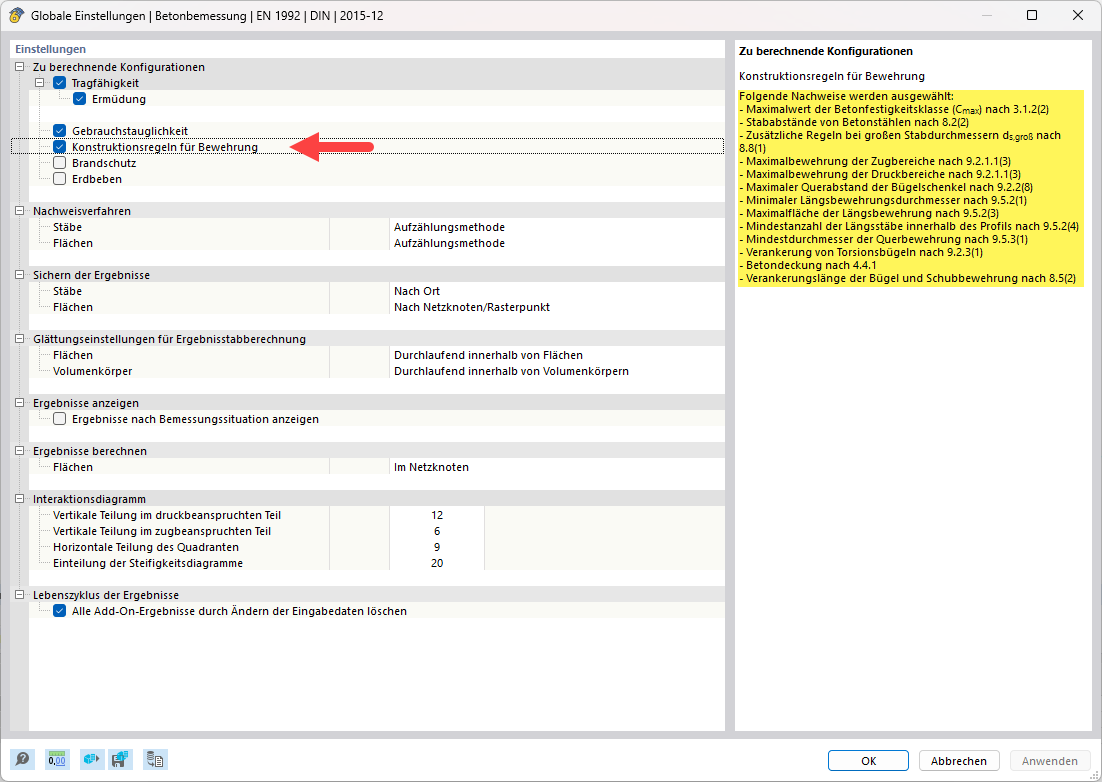
I find it difficult to selectively deactivate the verification according to 9.5.2, since I generally want to continue using the advantages of checking the construction rules for longitudinal bars, just not those for columns. How can I specifically deactivate the verification of the minimum longitudinal reinforcement diameter without generally deactivating the construction rules/minimum reinforcement of the longitudinal bars?