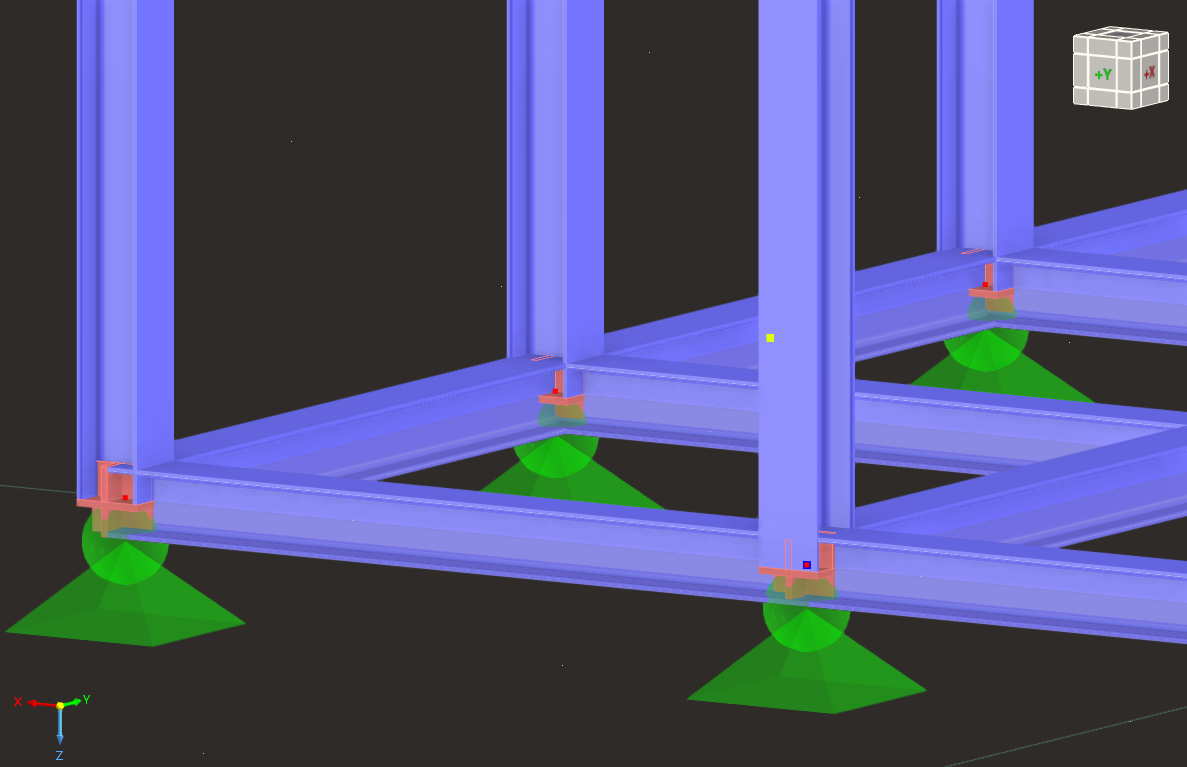
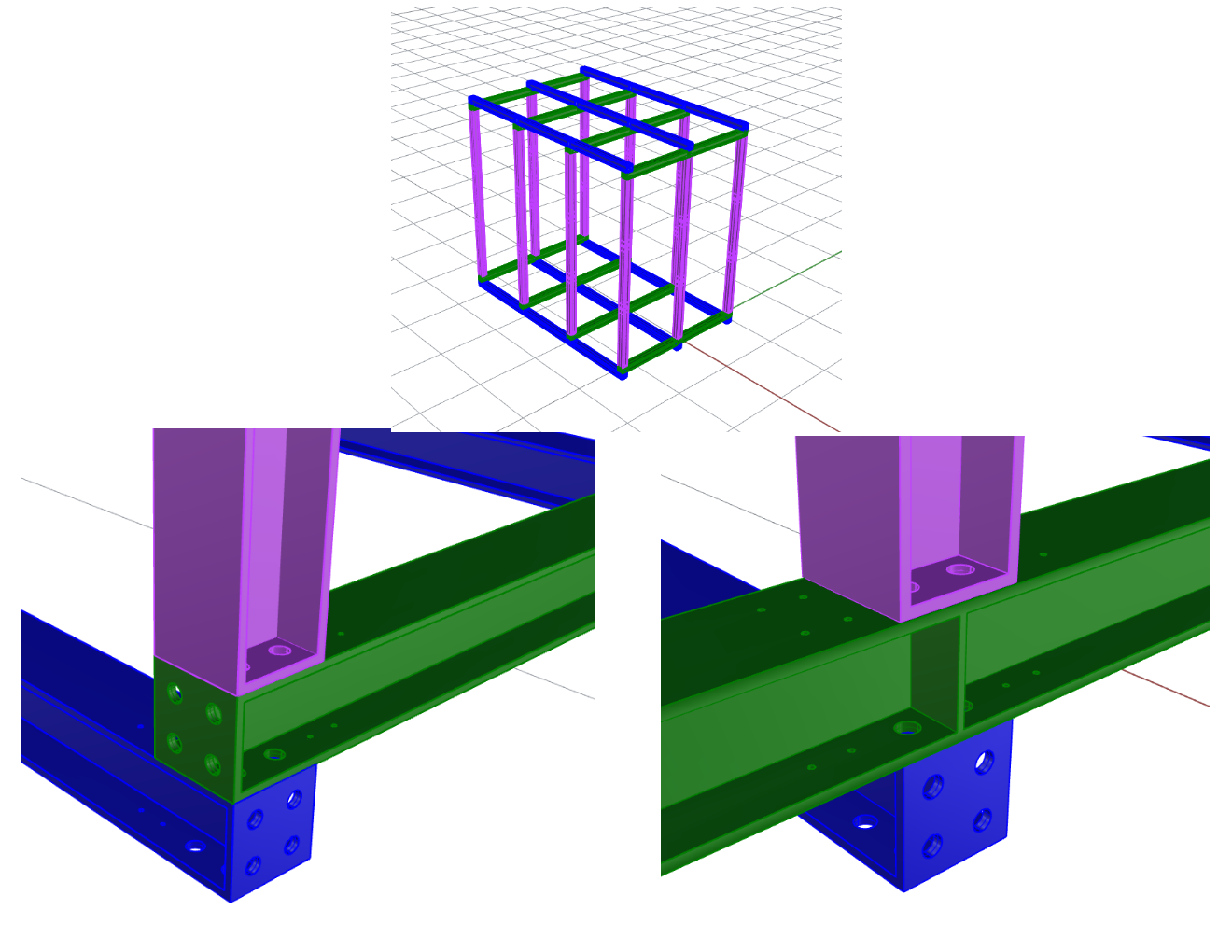
I am modeling a steel frame in RFEM where two beams and a column are stacked vertically and bolted together, based on a Rhino geometry I created earlier. I am now at the stage of testing and validating the system.
I currently have a global RFEM model that works at the member level; however, I don't even know where to start when trying to represent the connection behavior and load transfer between the stacked members in more detail.
Is it possible to model this type of stacked, bolted assembly in RFEM, and what tools or modeling approaches should I be looking at? My first thought was to determine how to stack the beams without modeling the connections, as my RFEM model currently does not include stacked beams. From there, I would plan to address the detailed connection design separately. Maybe there is a way to do this all in one step?
I am relatively new to RFEM (started learning last week), so apologies if this is a basic question. Any guidance on best-practice workflows would be greatly appreciated.
Hello @frogoil  ,
,
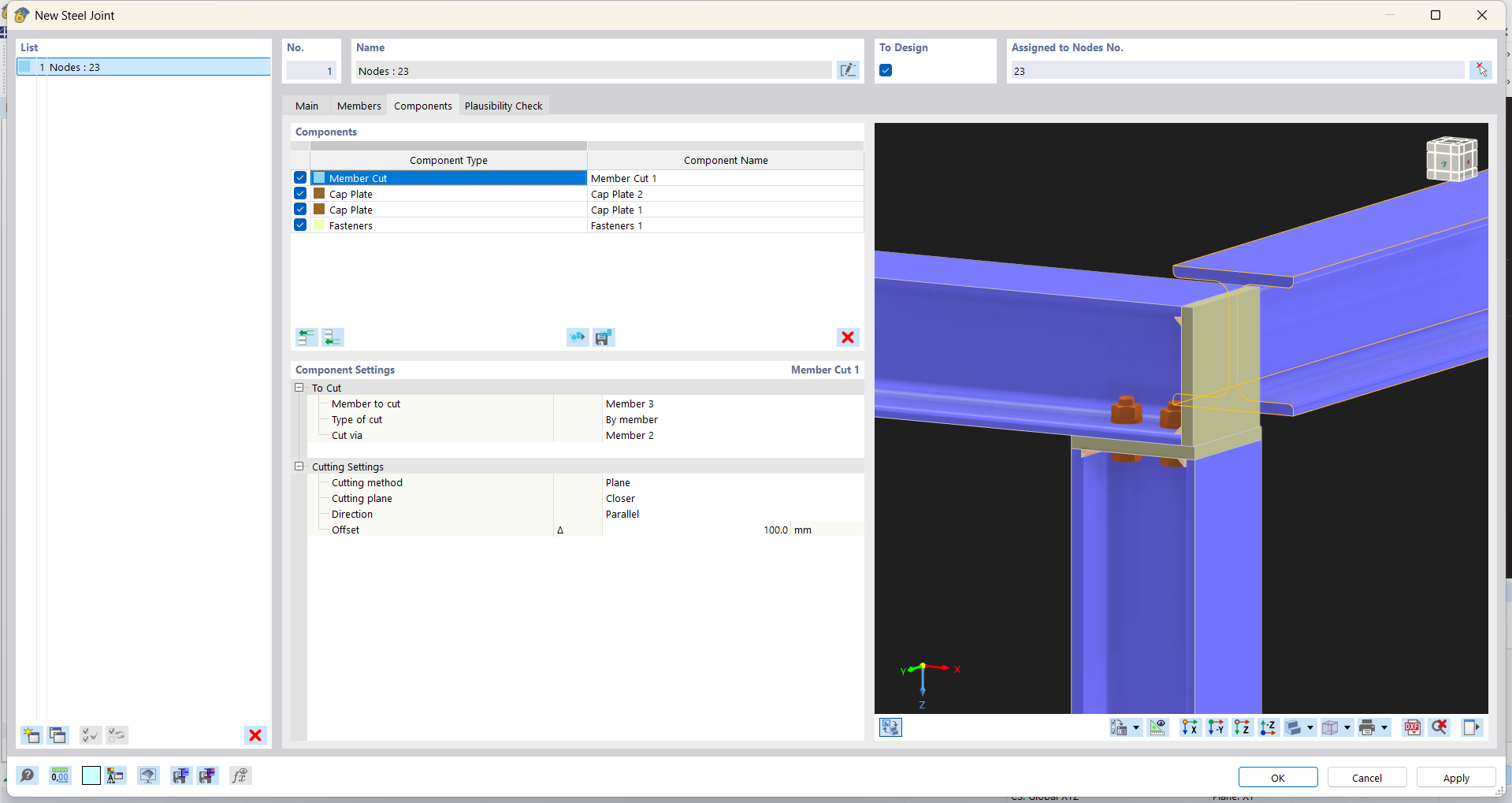
We have a dedicated add-on specifically designed for those purposes, called Steel Joints.
I highly recommend the following webinar, which will guide you through how to work with this add-on effectively:
Steel Joints Webinar
If you have any further questions or need additional assistance, don’t hesitate to reach out! 
Best regards,
Fabian
Hello @fabian.felber,
Thanks for your response. I’ve taken a look at the Steel Joints add-on and have started modeling the joint. The issue I’m running into now is that one beam needs to be stacked on top of the other beam.
There is no issue with the column–beam connection, as the column height can be adjusted directly using the sliders in the Steel Joints add-on. However, for the beam-to-beam connection, I’m unsure how to place one beam on top of the other while still being able to edit the connection, since they do not share a node if one beam is higher than the other.
Is there a way to raise one beam so it sits on top of the other while still allowing both members to be accessed within the joint editor? At the moment, I’m not sure how to have them share a node if one beam is located in a different plane than the other.
Hello @frogoil ,
To address this, you should apply a member eccentricity to one of the beams. You can use the relative definition to make the process easier.
For more details, please refer to the following link in our online manual:
RFEM 6 - Member Eccentricity
If you have any further questions or need additional assistance, feel free to reach out!
Best regards,
Fabian