Hello.
I am having some trouble with a fact that it is not possible to edit flange parameters (width) for rib type members in RFEM 6.
It is crucial for modeling process when downward beams in concrete structure occure and I don't want to use default properties there.
It gets really difficult especially when there is a lot of members - which happens when beams are divided into segments due to other adjacent elements (like small openings in slab or walls with openings above beam).
Is there a way to deal with this issue? Is it possible to set default parameters for flagne width?
Or maybe is there a good way to model members as continous regardless of nodes on members? Of course I am aware of node type "on member" but this isi automatically changed when used Connect from Tools - or is there a way to override this ?
I considered approaching this issue from API but what i found so far there is no way to assign or change parameters of flange width via API. Can anyone confirm that or propose a differen approach?
Hi r.sajdak,
Welcome to our community! 
I believe I may have understood your question incorrectly, but I wanted to clarify that changing the width for rib-type members is indeed possible. You can modify the width by selecting one of the available options in the ‘Width’ column, as highlighted in the image below:
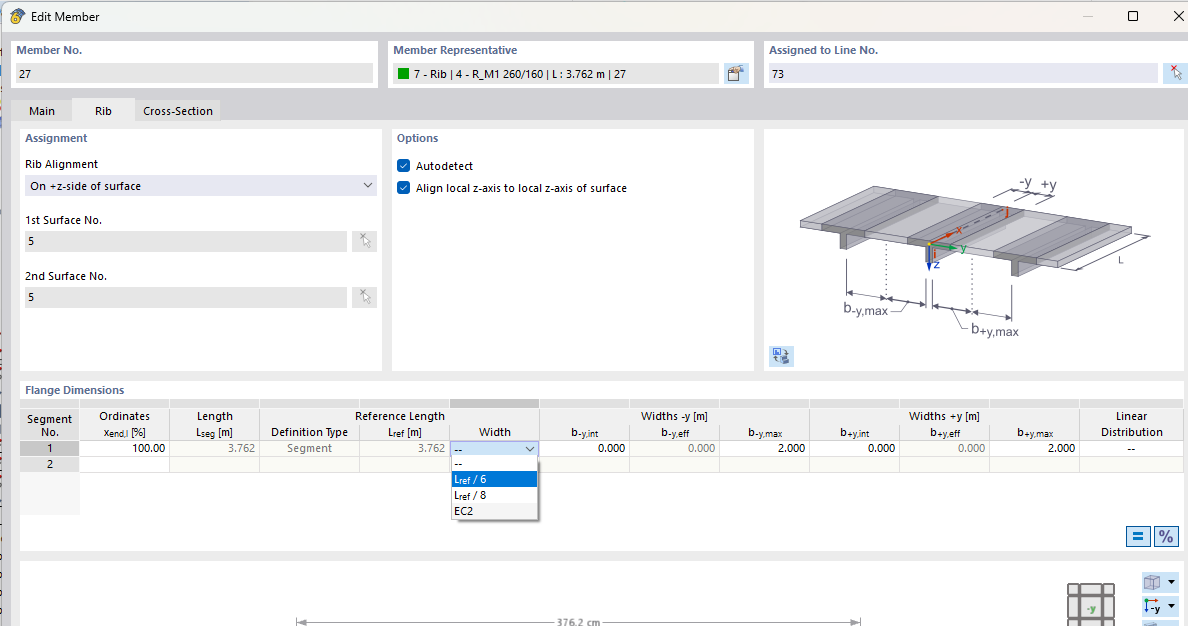
This is also explained in the manual via the following link. https://www.dlubal.com/en/downloads-and-information/documents/online-manuals/rfem-6/004141#memberRibTab
If this doesn’t fully address your issue, could you please provide a bit more detail about the problem? A model example would also be very helpful and can assist us in understanding the situation more clearly.
Looking forward to your response!
Best regards,
Bastian Kuhn
Thank you for your response.
What I meant was ability to modify flange parameters for multiple members at once.
Below I show a typical situation.
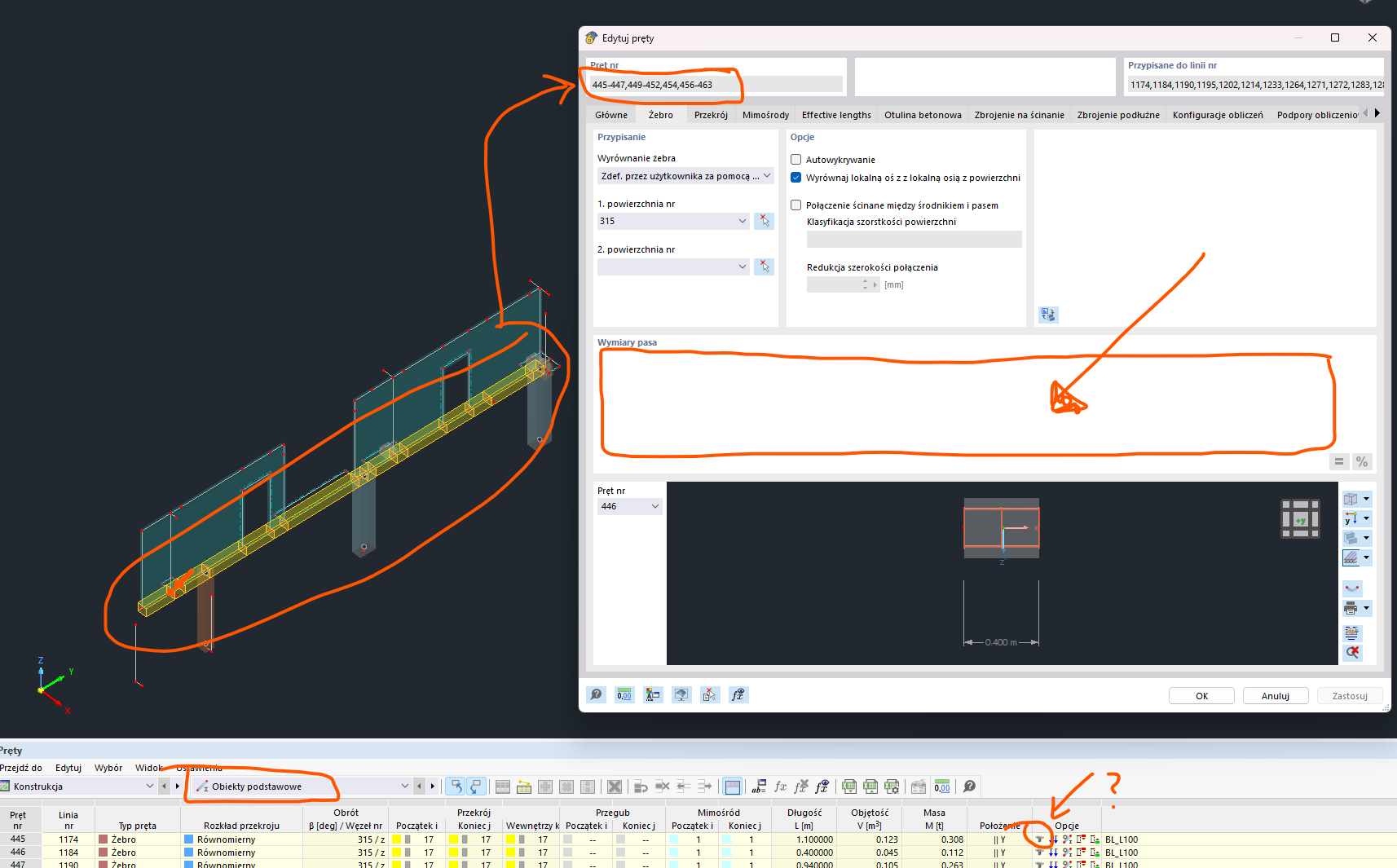
Also there is no possibility to access and edit this (flange parameters) via Table for members..
On the other hand I was wondering about possible approach concerning modeling members and their "division" by nodes from adjacent element. This is the reason why modification of large number of members gets hard. As you can see on attached screenshot I have multiple (16) members instead of 3 there that I have to modify.
Hi r.sajdak,
thank you for this information.
For the ribs of different members it is not possible to multiedit the width.
It is actually possible, when you join the members. I attached a model and a video of how to do this.
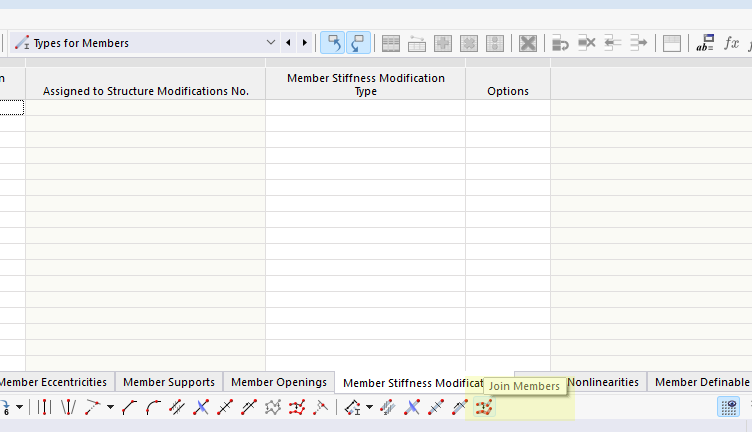
Rib2.rf6 (942.9 KB)
In future we plan to add this option also for member sets. Instead of members, for member sets this is possible. I added you as a requester to this RUS. It has the internal number 5171.
Best regards
Bastian Kuhn
First of all thank you for your answer. I see how it works and it seems like a helpful way to deal with the issue I am having, but..
Unfortunatelly in more realistic example (not so basic) -when additional elements are considered (like walls and openings - not just slab and member) it gets more complicated.
First thing thats important that you can notice the autodetecttion of surfaces for ribs seems to not work properly - see below your file with wall, openings and cut on slab edge:

You can see there also the issue with automatic width of flanges due to "random" lengths of members.
Second thing regarding connecting members - it seems that when member is on the edge of a surface or opening or wall this elements are damaged:
From what I understand that this happens because lines are removed and replaced with a single one during this process.
However, regardless of why this is happening, it seems that this method won't be useful for me to solve my problem."
Hi r.sajdak,
thank you for your answer.
Yes this option will only work if you change your way of modelling and of course doesn`t fit for every situation.
If you have modelled everything separately you`ll have to edit each rib seprately there is no other way to do this.
Best Regards
Bastian Kuhn