Request:
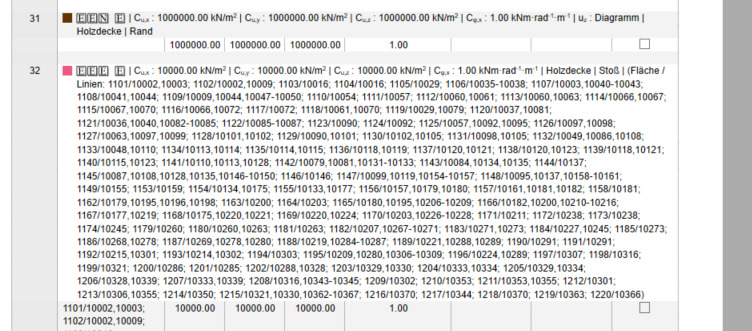
When generating a printout report that includes line hinges, the report currently lists every assigned line and surface for each hinge. For large models spanning whole floors or entire buildings, this produces a large volume of repetitive text that clutters the report (multiple pages and makes conditions less readable) — particularly when the line hinges are already visualized graphically.
It would be very helpful to have an option in the printout report settings to display only the conditions of the line hinge, without the full list of assigned lines and surfaces. This would mirror how unused hinges are currently shown in the report (condensed/summary format).
Why it matters:
- Keeps reports concise and easier to read, especially for large models
- Reduces unnecessary repetition when hinge assignments are already visible in the graphic
- Gives users more control over report content and level of detail
Hello ColtonC, and welcome to the Dlubal Community! 
Thank you very much for your feedback - it helps us continuously improve RFEM.
You are correct: the assignment of line hinges to surfaces and lines cannot currently be controlled separately. By right-clicking and selecting “Edit,” you can only filter or display line hinges by their numbers.
From my perspective, however, clear assignment is essential for a checking engineer or third party to ensure proper traceability. At the same time, your concern that the printout report could become very large under certain conditions (e.g., large models with a wide variety of line hinge types) is absolutely valid.
For this reason, I have documented your feature request in our system under RUS ID 6289. You can check the status in your Dlubal Center under “Development” → “Implemented Features.”
You can also refer to this ID if you submit further inquiries or discuss the topic with us.
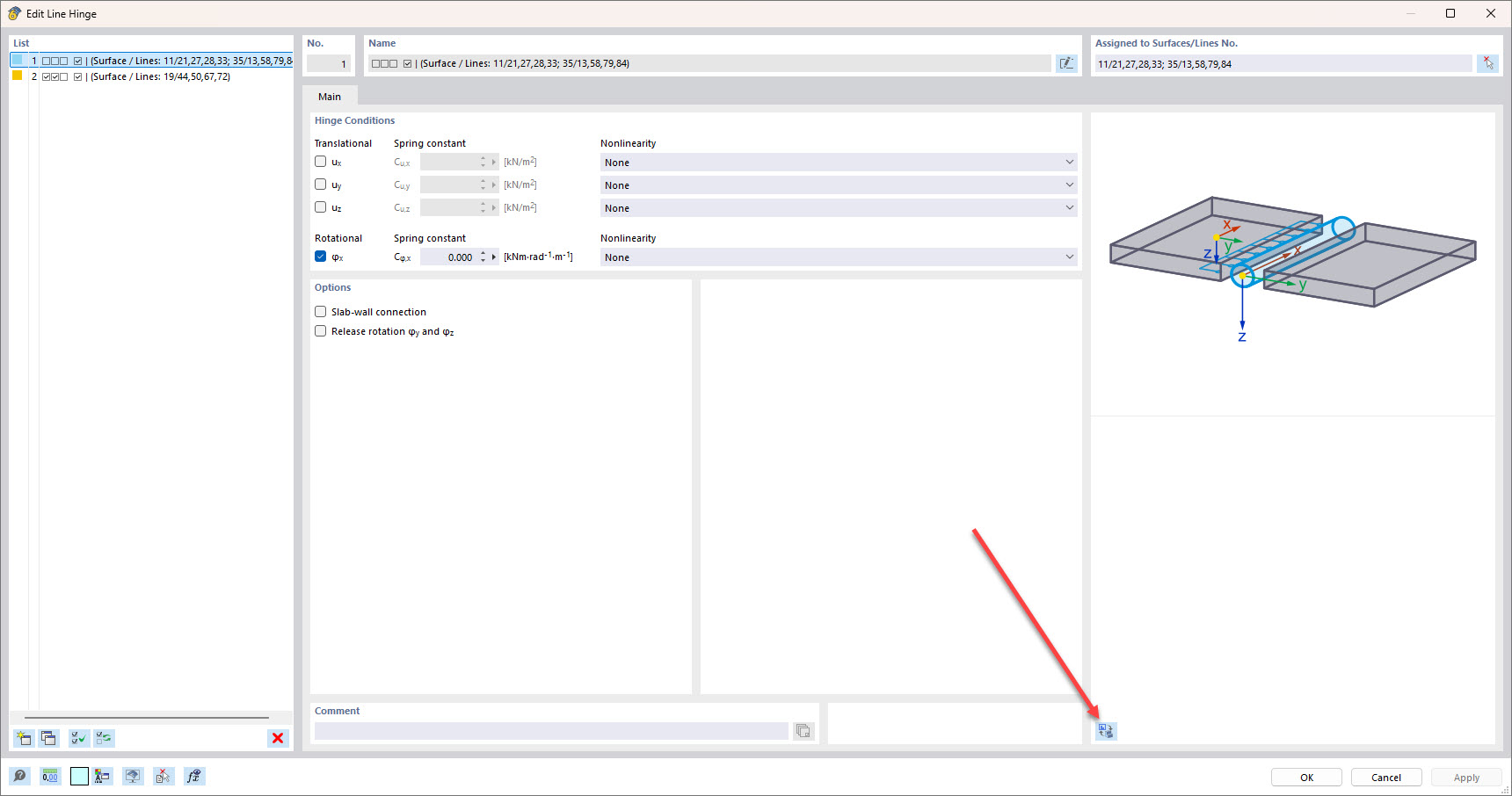
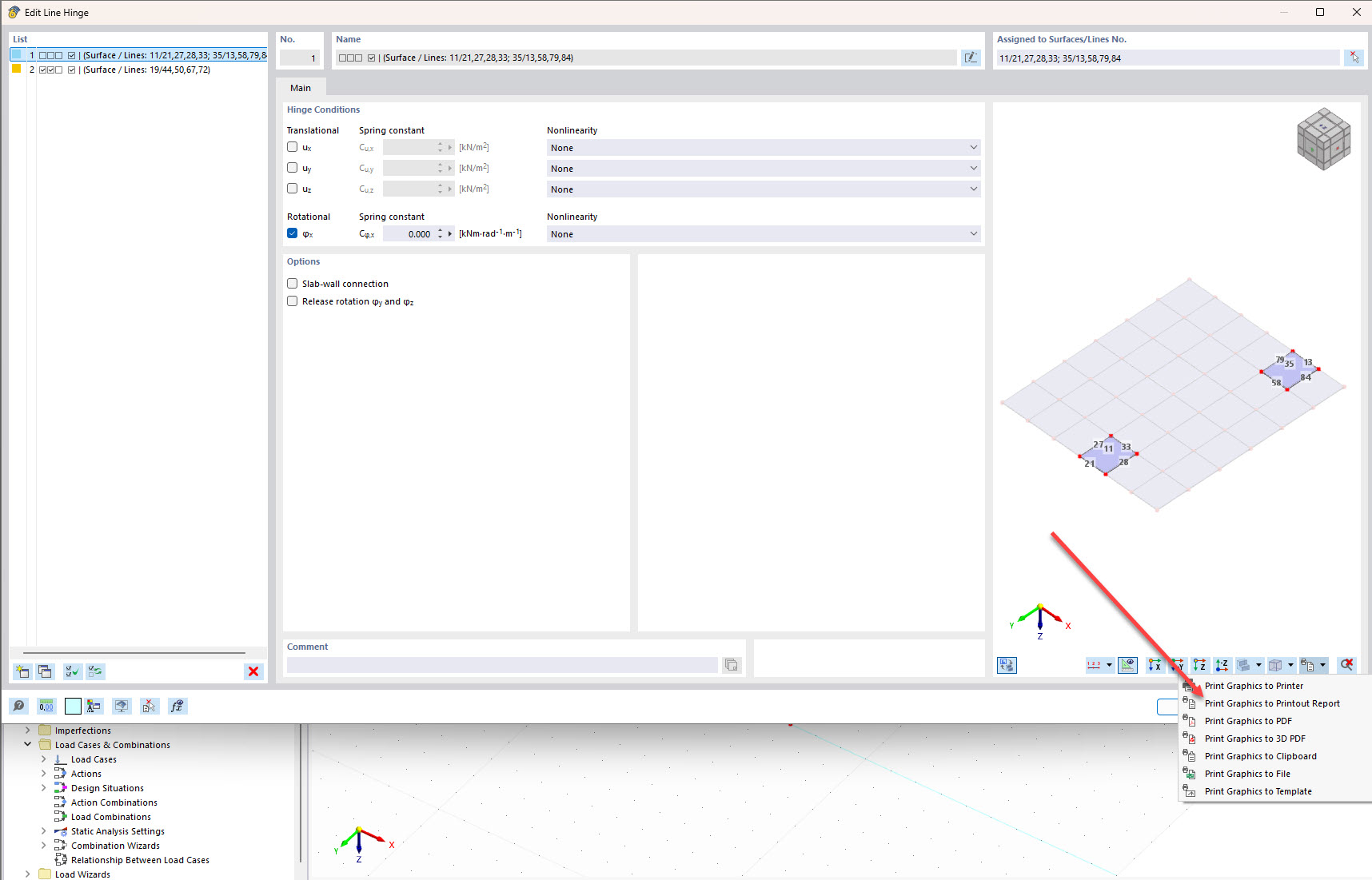
However, the following feature shown in the images below might already help you better structure your printout report 
Thank you again for your contribution!
Best regards,
Max
Thank you Maximilian!
Yes I definitely agree that there needs to be clarity and traceability for the checking engineer. For this reason I always place a clear picture of each line hinge type in a separate picture which allows the checking engineer to see things more clearly, as well as not have to cross check line # and hinge type from a table. This makes the table line assignment completely unnecessary and the reason for my request.
Your recommendation is helpful and is similar to what I do. However I use multiprint because then the views will actualize if I end up changing something. I imagine if I do an individual picture as you show that the print out report will not actualize correct?
Thank you for your time!
Hi ColtonC,
you’re right. With my approach, only the future changes to the objects themselves are updated dynamically, but not the object list if new objects are added over time.
Best regards
Maximilian