I am currently trying to model a beam structure using the Excel Add-In as the interface between Excel and RFEM 6.
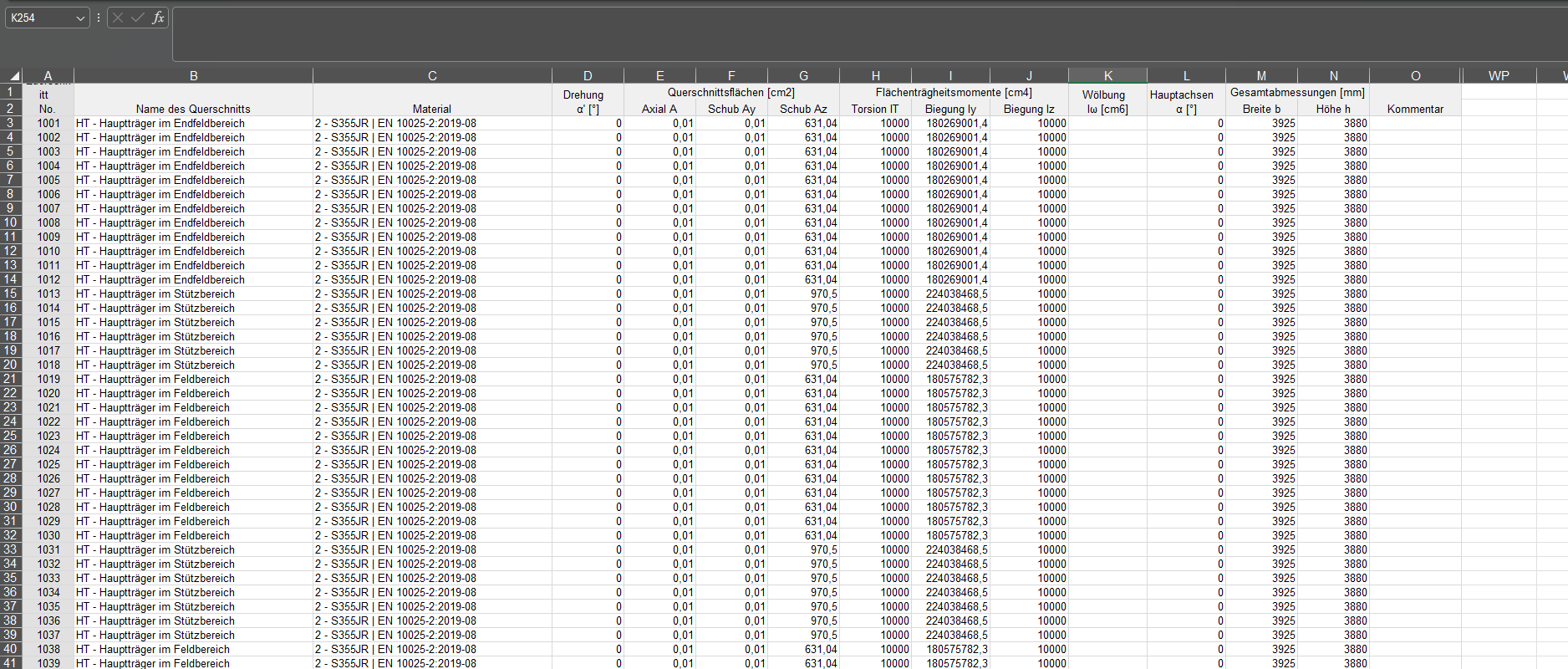
For this, I create a beam model (truss structure) and transfer the cross-sections as a table with number, name, material, as well as the cross-sectional properties (A, A_y, A_z, I_T, I_y, I_z) and the dimensions width and height. Nodes, lines, and beams are correctly read in via the same method, but the cross-sections are not.
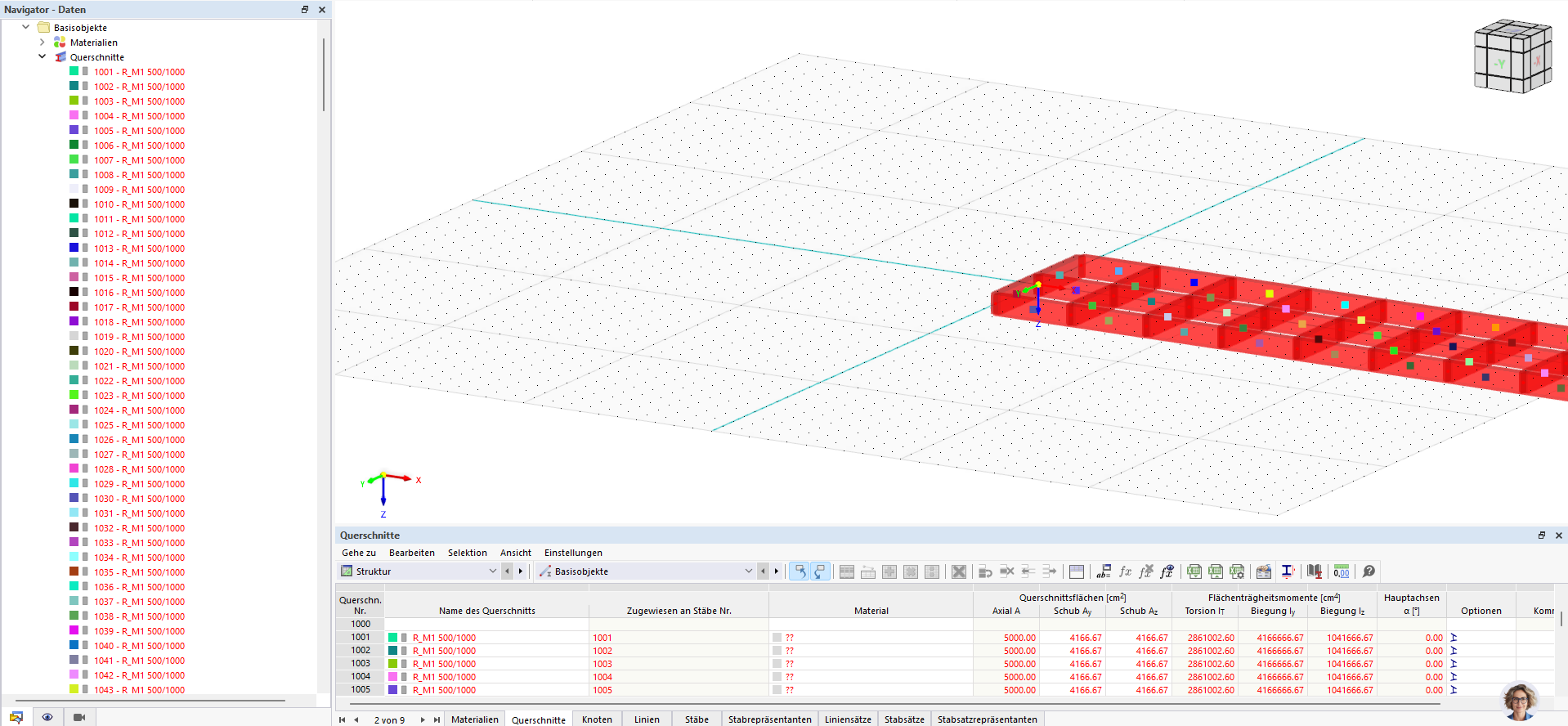
When importing these cross-sections from Excel into RFEM 6, the transferred cross-sectional values are not fully adopted. Instead of the defined cross-section (intended as the base cross-section), RFEM creates a standard rectangle 500/1000mm.
The effect occurs regardless of the content of the value columns. Even if I export a previously defined cross-section from RFEM itself to Excel and then import the unchanged table directly again, the standard rectangle 500/1000 appears upon re-import, not the original cross-section. The number and name columns are received, but the geometric definition of the cross-section is not.
Questions:
Is there a documented format or example table for cross-section import that I can refer to?
If creating a base cross-section via this method is not possible, what alternatives are there? Ideally also without using the API.
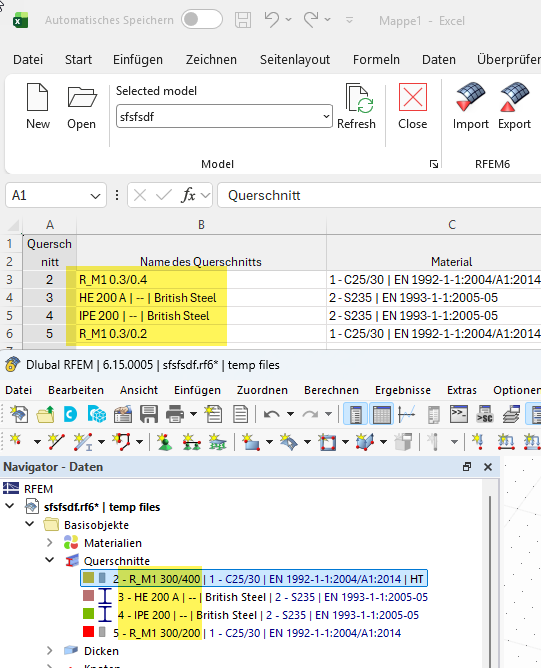
Did you change the names of the cross-sections in Excel afterward? A cross-section named "HT - Hauptträger im Endfeldbereich" cannot be a valid cross-section name in RFEM, which results in a "500/1000 placeholder cross-section" being generated.
I was able to export validly defined cross-sections and re-import them without any issues.
erstmal danke für die zeitnahe Antwort
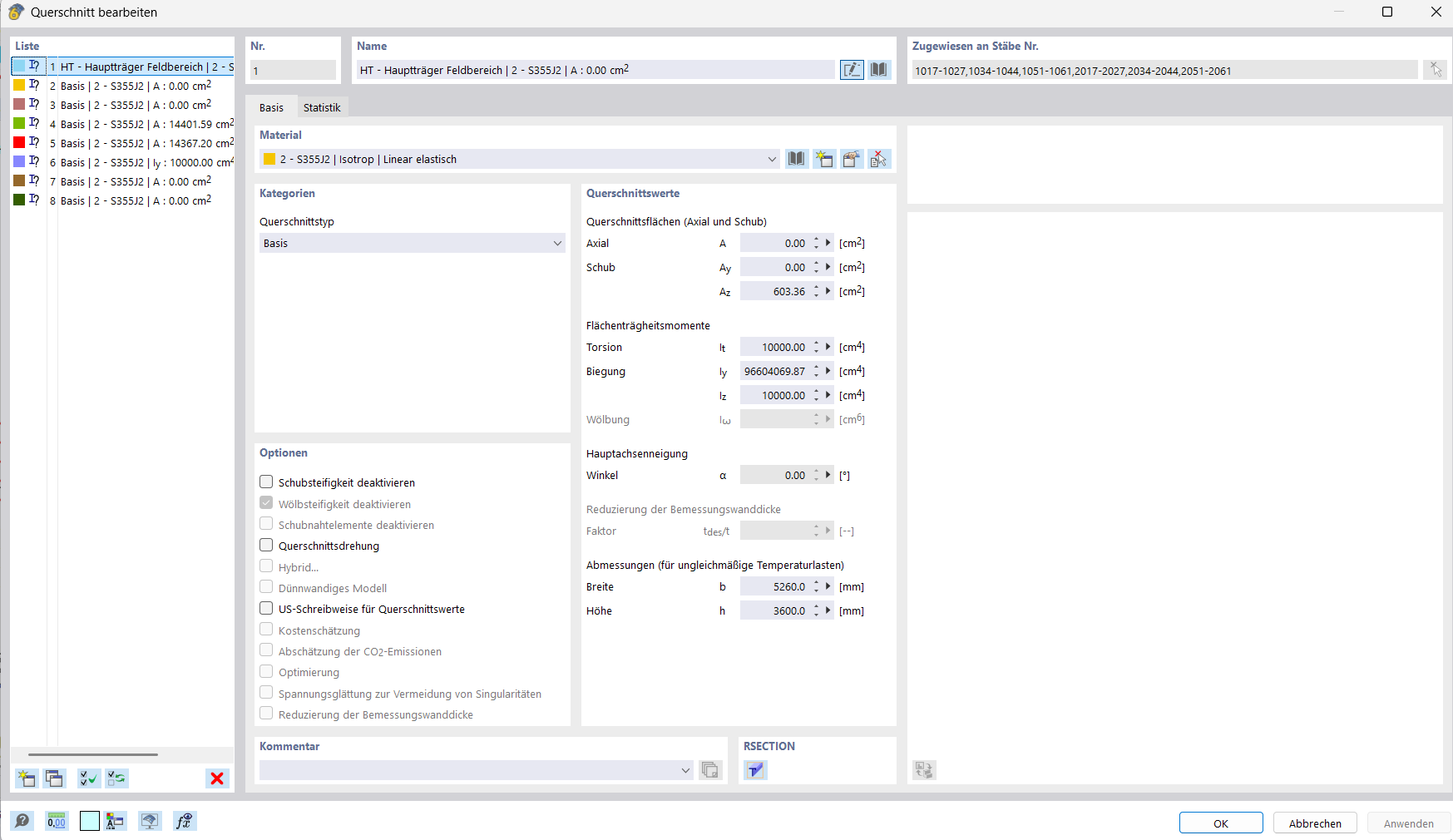
Die Namen habe ich auch so in RFEM eingeben können. Den Gedanken hatte ich allerdings auch schon, dass die Bezeichnung nicht passen könnte und den Querschnitt mit "Basis" starten muss. Allerdings hat das auch nicht geklappt.
So wie die im Screenshot eingegeben sind erkennt RFEM die Querschnitte und rechnet mit den entsprechenden Querschnittswerten, sowohl mit der "Basis" Bezeichnung, als auch mit der benutzerdefinierten Bezeichnung. Die Querschnitte, die für mein Modell erforderlich sind, sind leider keine Standardquerschnitte weshalb ich über den Basis-Querschnitt einen individuellen Querschnitt erzeugen muss.