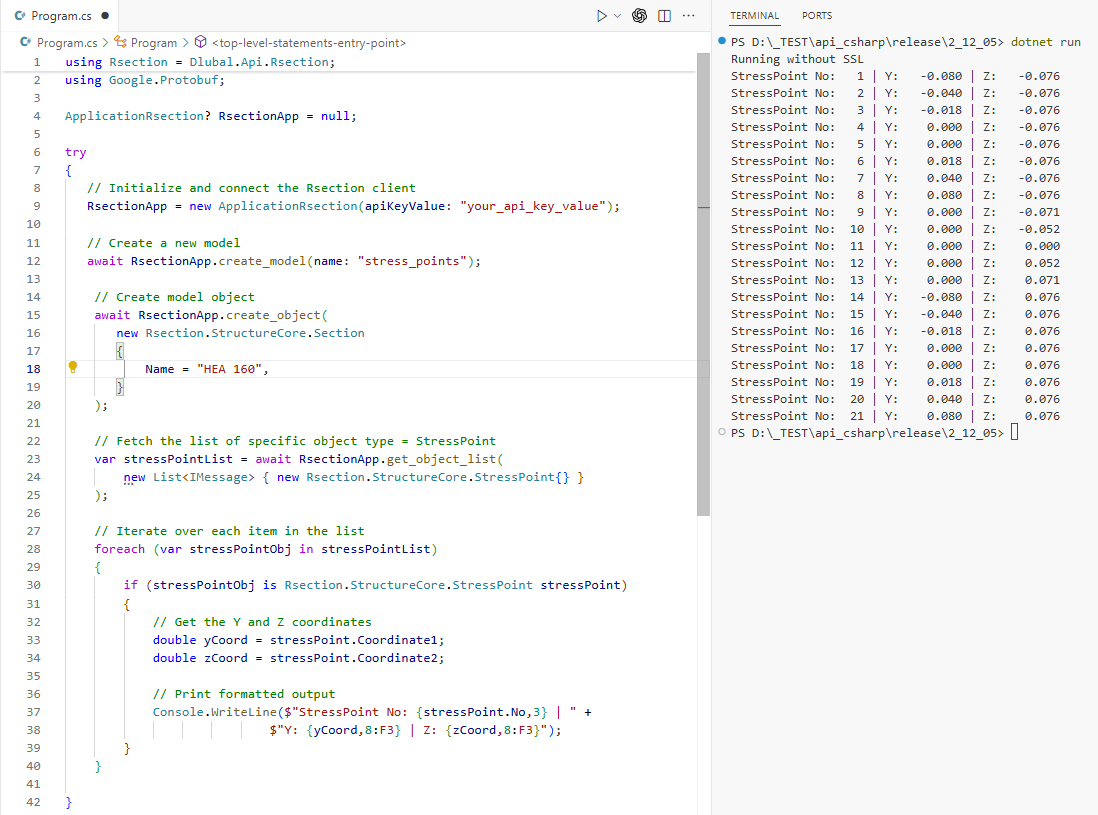
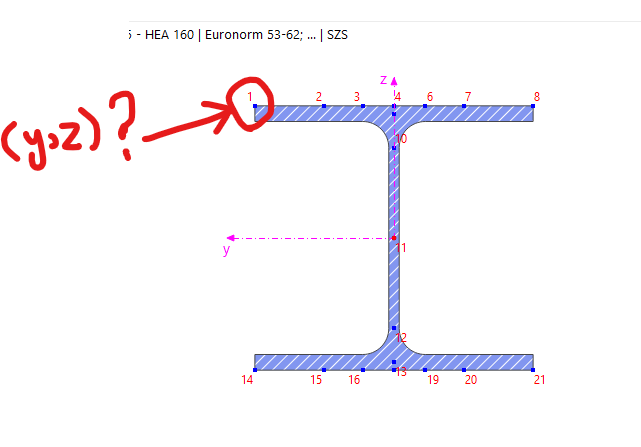
Currently, RFEM seems to not provide a direct way to access the local Y, Z coordinates of stress points inside the cross-section via the legacy or new C# API. However, we have a possible workaround using the new Dlubal API via gRPC, specifically utilizing RSECTION to fetch the required data.
Below is a code snippet demonstrating how to access these coordinates for stress points using the RSECTION API:
using Rsection = Dlubal.Api.Rsection;
using Google.Protobuf;

ApplicationRsection? RsectionApp = null;

try
{
   // Initialize and connect the Rsection client
   RsectionApp = new ApplicationRsection(apiKeyValue: "your_api_key_value");

   // Create a new model
   await RsectionApp.create_model(name: "stress_points");

    // Create model object
    await RsectionApp.create_object(
       new Rsection.StructureCore.Section
       {
           Name = "HEA 160", // Replace with your section name
       }
    );

    // Fetch the list of specific object type = StressPoint
    var stressPointList = await RsectionApp.get_object_list(
        new List<IMessage> { new Rsection.StructureCore.StressPoint{} }
    );

    // Iterate over each item in the list
    foreach (var stressPointObj in stressPointList)
    {
        if (stressPointObj is Rsection.StructureCore.StressPoint stressPoint)
        {
            // Get the Y and Z coordinates
            double yCoord = stressPoint.Coordinate1;
            double zCoord = stressPoint.Coordinate2;

            // Print formatted output
            Console.WriteLine($"StressPoint No: {stressPoint.No,3} | " +
                            $"Y: {yCoord,8:F3} | Z: {zCoord,8:F3}");
        }
    }
}
catch (Exception ex)
{
   Console.WriteLine($"Error: {ex.Message}");
}
finally
{
   if (RsectionApp != null) await RsectionApp.close_connection();
}
This method should give you the coordinates you need without manually building a coordinate database, which could be time-consuming. Let me know if you need further assistance with this and it’s good enough for now!
 Stress-Strain Analysis Results
 so it can be considered for a future update (RUS 4952).