Hello;
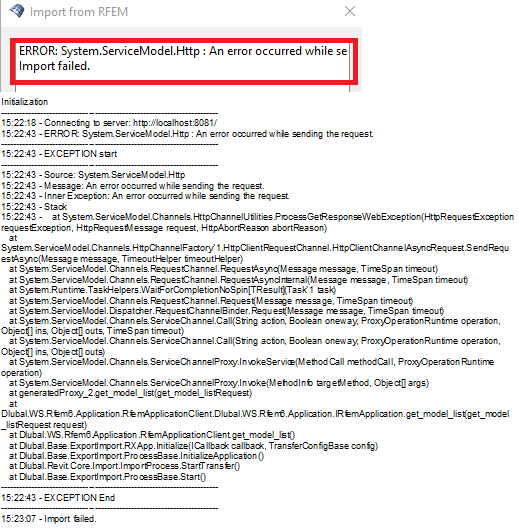
I tested the data exchange interface via the Revit2026-RFEM6 plugin and got the following error: SYSTEM.SERVICE.MODEL.Http
The import failed.
What could be causing this? I noticed, the new plugin for Revit 2025 and 2026 is based on the newer MS Core Runtime. I have Win10-PRO (x64) with the latest patches and .NET Desktop Runtime 8.0.24 installed. Are theree any Dll-libraries missing, how to fix this problem ?
Hi DarekM,
Welcome to our community! 
The Dlubal plugin is a direct interface. Do you have one RFEM 6 instance open when you start the Import? It seems like the plugin cannot find an active RFEM 6.
Did you activate the Webservices in RFEM 6 as described in the installation manual?
 https://www.dlubal.com/en/downloads-and-information/documents/online-manuals/rfem-6-interfaces/003665
Best regards
Paul Sivolgin
Hi Paul;
I did everything exactly as described in the manual. I have both Revit and RFEM running,
I start the import from the plug-in in Revit
Please try following steps:
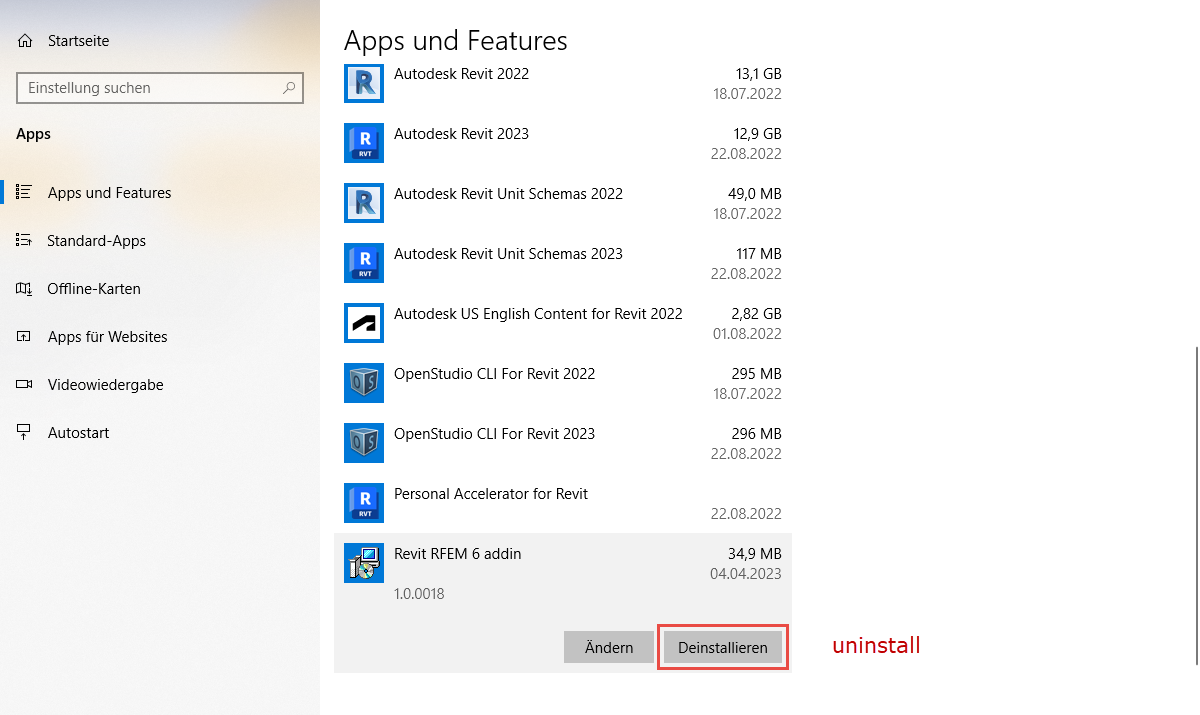
- Uninstalling the Revit plugin (Via Windows Settings - APPS).
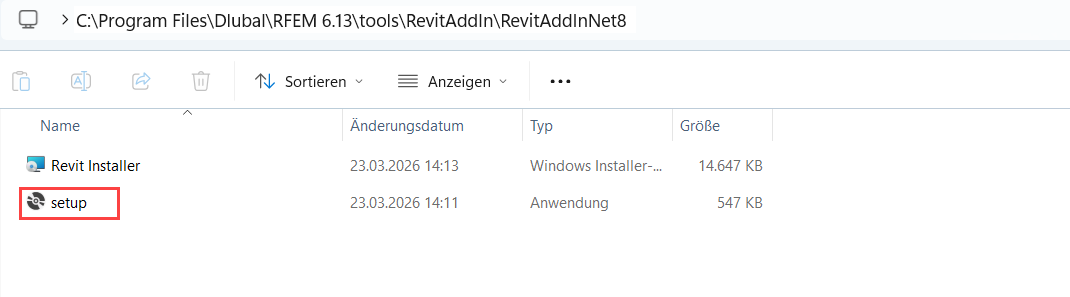
- Installation of the latest add-in:
An other issue could be related to the Webservice port 8081.
Make sure this is not blocked by your firewall or antivirus system, or is already in use by other programs.
You can check the connection, for example, with the Excel Plugin. This Plugin is also using the same Webservice port:
- Install the Plugin
- Try the Import inside Excel
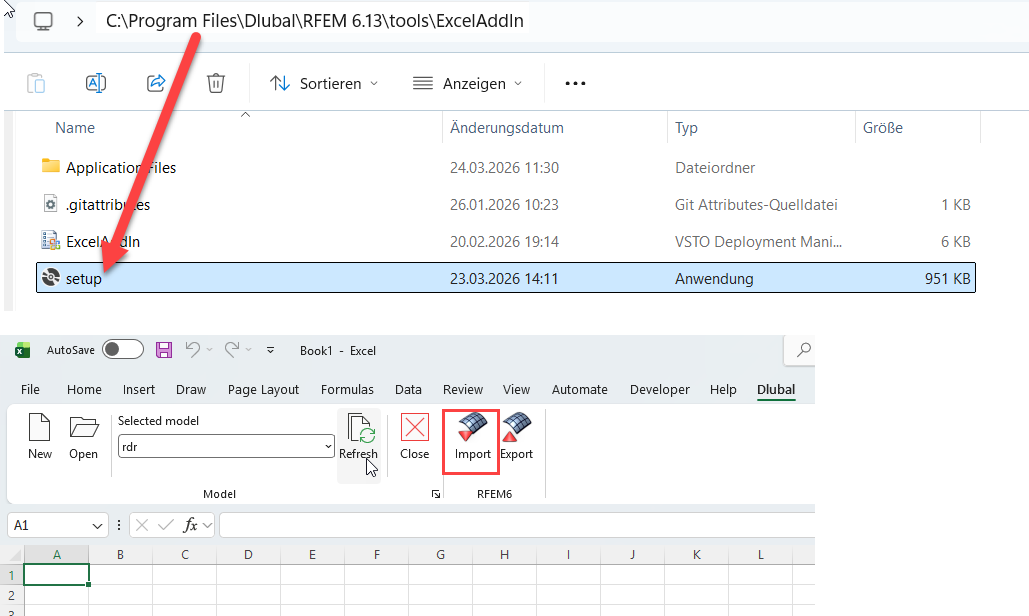
If this is not working for you either, then it is probably a problem with the web service connection.
You can try to adjust the port like it it described in the following FAQ:
I still get an error message, although the WebService settings are activated in RFEM 6.
Please let me know if this first approach solves the issue.
Best regards
Paul Sivolgin
Hello Mr Darek.. Is your issues when export/import to Revit 2026 solved ? I had same problem to with RFEM 6.14.008