Hello everyone,
is it possible to programmatically save a model as a copy in a similar way as in GUI?
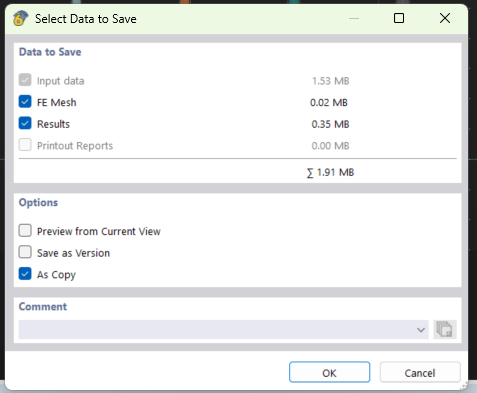
For example:
    with Application(api_key_value=api_key, port='9000') as RFEM:
        RFEM.open_model(path=r"D:\template.rf6")
        # more work ...
        RFEM.save_model(path=r"D:\template_copy.rf6")
        # another processing ...
This will open my template model and save it under different name. The original template is closed and the copy is kept open and active. But I need to continue processing the original template file and make more changes to it. The copy shouldn't be modified further; it is like a snapshot.
When doing it through GUI, it keeps the original file active, not the saved one. Also, in the legacy API, it was possible to save it in this way.
My RFEM6 version: 6.14.0005
Could you help me to overcome this issue?
Jane