Hello everyone,
I'm having troubles with setting the e_auto and the "Name of Strand" parameters in a Built-Up Steel Tendon Cross-Section. In regards to the e_auto the API reference documentation states that a float is the required input and since the parameter in RFEM is a checkbox I assume a value of 1 would be equivalent to "checking" the box. I was able to confirm this by extracting a manually created tendon cross-section with a checked e_auto parameter (using rfem_app.get_object()), and verifying the value of e_auto which was 1.
However, when I try to replicate this using the API by setting the e_auto to 1 it does not work as expected.
I have tried several options. Firstly, I tried setting the e_auto to True which also did not work. Next I exported an example RFEM model with the desired cross section in order to see how it is created. However, there I saw that the cross-section is simply created by using the specific name and the name attribute. This is not the best option since name of the cross-section is composed of all the different parameters ("-- /19/0.1/0.002/0.0111202"), and specifically the e_auto parameter (last) is automatically calculated by RFEM and put into the name of the cross-section as well.
The code I used can be seen below. The first corss-section is an example from the generated python export file and the second cross-section my attempt to replicate it using the attributes from rfem.structure_core.CrossSection().
    object_list = [
        rfem.structure_core.Material(
            no = 1,
            name= "DYWIDAG Strand Y1860S7-15.7"
        ),
        #From Python File
        rfem.structure_core.CrossSection(
            no=1,
            type=rfem.structure_core.CrossSection.TYPE_BUILT_UP_STEEL,
            parametrization_type=rfem.structure_core.CrossSection.PARAMETRIZATION_TYPE_BUILT_UP_STEEL__TENDONS__TENDON_BU,
            name="TENDON-S Y1860S7 11.0 | EN 10138-3 | -- /19/0.1/0.002/0.0111202",
            material=1
        ),

        rfem.structure_core.CrossSection(
            no=2,
            type=rfem.structure_core.CrossSection.TYPE_BUILT_UP_STEEL,
            parametrization_type=rfem.structure_core.CrossSection.PARAMETRIZATION_TYPE_BUILT_UP_STEEL__TENDONS__TENDON_BU,
            material=1,
            n_s = 19,
            d_duct_i = 0.1,
            t_duct = 0.002,
            e_auto= 1.0
        )
        ]

    rfem_app.create_object_list(object_list)
and this is a screenshot from RFEM
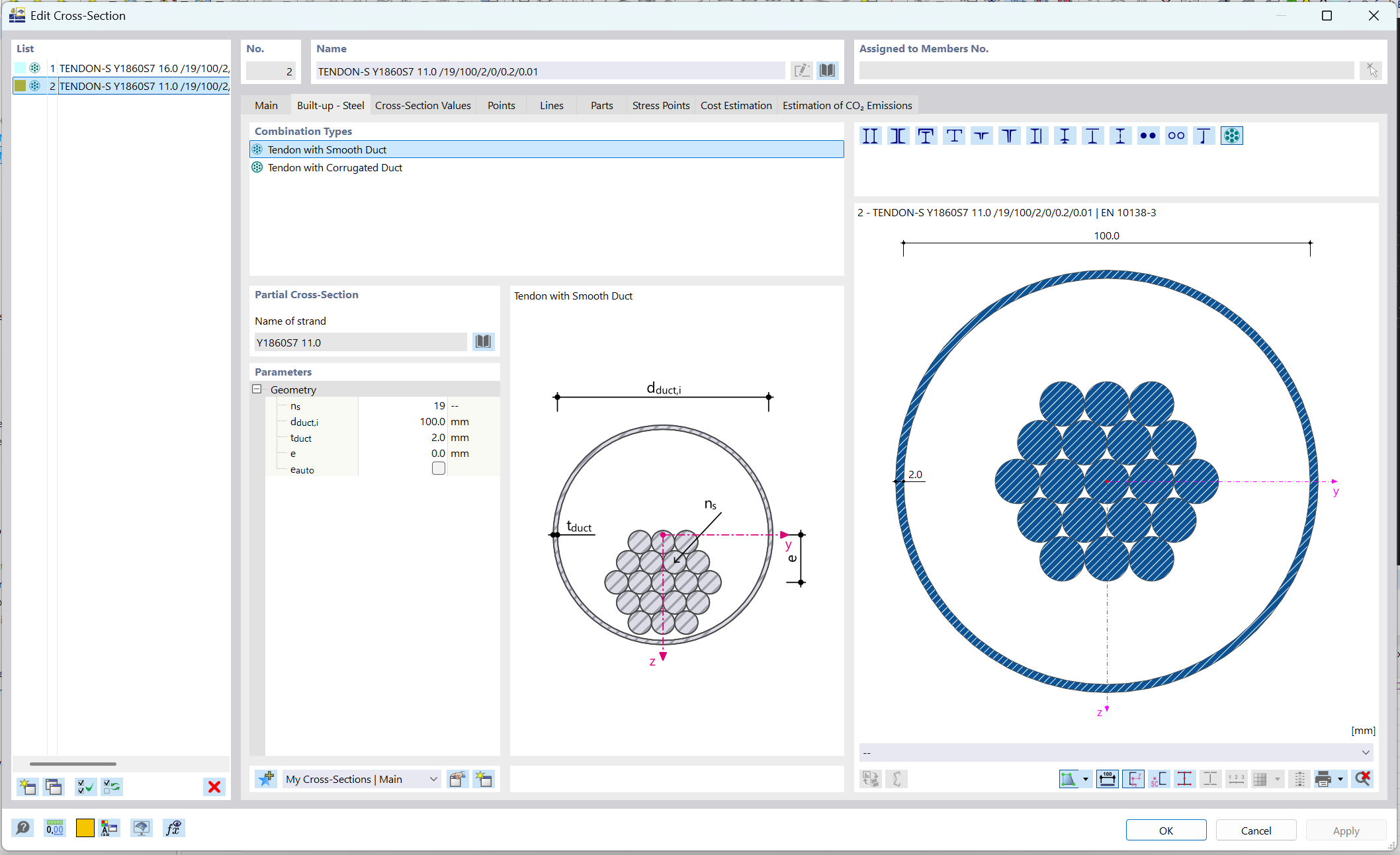
As for the Name of Strand I was unable to find a way to control it apart from the name attribute. Any suggestions with either would be much appreciated
Thank you all in advance.