Tabular result evaluation of areas or API

Good day again,

after I have now become reasonably familiar with input and output as well as evaluation of results using the API, I am now facing the challenge of correctly evaluating the maximum comparative strains.

For this, I use the following CODE:

image

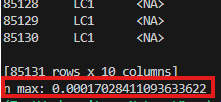
The result of the code is:

image

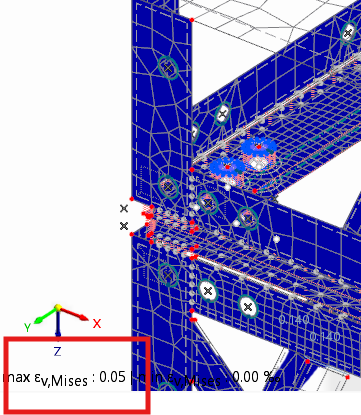
From my point of view, the expected value would be:
image

This results from graphically evaluating the comparative strain via the GUI.

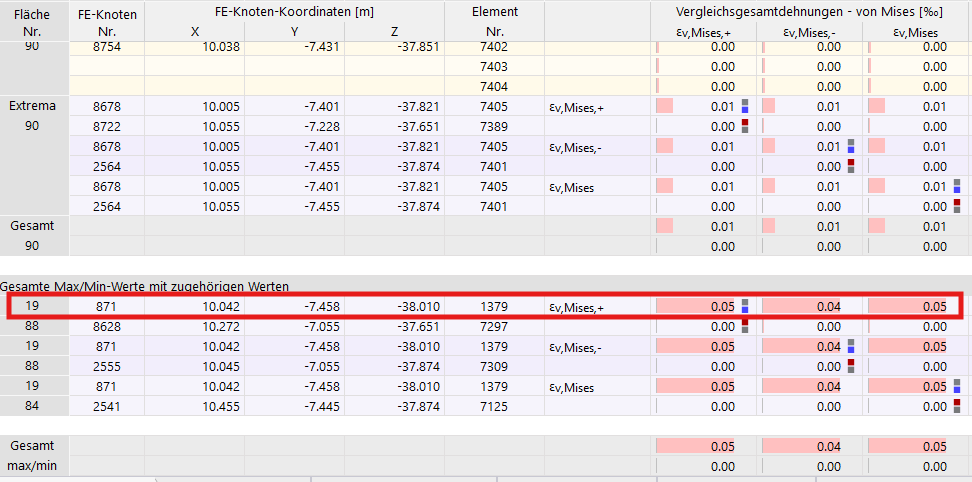
On closer examination of the table, I find the following:
image

The 0.05 per mille comparative strain occurs at area number 19 in FE node 871.

Consequently, the value belonging to area 19 should be found in the table,

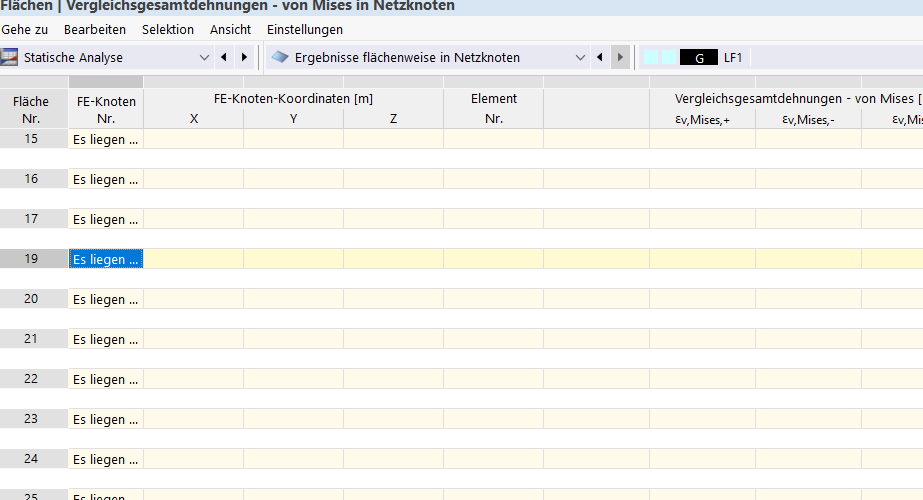
however, no values are listed in the table for area 19:
image

Here it says: "There are no grid points in the area."

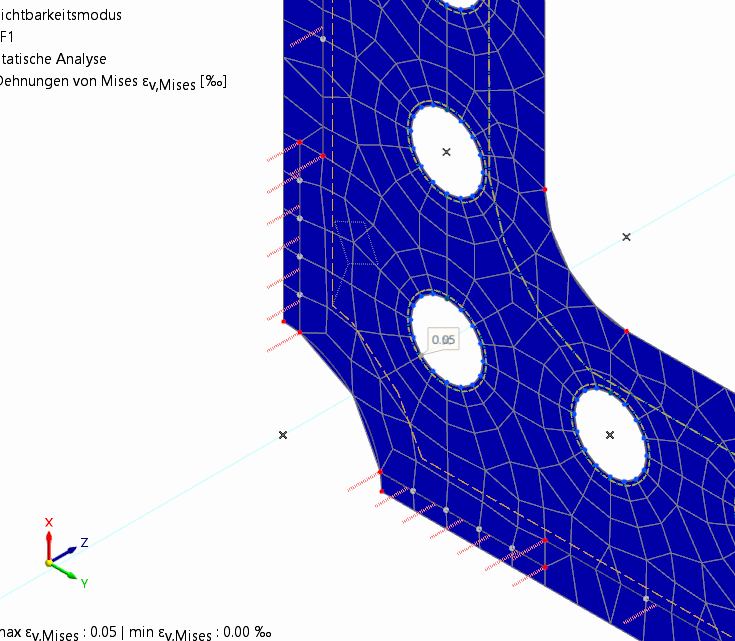
Where does this come from? And how do I solve it? Graphically, I can obviously display the values of area 19
image

In the previous image, the mesh nodes and elements as well as the strains of 0.05 of the front plate are graphically shown, which I would like to have in table form or, much more importantly, retrievable via the API2 (in principle, it has already been proven with other models that the table values can be reliably evaluated with my code, provided they are completely available).

I would be very pleased to receive feedback,

Best regards,

Nick Böttcher

Hi Nick,

Thank you for your message!

To analyze the problem more precisely, the model file would be very helpful:

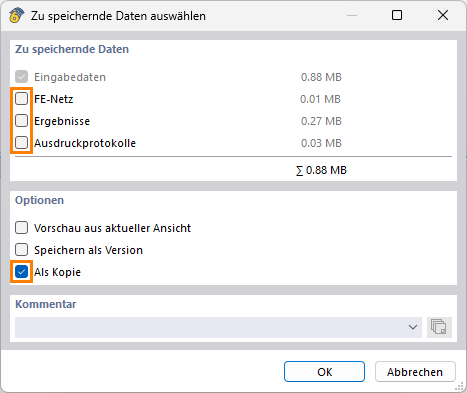
:right_arrow: Click on FileSave As and choose the following settings to reduce the file size:
image

:right_arrow: Then upload the file here (e.g. *.rf6, *.rs9) – this way the community can also contribute to the solution.

:owl: Don’t want to share the file publicly? No problem – send it to me via direct message: click on my profile picture or my usernameMessage.

Best regards
Matthias

Hi,

I thought I had already written to you personally a few days ago, but I don't see any chat history when I go to our message history or when I go to direct message on your profile again. I apologize if I am now contacting you twice.

The file attached here should be sufficient to understand the problem; if you quickly calculate the LF1 here, you get exactly the problem I mentioned above when evaluating the comparative strains in the network nodes in a tabular form.

If you have any further questions or answers, I look forward to your feedback.

Best regards,

Nick Böttcher

send_without_results.rf6 (2.3 MB)

After primarily focusing on other parts of my project last week, I have now conducted my own research again regarding the evaluation of results area-wise in network nodes via tables or API.

It is probably relevant to mention that part of the model was created using the steel connection addon and subsequently downloading the submodel.

The submodel was then further processed partly through modeling work via the GUI, partly via the API.

All areas whose results were not retrievable via the table or API were areas originating from the original submodel of the steel connection addon.

My first attempt to quickly “remodel” these to deceive the model into not originating from the steel connection addon failed. For this, I used the API export, then corrected all the small errors that occurred during export-import from model to API back to model (e.g., inability to create bar end joints with ux-diagram, etc.) => although the completely newly modeled model, which was saved exclusively from API code + correction work in a new file, it was again not possible to retrieve the results of the said areas via API or table but only graphically => at this point, it would be very desirable to be able to do this in the future, since certain modifications/geometries/load cases/support conditions or even iterative load cases etc. might be required that the steel connection addon currently does not provide, but one can create a significant large part of the modeling work etc. using the addon in a fraction of the time compared to programming/modeling everything entirely by oneself.

In the second attempt, I noted all data, settings, and links for area 20 as an example => then deleted it and created a new area no. 91 via the GUI => new area => select boundary. The effort here is quite large, as all area contacts etc. must also be newly adjusted → but area 91 is now actually evaluable regarding the results via the tables and thus also the API 2. Theoretically, the problem is solved with this. Practically, I now have a considerable time expenditure because on the one hand, I have to carefully note the settings of each addon-generated original area and links → then delete and recreate these → reprogram my surface filter for the API evaluation → then check the results of both files for deviations. If there is a better solution or if it would be desirable as a RUS, I would be very grateful if someone could inform me.

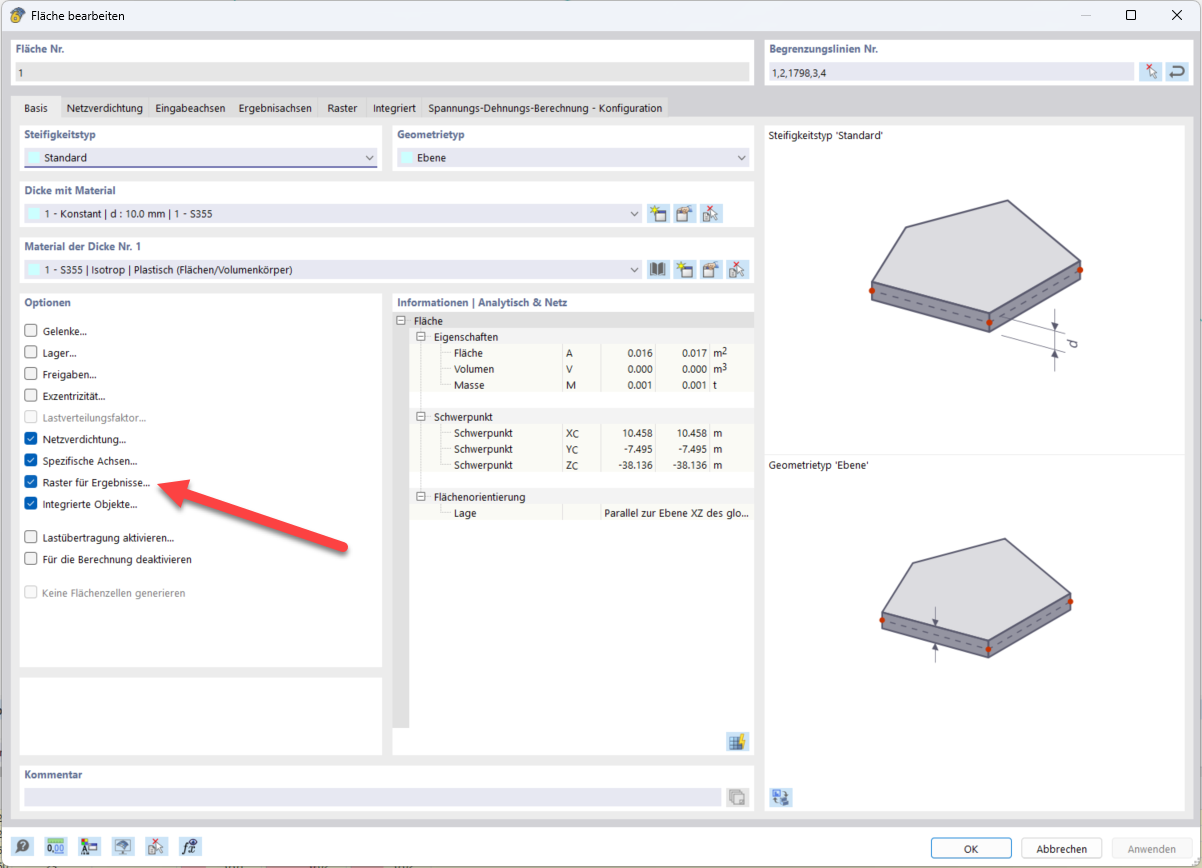
Edit: During the processing, I noticed that areas created via the GUI automatically have the “Grid” tab in the Edit Area dialog. => It seems to me that this is mandatory for tabular or API evaluation.

I would be very pleased to receive feedback.

Best regards,

Nick Böttcher

Hello Nick,

this response refers to your first post.

You can activate the grid as follows:

image

Results in mesh nodes should always be present. I opened your file and everything was fine there, and the area-based results in mesh nodes were also there. Therefore, I cannot understand this error.

image

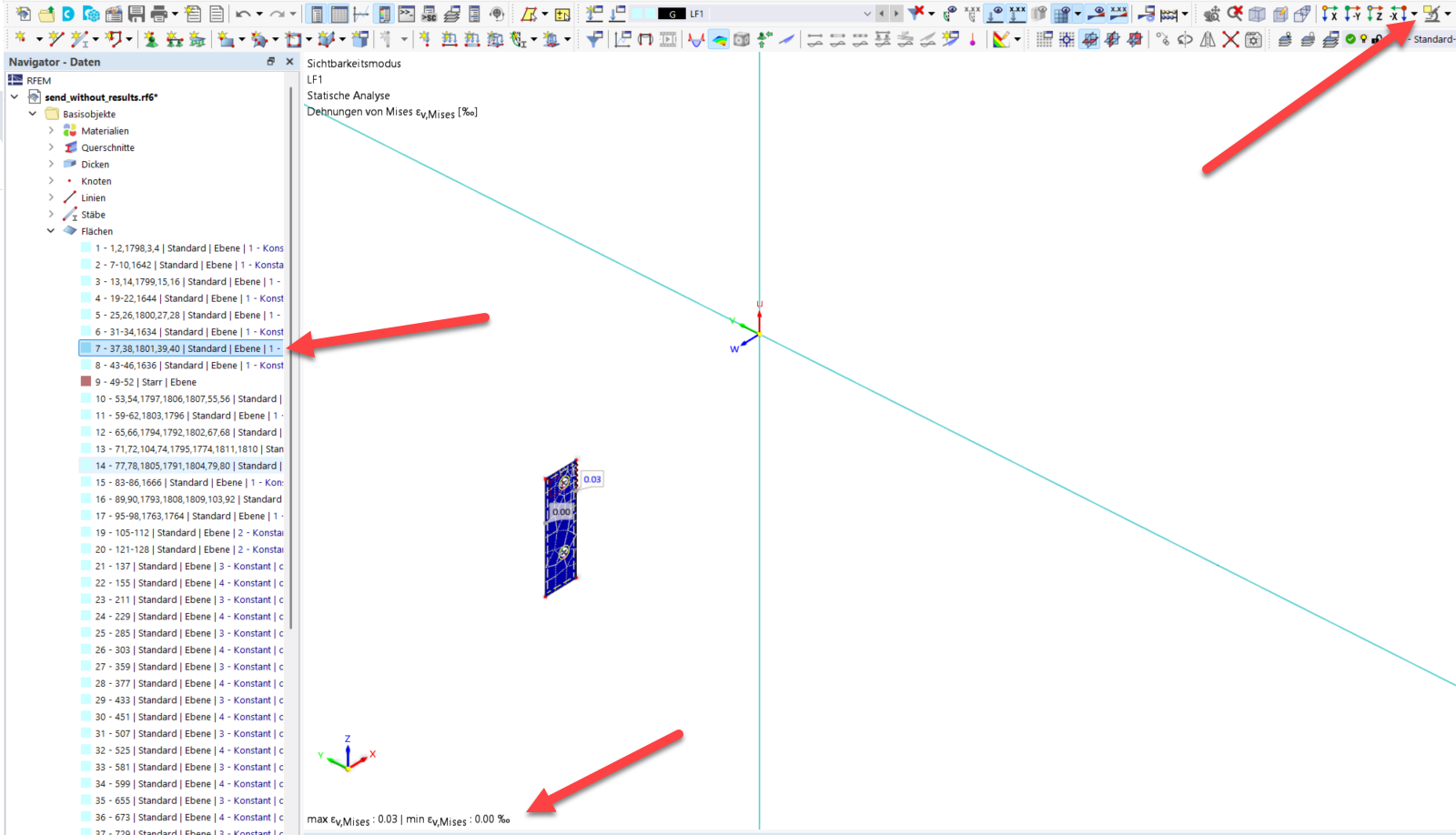
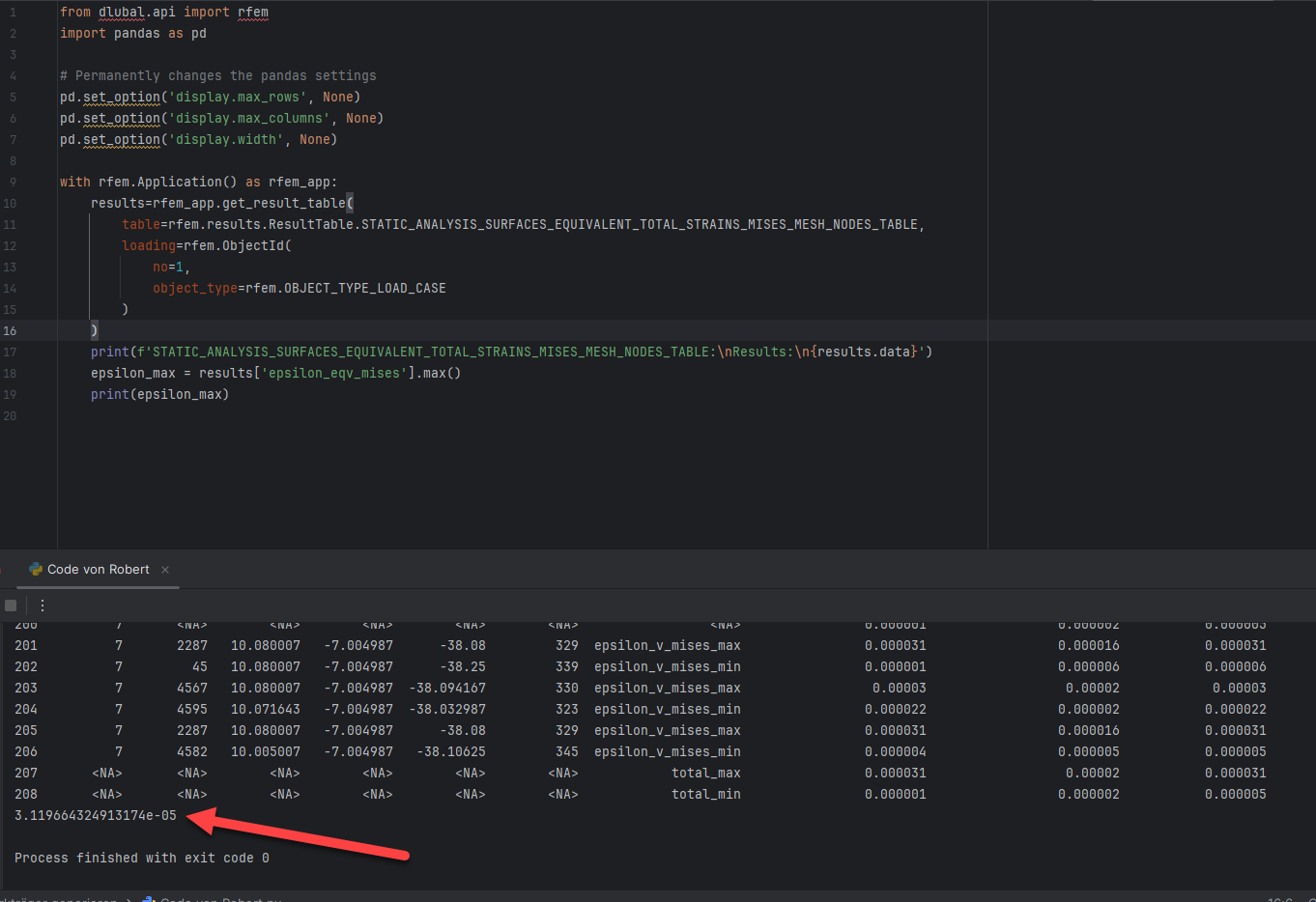
If you select only the area whose results you want via the object selection image and run the attached code, then the maximum comparative strain of this area will be output correctly.
image

image

Does this solve your problem?

Best regards
Matthias

Code für Nick.py (726 Bytes)

Thank you very much.

I finally managed to solve it by enabling the grid on all surfaces of the model.

However, in my case, the results cannot be evaluated in tabular form and thus not via API unless the grid is enabled, which is really strange that it is different for you. I have just verified this again with other models. All surfaces originating from submodels of the connection addon do not have a grid, which caused the startup problems.

Thanks again and best regards

Nick

Gladly :hugs:

I just ran my script on a submodel of a steel connection and had no problems with it either. That is indeed strange.

Best regards
Matthias