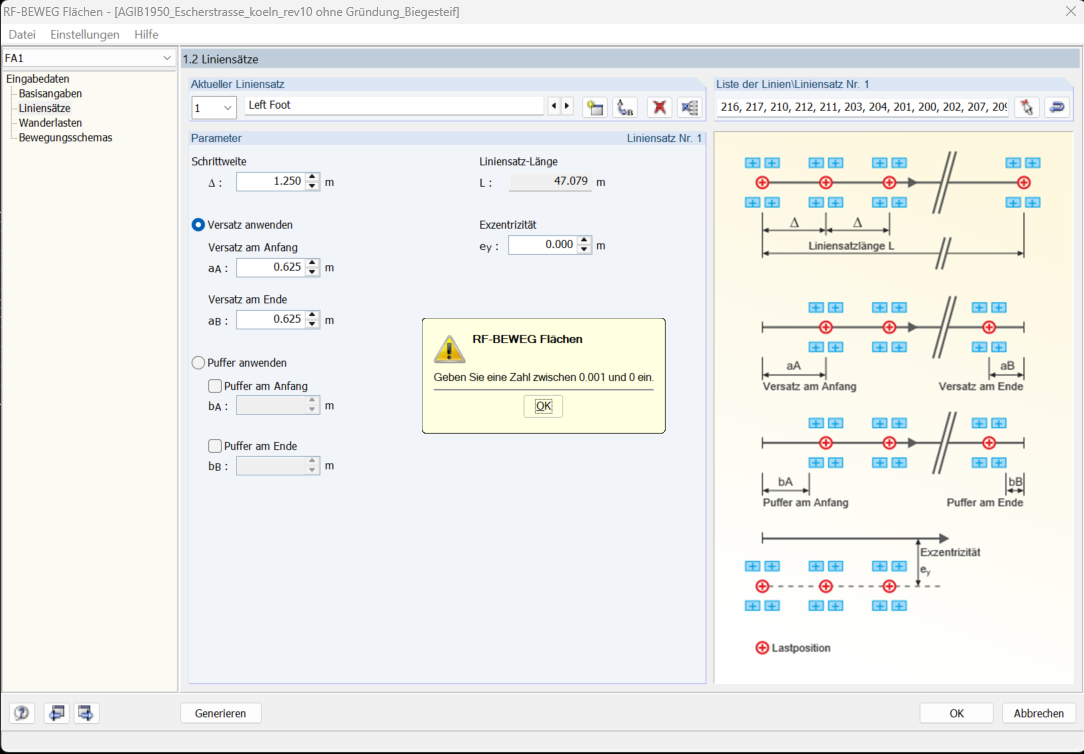
As part of my master's thesis, I need to model a person walking on a bridge.
For this, I have a model of the bridge in RFEM 5.
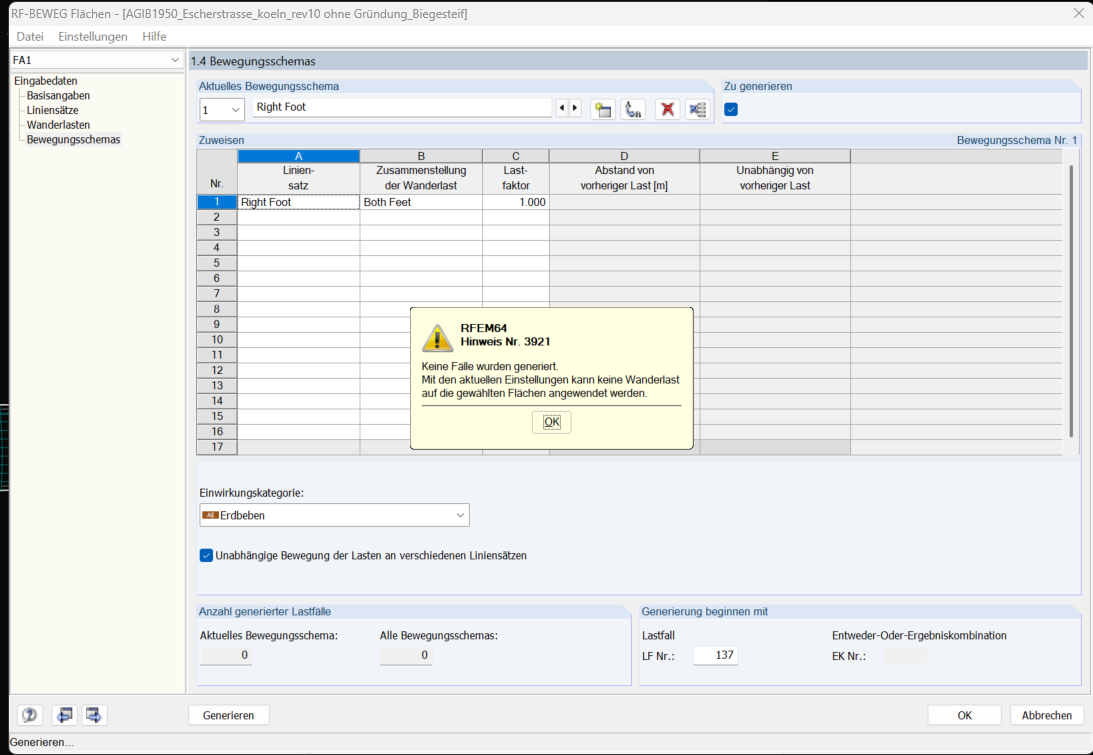
I have tried to model the moving load using the RF-BEWEG Surfaces add-on module. This works on a flat surface.
However, the bridge has a camber, so I need to model the moving load on a curved surface. I tried to assign a curved surface in the RF-BEWEG Surfaces module, but this does not work.
Can you help me if there is another trick to model the moving load on a curved surface?
Please note the following points to ensure that moving loads can be applied correctly:
• Moving loads cannot be applied on spline surfaces or on surfaces with a thickness of zero.
• Instead, use quadrangular surfaces with the standard stiffness.
Also important:
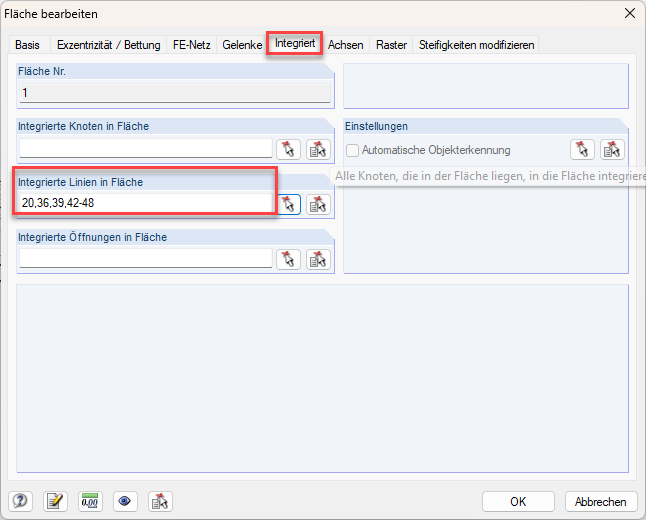
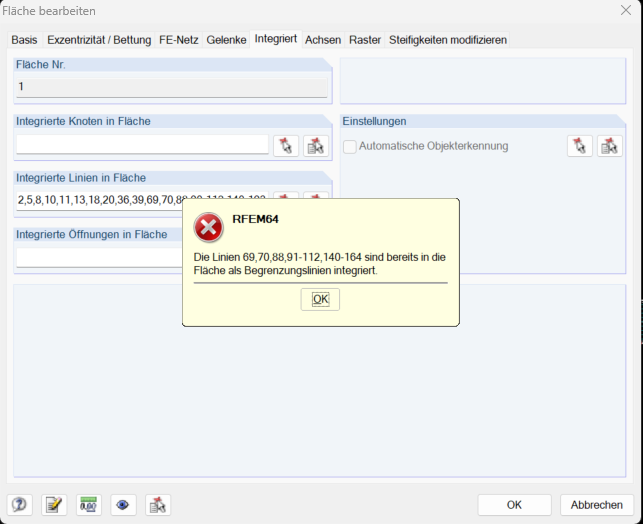
• The lines must be integrated into the surface so that loads can be applied to them.
If you keep this in mind, applying the moving load should work without any problems.
Hello Sandy,
thank you for the help. However, the surface must not have any influence on the behavior of the model.
If I set the stiffness of the surface to standard, I have to assign a material to the surface, and then it does have an influence.
Is there a way to model the surface without it having any influence?
If the surface should have no influence on the load-bearing behavior of the model, then the only option is indeed a modeling with negligible stiffness.
Possible procedure:
Surface type
• Quadrangle/ Standard
Material
• Create a custom "user-defined material"
E-modulus
• Strongly reduce the modulus of elasticity so that the stiffness is almost negligible
Thickness
• Define a very small thickness
In this way, the surface remains present and evaluable in the model without significantly affecting the global load-bearing behavior.

 Click on File → Save As and choose the following settings to reduce the file size: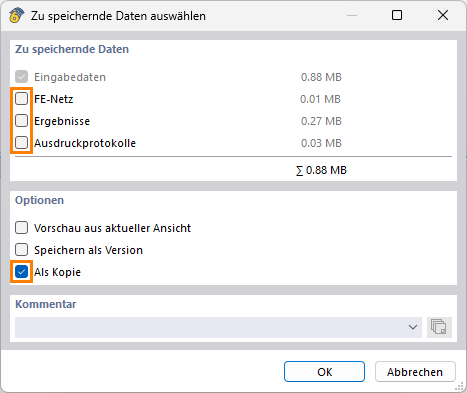
 Don’t want to share the file publicly? No problem – send it to me via direct message: click on my profile picture or my username → Message.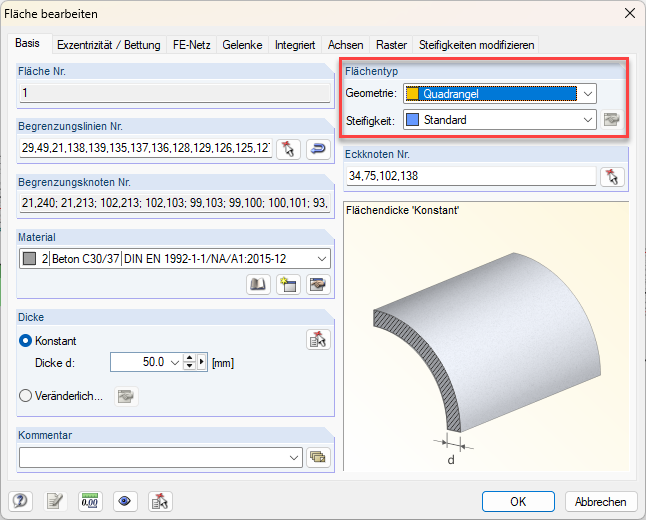


 Here you would need to consider an alternative approach.