Hi,
I created a simple steel design and now I want to add a foundation to it.
I chose the plate foundation as I need a plate shaped base.
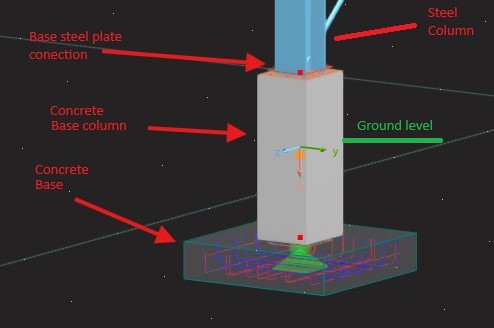
However the issue is it doesn't show up the base concrete column (which goes underground and then connects to the plate).
Only the plate is getting added.
So, I added a concrete column separately to the steel column and then tried to add the plate foundation. Now many errors.
Seems like steel design cannot be used mixed with concrete design.
Plate foundation seems to only have a plate, no base column.
I don't want to use a bucket foundation, I want the steel column to transfer loads at the ground level to a concrete column and that concrete column goes underground until it finds the plate foundation.
Edit: Added the files.
Project File
test4.rf6 (1.5 MB)
What I want to have
Hello BigBoss,
welcome to the Dlubal community. 
The fact that uploading the files didn't work was actually because you are a new user. I have just activated it for you. Please try again.
Frank
Thanks. I have added the project file. Please go through it.
Hi @frank.faulstich any update on this issue?
The error messages in the concrete design add-on were actually only due to the fact that a few elements were selected for the add-on that could not be designed with it. For example, the steel columns or the load transfer surface.
I removed these elements and now there are no more error messages.
2555.rf6 (1,4 MB)
Frank
Hi,
Removing all would not calculate anything. I don’t understand why did you untick the members (columns)? Then isn’t it simply mean we’re asking the software not to check those for failures (I mean not the steel columns, the concrete column checks would also be disabled)?.
I mean of course it would not throw errors when we just untick the members (concrete columns). But isn’t the main purpose of the software to check the members (concrete columns etc) as well?
I have a concrete column there (in addition to steel columns), so I would like the software to check that for failures as well.
Or did I misunderstood what you suggested me to do?
Sorry for the late reply. I was on vacation for a few days.
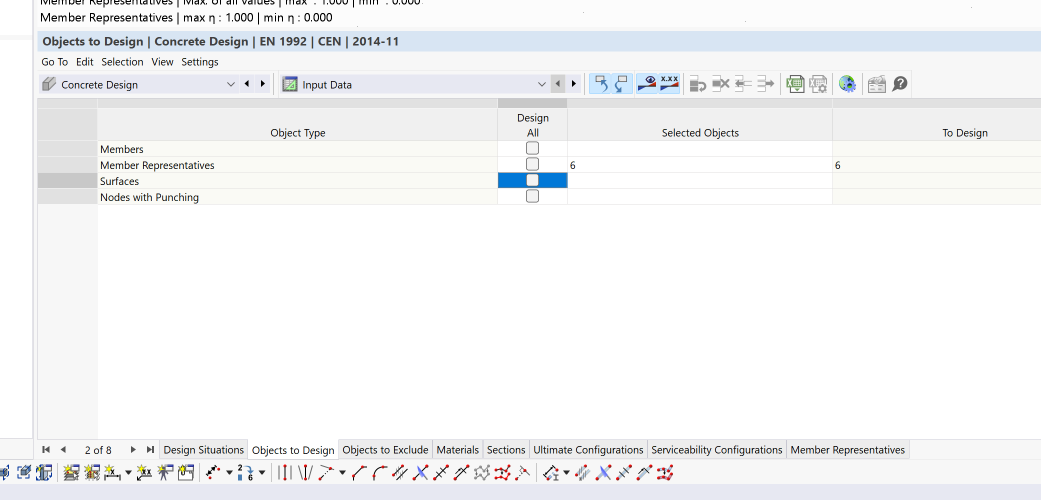
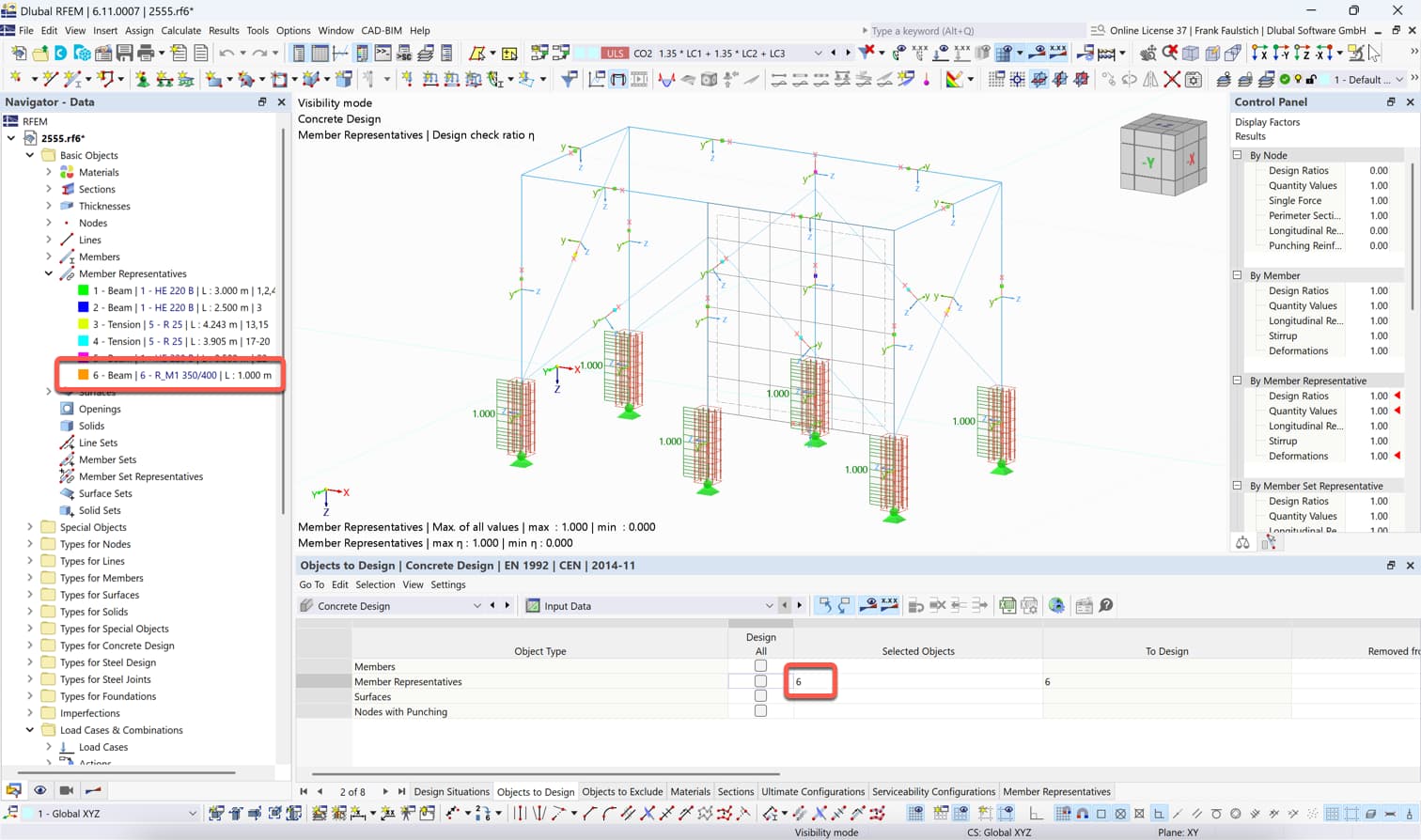
I did not deactivate all objects in the concrete design. Please take a look at the following image:
I selected member representatives 6. This combines all members for which concrete design is appropriate. The other members are all steel members.
Frank